I'm a participant in the Amazon Services LLC Associates Program, an affiliate advertising program designed to provide a means for me to earn fees by linking to Amazon.com and affiliated sites.
If you’re comparing Epson EcoTank Photo ET-8550 vs Canon imagePROGRAF PRO-300, here’s the simplest truth:
- Canon PRO-300 usually wins on pure photo fidelity (color accuracy, fine detail, “gallery print” vibes).
- Epson ET-8550 usually wins on real-world ownership (you print way more because the cost-per-print is dramatically lower, and it’s an all-in-one).
My verdict:
- Pick ET-8550 if you print photos often (family, Etsy, crafts, school, portfolios) and you want borderless 13×19 without cartridge anxiety.
- Pick PRO-300 if your goal is best possible A3+/13×19 photo output and you’re fine paying for cartridges to get there.
Most competitor articles stop at “tank vs cartridges.” The better question is: Are you optimizing for peak print quality per image, or peak print quality per dollar over the next 2 years?
Epson ET-8550 vs Canon PRO-300 Comparison Table
Feature | ||
|---|---|---|
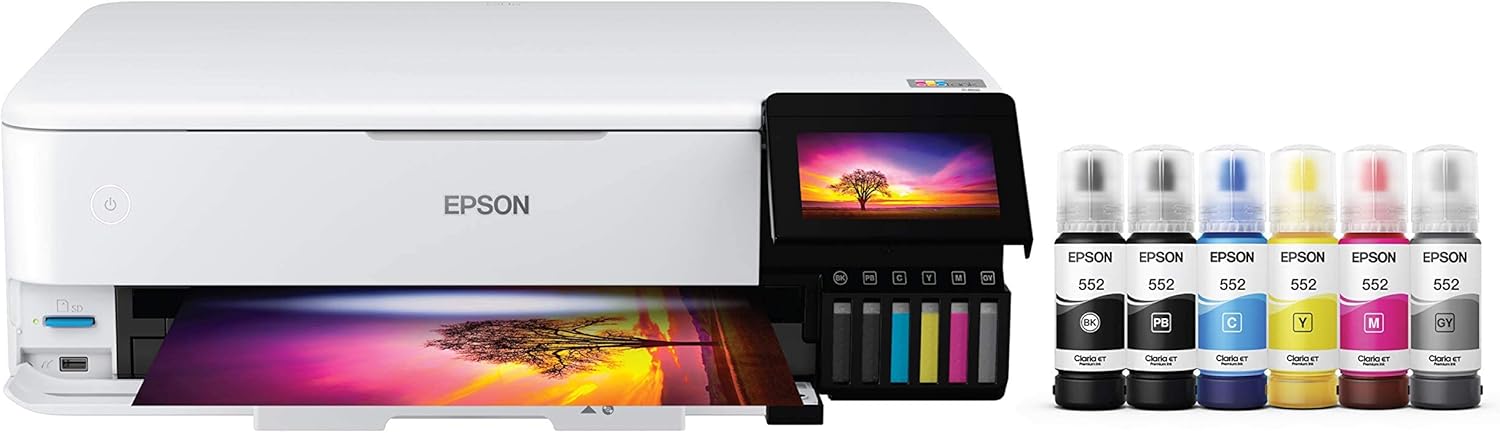 |  | |
Best for | High-volume photo printing + everyday use | Color-critical, gallery-style photo printing |
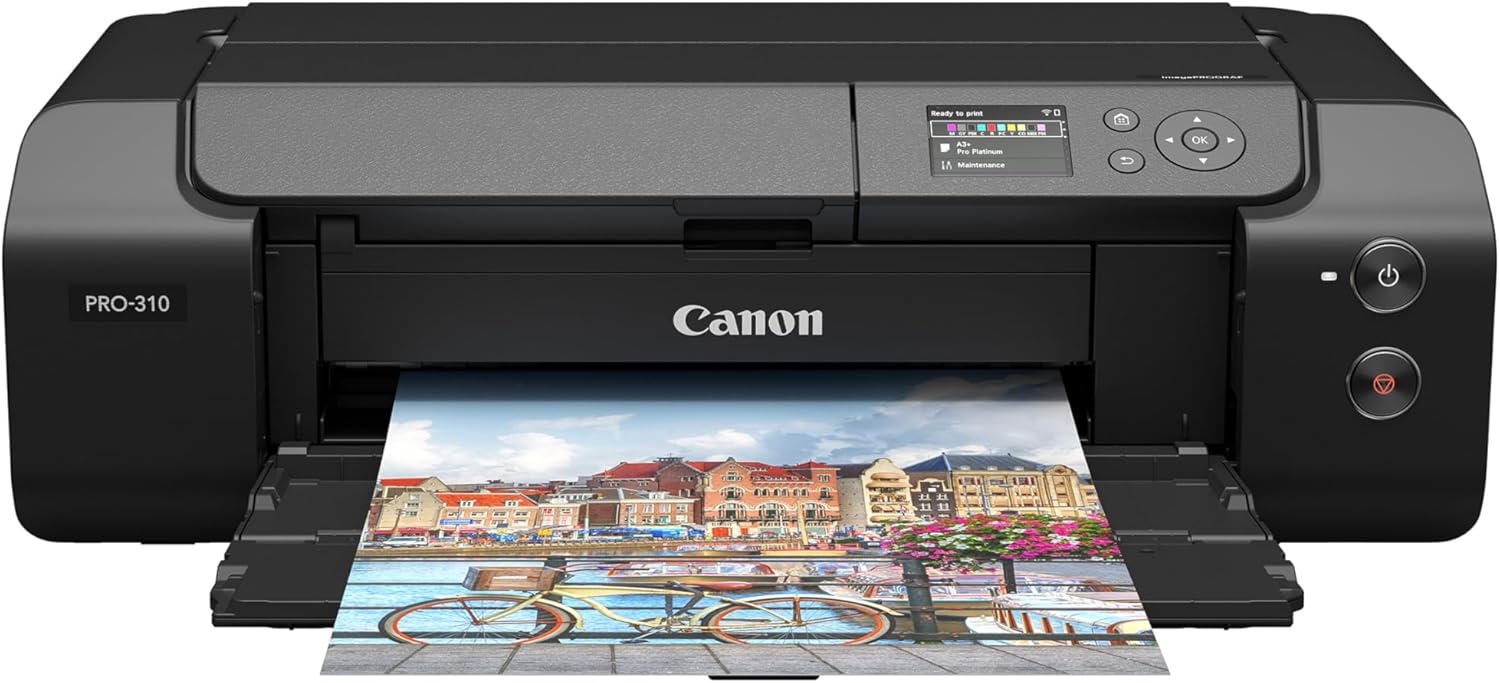
Ink type | Refillable EcoTank, 6-color Claria ET Premium | Cartridge-based LUCIA PRO pigment system (photo-focused) |
Max borderless size | Up to 13″ × 19″ | Up to 13″ × 19″ (plus custom panorama lengths) |
Cost per print feel | “Print without panic” (very low running cost) | “Premium prints, premium ink spend” |
All-in-one (scan/copy) | Yes (Print/Copy/Scan) | No (printer only) |
Everyday convenience | Strong (home/studio all-rounder) | Photo-first workflow (best when printing is the main job) |
Why people pick it | Low ink cost + versatility | Best output quality, pigment longevity, pro media handling |
Price |  | |
1) Photo Quality & Color (where the PRO-300 earns its reputation)
This is the category that decides pros, photographers, and anyone selling prints.
Independent testing comparisons commonly rate the Canon PRO-300 higher for photo/document quality, with stronger color accuracy and finer detail.
Canon also positions the PRO-300 around pro media handling and borderless prints across a wide range of sizes (including panorama/custom lengths).
The ET-8550 can absolutely produce beautiful photos—especially for home and creator use—but it’s built around a different promise: “print a lot for cheap, still look great.”
Real-world takeaway:
- If you’re the person who notices (and cares) when skin tones are slightly off or gradients aren’t perfect, PRO-300 is the safer “wow” pick.
- If you want consistently impressive photos but you also want to print often, ET-8550 wins because it changes how frequently you’re willing to hit “Print.”
2) Cost of Ownership (where the ET-8550 quietly destroys most rivals)
This is the section competitors under-explain, so people buy the wrong printer.
Epson markets the ET-8550 around affordable in-house photo printing and big savings via low-cost replacement bottles, including very low 4×6 cost examples.
Testing comparisons also highlight that the ET-8550’s ink tank yields more prints and delivers a much lower cost per print.
The PRO-300 is a premium pigment photo printer. That’s the point. It’s also why the cost-per-print feels like a “professional tool” rather than a “print whenever you feel like it” machine.
The regret pattern we see a lot:
- People buy a pro cartridge photo printer, love the first week, then start rationing prints.
- People buy the ET-8550, and their photo printer becomes an actual daily-use device.
Feature | ||
|---|---|---|
| | |
Best for | High-volume photo printing + everyday use | Color-critical, gallery-style photo printing |
Ink type | Refillable EcoTank, 6-color Claria ET Premium | Cartridge-based LUCIA PRO pigment system (photo-focused) |
Max borderless size | Up to 13″ × 19″ | Up to 13″ × 19″ (plus custom panorama lengths) |
Cost per print feel | “Print without panic” (very low running cost) | “Premium prints, premium ink spend” |
All-in-one (scan/copy) | Yes (Print/Copy/Scan) | No (printer only) |
Everyday convenience | Strong (home/studio all-rounder) | Photo-first workflow (best when printing is the main job) |
Why people pick it | Low ink cost + versatility | Best output quality, pigment longevity, pro media handling |
Price | | |
3) Workflow & Features (the part that matters every single week)
ET-8550: built for normal life + creative life
The ET-8550 is an all-in-one wide-format printer (print/copy/scan).
It’s also often praised for being fast for an ink tank printer and strong in overall usability—though not a high-volume office beast (notably lacking an ADF in some write-ups).
If you want one device that does photos, school stuff, craft projects, light office work, and scanning, that matters a lot.
PRO-300: built for printing sessions
The PRO-300 is a dedicated photo printer with media handling features aimed at photographers and fine-art printing, plus panorama/custom-length options.
If you’re scanning receipts, copying forms, or doing “household printing,” you’ll either need a second machine—or you’ll resent the PRO-300 for not being something it never claimed to be.
Major Differences (use-cases that actually decide the winner)
Choose Epson EcoTank Photo ET-8550 if…
- You want borderless 13×19 and you want to print often without thinking about ink costs.
- You need scan/copy in the same device.
- Your printing is a mix of photos + everyday docs + creative projects.
Choose Canon imagePROGRAF PRO-300 if…
- Your priority is highest photo quality (detail + accuracy) and you print to impress or sell.
- You care about pro media workflow and panorama/custom printing sizes.
- You don’t need scanning/copying built in.
Pros & Cons (no fluff)
Epson EcoTank Photo ET-8550: Pros
- Refillable tank system = dramatically lower running costs
- Borderless photos up to 13″ × 19″
- All-in-one (print/copy/scan) versatility
Epson EcoTank Photo ET-8550: Cons
- If you’re fully color-critical, PRO-300 typically produces higher-quality photos
- Not built as a “paperwork monster” (capacity/workflow limits in some reviews)
Canon imagePROGRAF PRO-300: Pros
- Frequently rated higher for photo quality + accuracy + detail
- Pro-focused media handling + panorama/custom length options
- Dedicated “serious photo printing” workflow
Canon imagePROGRAF PRO-300: Cons
- Higher ongoing ink costs vs a photo EcoTank (it’s a cartridge pigment pro printer)
- No scanner/copy features (printer only)
FAQ: Epson EcoTank Photo ET-8550 vs Canon imagePROGRAF PRO-300
Which prints better photos: ET-8550 or PRO-300?
In head-to-head testing, the PRO-300 is often judged higher for photo quality, with better color accuracy and finer detail.
Which is cheaper to run long-term?
The ET-8550 is designed around low-cost ink bottles and is typically far cheaper per print than cartridge photo printers.
Can both print borderless 13×19?
Yes—both are positioned for borderless printing up to 13″ × 19″.
Is the ET-8550 “good enough” for selling prints?
For many creators, yes—especially if your business model depends on producing a lot of prints cheaply. If your brand is built on color precision and premium fine-art output, the PRO-300 is the safer pro pick.
Do I need a second printer if I buy the PRO-300?
If you scan/copy regularly, yes—because the PRO-300 is a dedicated printer.
Which is better for a mixed home + creative studio?
The ET-8550 is usually the better “single device” solution because it’s an all-in-one and the ink cost encourages frequent use.
Final Verdict: Epson EcoTank Photo ET-8550 vs Canon imagePROGRAF PRO-300
If you want the printer that makes you say, “I should print that” every day, get the Epson EcoTank Photo ET-8550—it’s the rare photo-capable wide-format printer that doesn’t punish you for using it.
If you want the printer that makes you say, “That looks like it came from a gallery lab,” get the Canon imagePROGRAF PRO-300—it’s built to be a photo specialist.
Other Interesting Articles
- 3D Printing Ideas: 40 Genius Projects You’ll Actually Want to Try
- 50 Cool Things to 3D Print: From Useful to Fun!
- Best Resin 3D Printer: My Top 3 Picks, Tested Specs, and Who Each One Is For
- Flashforge Adventurer 5M vs Elegoo Centauri Carbon: Which 3D Printer Comes Out on Top?
- Flashforge Adventurer 5M vs Bambu A1: Which 3D Printer Should You Pick?
- Flashforge Adventurer 5M vs 5M Pro: Which 3D Printer Really Delivers?
About RegalPrinter
RegalPrinter offers the best reviews for inkjet printers, laser printers, 3D printers, and other similar office machines that you use in your everyday life. We provide expert information that will ensure you are making the right decision whenever buying any of these machines. Our Canon imagePROGRAF PRO-300 vs Epson EcoTank Photo ET-8550 review will ensure you know which is right for you.