I'm a participant in the Amazon Services LLC Associates Program, an affiliate advertising program designed to provide a means for me to earn fees by linking to Amazon.com and affiliated sites.
The best printer for envelopes is not necessarily the printer with the fastest speed or highest resolution.
Envelope printing is a paper-handling problem.
An envelope is thicker than a normal sheet of paper. It may have multiple layers, seams, a flap, adhesive, texture, or even a lining. Push that through a printer designed primarily around flat 20 lb office paper and you can end up with:
- crooked addresses
- wrinkled envelopes
- double feeds
- jams
- smeared ink
- toner that does not adhere properly
- sealed flaps
- envelopes that simply refuse to feed
That is why the paper path matters so much.
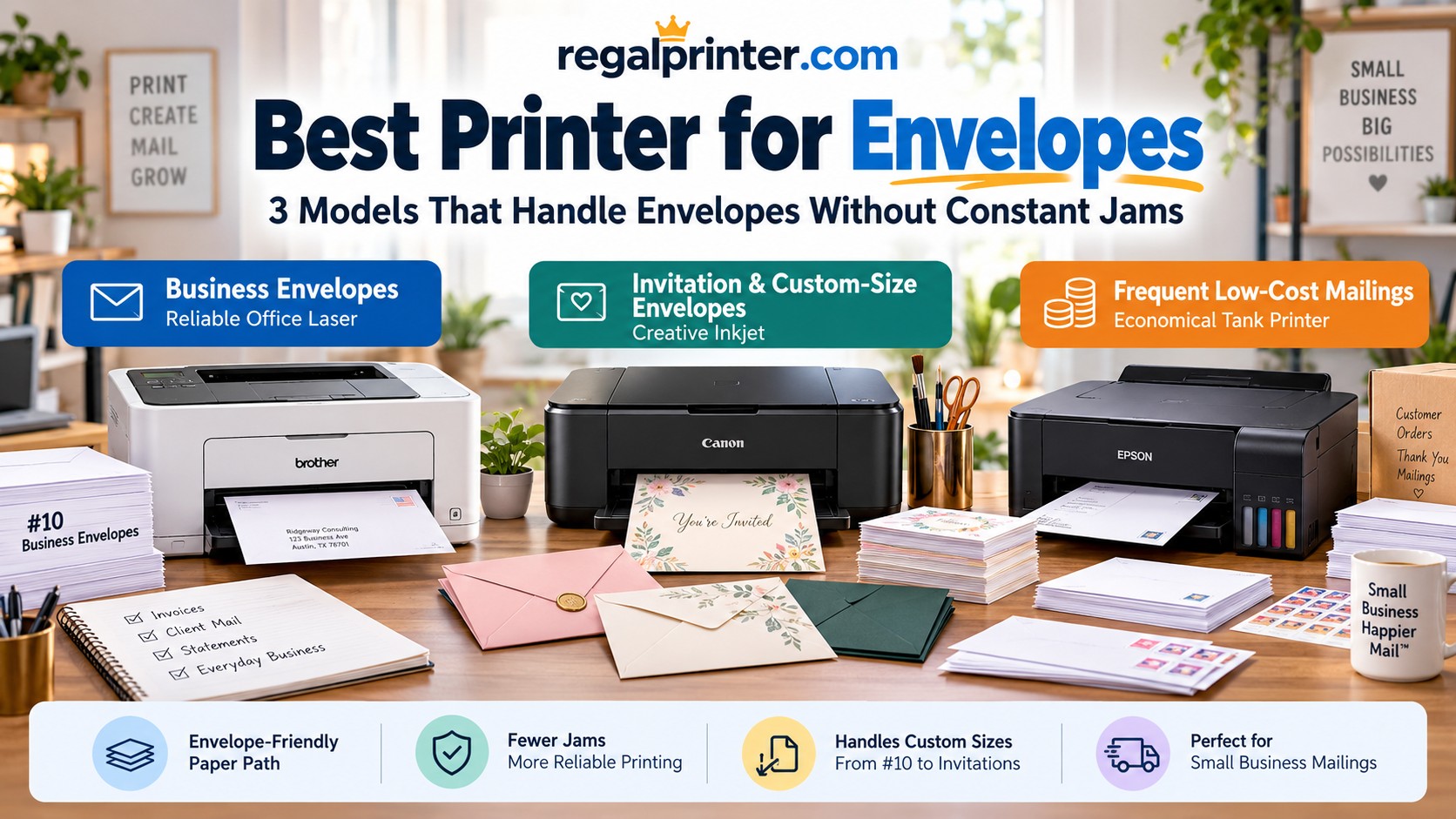
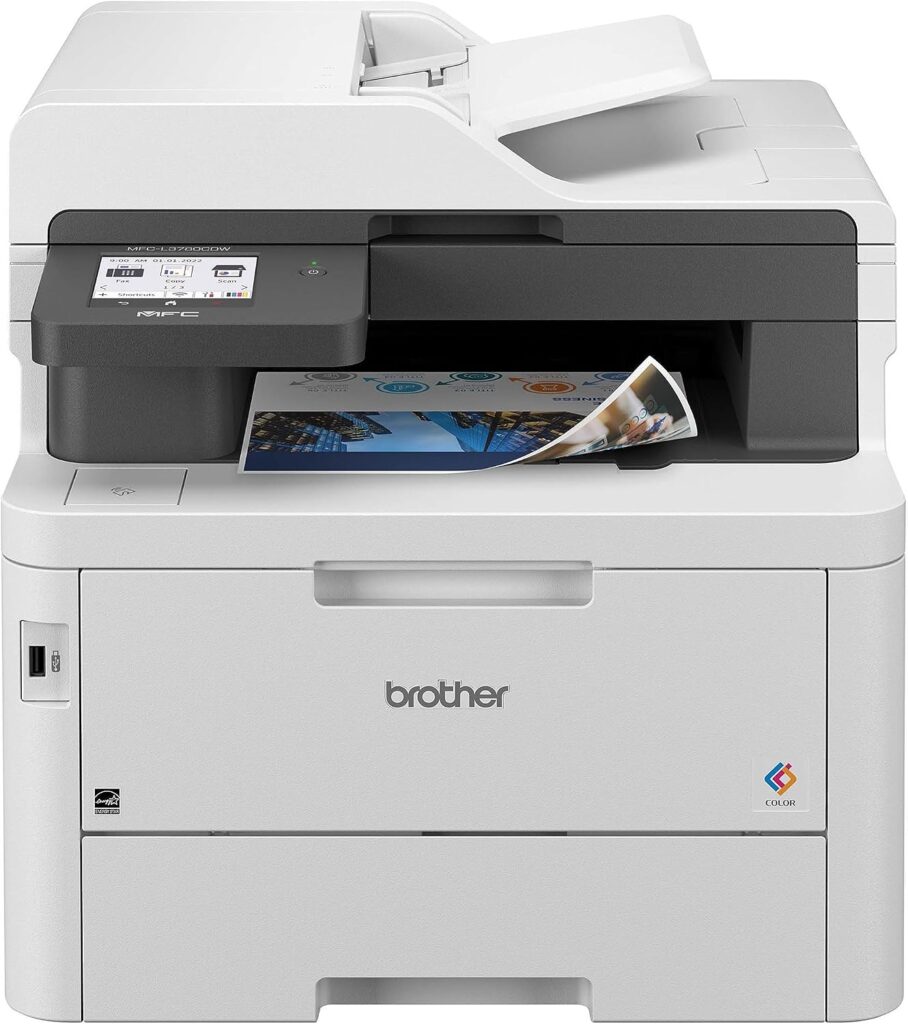
For most offices printing standard #10 business envelopes, the Brother MFC-L3780CDW is my top laser choice because its multipurpose tray is specifically designed for envelopes and other specialty media.
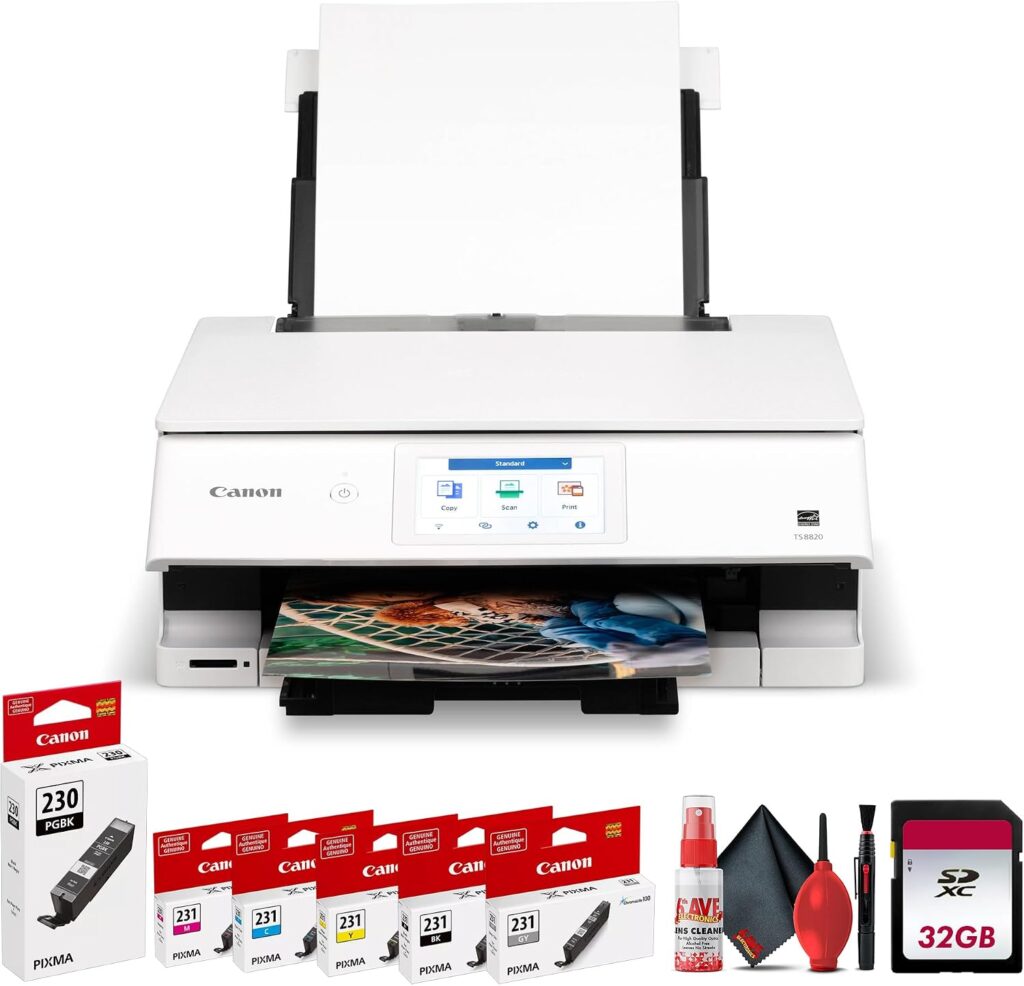
For invitations, A7-sized stationery, and more creative envelope work, the Canon PIXMA TS8820 is more flexible because its rear feed accepts custom media sizes and avoids pulling specialty media from the lower cassette.
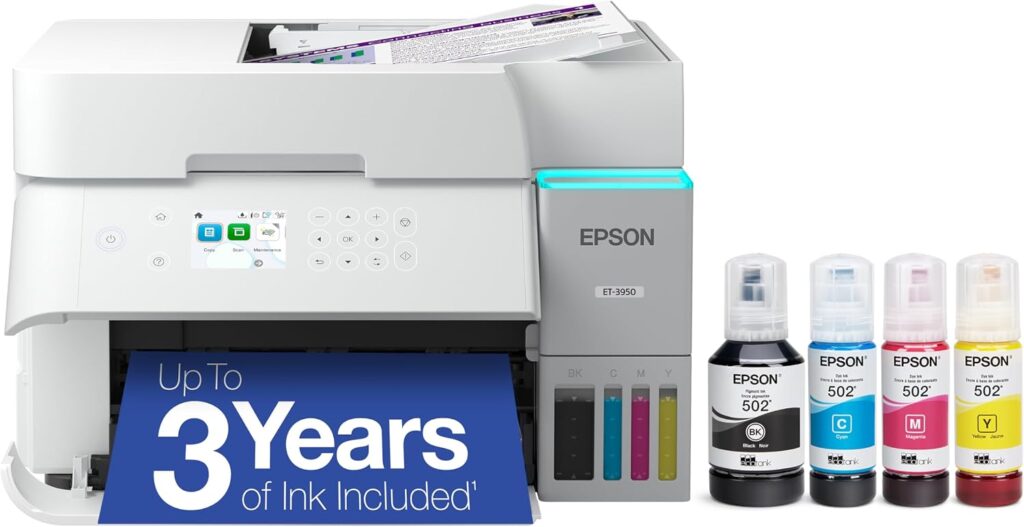
For businesses printing envelopes frequently enough that ink cost matters, the Epson EcoTank ET-3950 is particularly interesting because Epson officially supports batches of up to 10 #10, DL, or C6 envelopes while using inexpensive bottled ink.
The Short Answer
Buy the Brother MFC-L3780CDW if: you primarily print standard business envelopes, want crisp black text, and also need a capable color laser office machine.
Buy the Canon PIXMA TS8820 if: you print invitations, greeting-card envelopes, custom sizes, or other creative stationery and want a rear-feed inkjet.
Buy the Epson EcoTank ET-3950 if: you regularly address batches of envelopes and want to keep ink costs extremely low.
The important thing is to match the printer to the envelope, not just the page count.
Best Printers for Envelopes Compared
Feature | |||
|---|---|---|---|
Printer | 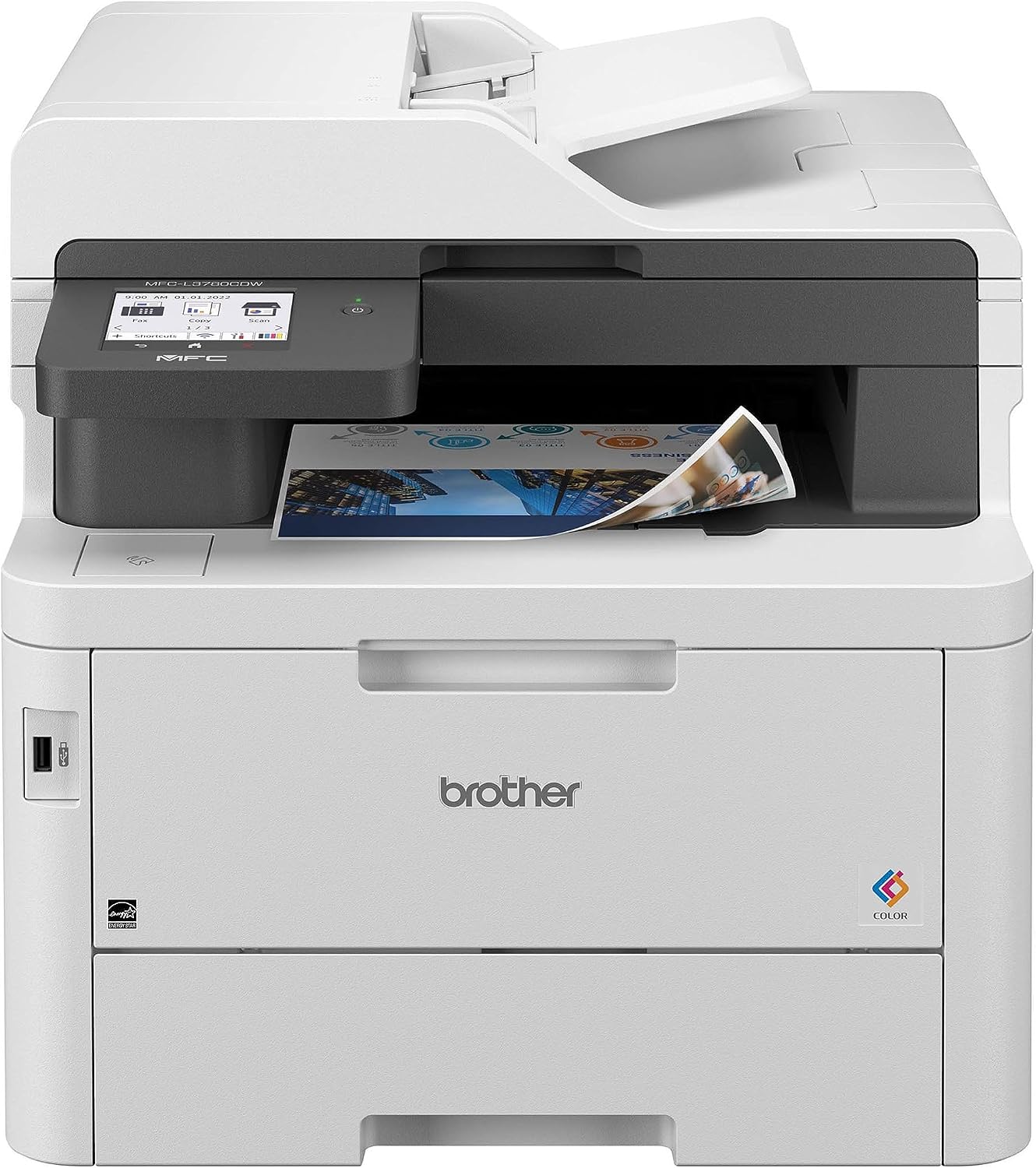 | 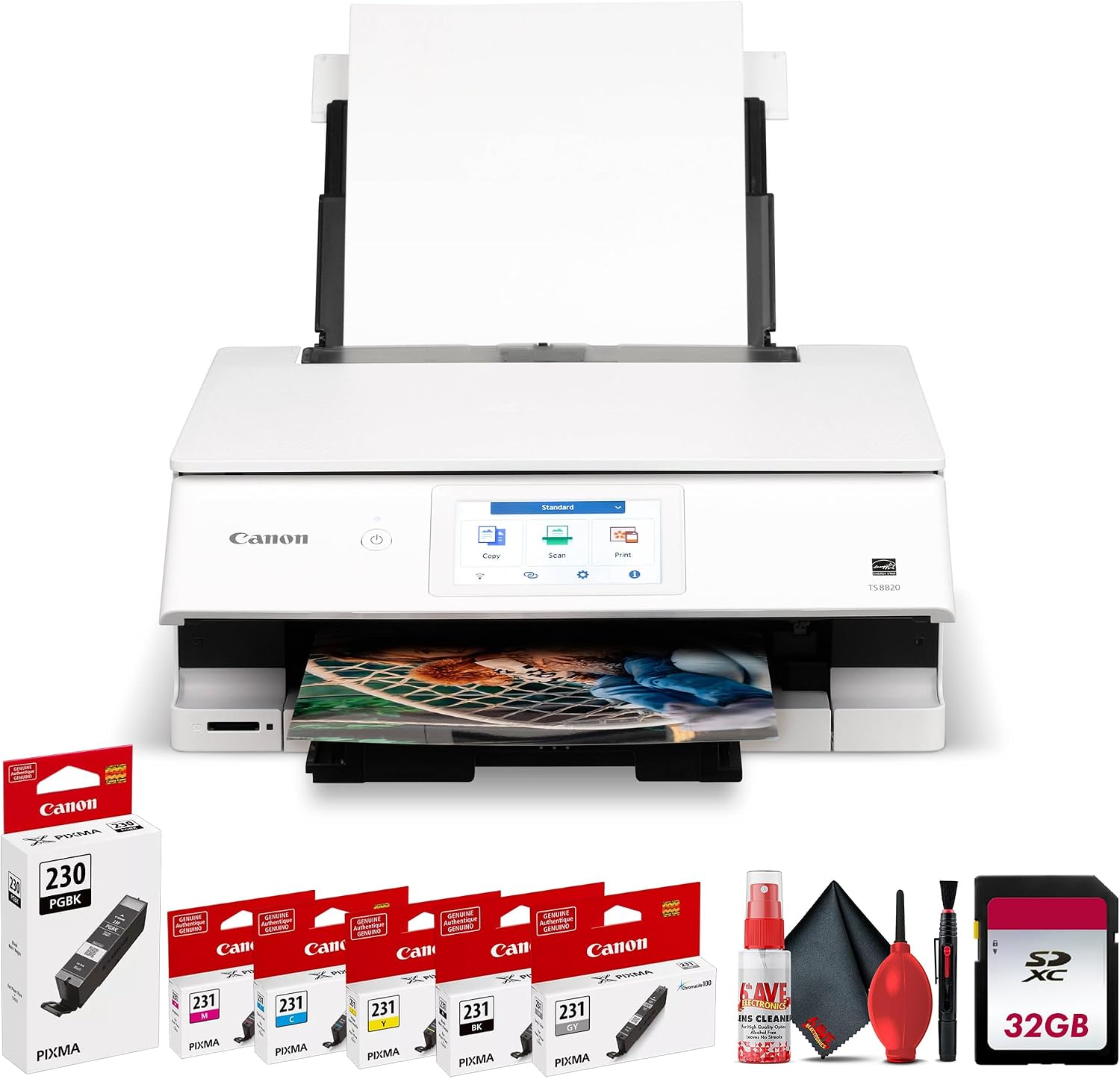 | 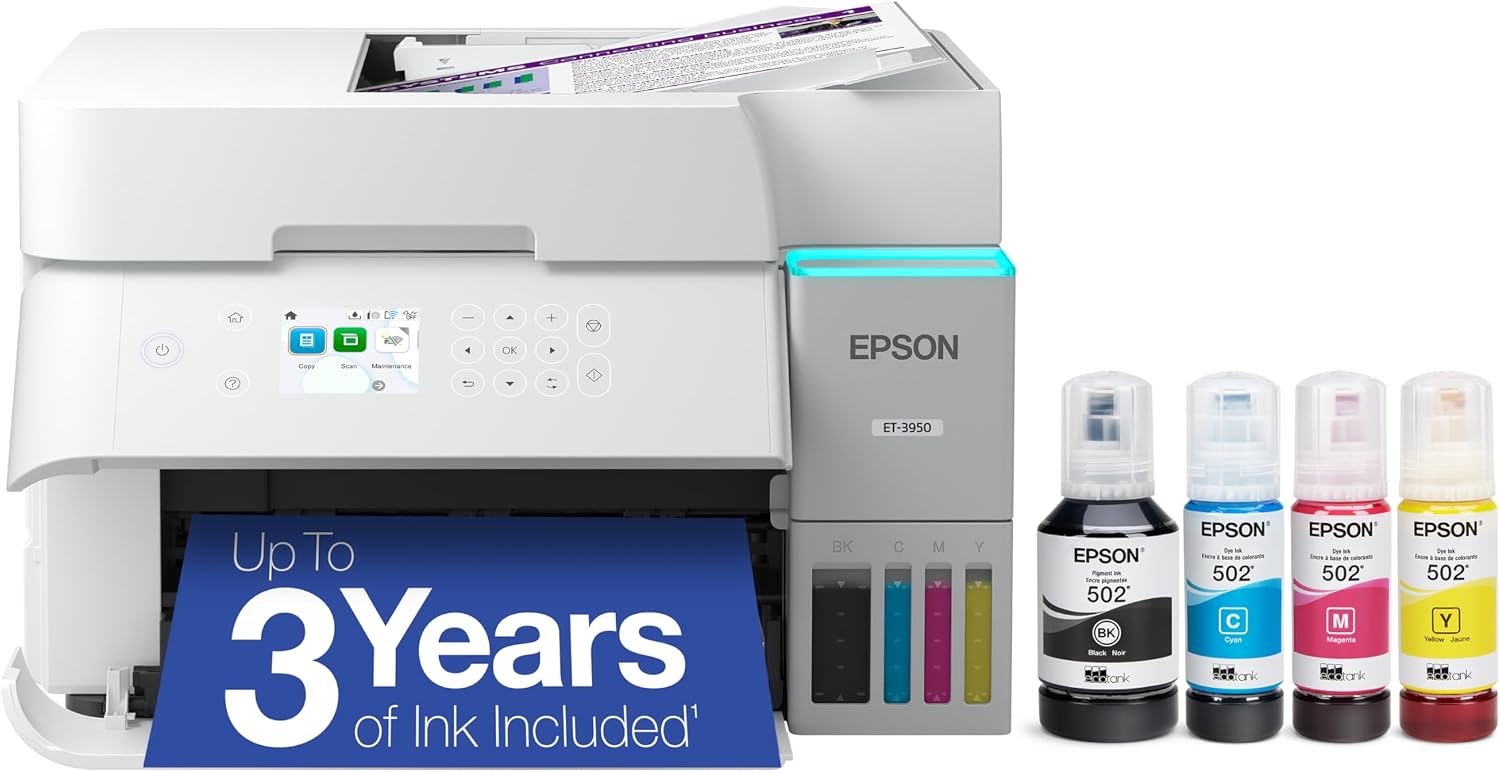 |
Best for | Business #10 envelopes | Invitations and custom-size envelopes | Frequent low-cost envelope printing |
Printer type | Color laser all-in-one | 6-color inkjet all-in-one | Refillable ink-tank all-in-one |
Envelope feed | Multipurpose tray | Rear tray | Paper cassette |
Envelope capacity | Up to 3 envelopes in MP tray | Feed conservatively; no universal batch rating published | Up to 10 envelopes |
Official envelope support | Envelopes + custom MP sizes | U.S. #10; custom rear-feed sizes | #10, DL and C6 |
Custom sizes | 3.0 x 4.57 to 8.5 x 14 in. through MP tray | 2.2 x 3.5 to 8.5 x 26.6 in. through rear tray | User-defined sizes available, but official envelope support is #10/DL/C6 |
Color | Yes | Yes | Yes |
Main advantage | Crisp office output and specialty-media tray | Flexible rear feed for creative stationery | 10-envelope capacity + very low ink cost |
Price |  | | |
Brother officially allows up to three envelopes in the L3780CDW’s multipurpose tray. Canon explicitly supports U.S. #10 envelopes on the TS8820 and gives its rear tray a broad custom-size range. Epson’s ET-3950 manual supports #10, DL, and C6 envelopes in batches of up to 10.
What Actually Makes a Printer Good for Envelopes?
Printer manufacturers love advertising:
- DPI
- print speed
- Wi-Fi
- touchscreen size
None of those tells you whether an envelope will make it through the printer without looking like it lost a fight.
For envelope printing, I would pay much more attention to:
- Feed path
- Envelope capacity
- Custom-size support
- Media thickness
- Ink versus toner
- How the printer handles flaps and seams
- Whether you need one envelope or 200
A printer that accepts specialty media through a dedicated rear or multipurpose feed often has an advantage over one that forces the envelope through the same tight path used for ordinary paper.
Rear Feed vs Cassette: Why the Paper Path Matters
Imagine bending a normal sheet of paper around a roller.
No problem.
Now imagine doing the same thing with a thick invitation envelope containing:
- two layers of paper
- folded seams
- adhesive
- a pointed flap
It is much less flexible.
A rear feed or multipurpose tray generally reduces the amount of bending required, although the exact internal path differs by printer.
That can help reduce:
- skew
- jams
- wrinkling
- damaged envelope corners
This is one reason the Brother and Canon stand out for specialty envelope work.
The Brother uses a dedicated multipurpose feed.
The Canon uses a rear tray.
The Epson takes a different approach and officially allows up to 10 supported envelopes in its cassette.
1. Brother MFC-L3780CDW: Best for Business Envelopes
Best for:
Offices printing #10 envelopes, invoices, business correspondence, and other document-heavy work.
Skip it if:
You primarily print thick, heavily textured, lined, or heat-sensitive invitation envelopes.
The Brother MFC-L3780CDW is the printer I would choose for an office where envelope printing is just one part of a much larger document workflow.
It is a color laser all-in-one rather than a dedicated envelope printer, but Brother gives it a 30-sheet multipurpose tray specifically designed for specialty media.
That tray accepts:
- plain paper
- thick paper
- bond paper
- labels
- glossy paper
- envelopes
Brother states that the multipurpose tray can hold up to three envelopes at a time.
That capacity is not enormous.
But it is deliberate.
Rather than stacking a large number of bulky envelopes and hoping the pickup rollers separate them properly, you feed a small controlled batch through the specialty-media path.
For business correspondence, that is often preferable.
Why Laser Works Well for Standard #10 Envelopes
Standard office envelopes generally contain simple black:
- recipient addresses
- return addresses
- logos
- postal information
Laser printing is excellent for this.
The toner produces:
- sharp text
- clean edges
- fast output
- no liquid ink drying time
The L3780CDW also prints ordinary documents at up to roughly 31 pages per minute, so it remains a capable office printer when you are not addressing envelopes.
That matters.
Most businesses do not need an appliance that only prints envelopes.
They need a printer that handles envelopes without making them miserable.
The Multipurpose Tray Is the Key Feature
Do not load envelopes into the main 250-sheet tray simply because it is larger.
The multipurpose tray is the correct specialty-media path.
Brother gives it custom-size support from approximately:
3.0 to 8.5 inches wide
and
4.57 to 14 inches long.
That range covers many common envelope dimensions, although the construction of the envelope still matters.
The MP tray also lets you avoid removing your ordinary letter paper every time you need to address a handful of envelopes.
That is exactly how a good office printer should work.
Best for #10 Business Envelopes
A standard U.S. #10 envelope measures approximately:
4.125 x 9.5 inches
That fits comfortably within the Brother’s multipurpose media dimensions.
For things like:
- invoices
- statements
- client correspondence
- donation letters
- appointment notices
- office mail
the Brother is an excellent fit.
But Laser Heat Requires Some Caution
Laser printers do not spray liquid ink onto the envelope.
They use toner that is fused to the paper using heat.
That creates an important envelope-specific limitation.
Avoid envelopes with materials that may react badly to heat, including some:
- pressure-sensitive adhesives
- plastic windows
- decorative coatings
- synthetic materials
- heavily embossed surfaces
- poorly glued seams
Use envelopes specifically rated as laser compatible.
This matters particularly with decorative invitation envelopes.
A beautiful handmade envelope may work perfectly in an inkjet and wrinkle badly inside a laser printer.
Textured Envelopes Can Be Tricky
Laser printers can handle some textured stock, but the rougher the surface becomes, the harder it may be for toner to make complete contact.
You may see:
- weak areas
- incomplete toner adhesion
- uneven coverage
If your envelopes have a strong linen, laid, felt, or handmade texture, test them before committing to a large batch.
A rear-feed inkjet may be a better option.
Bottom Line on the Brother MFC-L3780CDW
This is my choice for the traditional office.
Pros
- Dedicated multipurpose envelope feed
- Supports up to three envelopes at once
- Crisp laser text
- Fast office printing
- Custom-size MP tray
- Color printing
- Automatic duplex document printing
- Scanner and ADF
- Ethernet and wireless
Cons
- Only three envelopes at once
- Laser heat can be problematic for specialty envelopes
- Not ideal for heavily textured invitation stationery
- Much more printer than you need if envelopes are your only task
2. Canon PIXMA TS8820: Best for Invitation and Custom-Size Envelopes
Best for:
Invitations, greeting cards, creative stationery, wedding envelopes, and other specialty envelope sizes.
Skip it if:
You need to blast through hundreds of plain business envelopes every day.
The Canon PIXMA TS8820 is the more interesting choice for creative envelope printing.
Its biggest advantage is not speed.
It is the rear feed.
Canon gives the TS8820:
- a 100-sheet rear tray
- a 100-sheet cassette
- a single-sheet multipurpose feed
and specifically lists U.S. #10 envelopes among compatible media.
For specialty stationery, I would use the rear tray.
Why Rear Feed Helps With Invitation Envelopes
Invitation envelopes often differ substantially from plain office envelopes.
They may be:
- thicker
- textured
- cotton-based
- colored
- deckled
- lined
- unusually sized
The less aggressively you force that material to bend, the better.
A rear feed generally creates a more direct route than pulling media from a lower cassette.
That makes the TS8820 appealing for:
- wedding invitations
- save-the-date envelopes
- greeting cards
- holiday cards
- boutique stationery
What About A7 Envelopes?
A7 is one of the most common invitation-envelope sizes in the United States.
An A7 envelope is approximately:
5.25 x 7.25 inches
Canon officially lists U.S. #10 envelopes as supported media on the TS8820 rather than explicitly naming A7 envelopes. However, its rear tray accepts custom media from approximately 2.2 to 8.5 inches wide and 3.5 to 26.6 inches long.
An A7-sized sheet therefore falls comfortably within the printer’s custom dimensional range.
But that is not the same as Canon certifying every A7 envelope construction.
So my recommendation is:
Set the correct custom dimensions and test a few envelopes before buying or printing an entire box.
That distinction is important.
Paper size may fit while:
- thickness
- flap design
- lining
- texture
still creates a feeding problem.
Why Inkjet Can Be Better for Textured Envelopes
Inkjet printers do not depend on toner being melted onto the paper with a fuser.
They deposit ink directly onto the surface.
That can make them easier to use with certain specialty envelope stocks, especially when the envelopes are explicitly marked inkjet compatible.
It can also reduce the risk of heat affecting:
- adhesive
- lining
- decorative finishes
However, textured paper creates its own inkjet challenges.
Ink can:
- feather
- absorb unevenly
- look less sharp on porous stock
Again, test first.
Six-Color Printing Helps With Creative Designs
The TS8820 uses a six-color ink system and is designed for more than plain office documents.
That makes it a better fit if your envelopes contain:
- colored return addresses
- logos
- floral elements
- illustrations
- decorative borders
- custom wedding graphics
For plain black addresses, that capability does not matter much.
For event stationery, it can.
Smearing Is the Main Inkjet Concern
The biggest downside to inkjet envelope printing is drying time.
Smooth or coated envelope stock may hold ink on the surface longer.
If you immediately stack freshly printed envelopes, you can transfer ink to the next envelope.
When printing specialty stock:
- Test one envelope.
- Check for smearing.
- Let it dry.
- Only then run a larger batch.
For heavily saturated artwork, give envelopes extra drying time before stacking.
Bottom Line on the Canon TS8820
This is the printer I would investigate first for creative stationery.
Pros
- Rear envelope feed
- U.S. #10 envelope support
- Wide custom-size range
- Six-color ink system
- Good for invitation graphics
- No laser fuser heat
- Scanner and copier included
- Useful for greeting cards and other creative media
Cons
- Canon does not explicitly certify every A7 envelope
- Ink may need drying time
- Textured stock requires testing
- Not designed as a high-volume envelope production machine
3. Epson EcoTank ET-3950: Best for Frequent Low-Cost Envelope Printing
Best for:
Small businesses, home offices, mailings, and users printing envelopes regularly enough that ink cost matters.
Skip it if:
You primarily print thick artisan or heavily textured invitation envelopes.
The Epson EcoTank ET-3950 has one unusually attractive specification for envelope users:
Epson officially says you can load up to 10 envelopes at once.
Supported envelope formats include:
- U.S. #10
- DL
- C6
and Epson notes that only the address side is supported.
That immediately gives the ET-3950 an advantage for repeated small mailings.
Ten Envelopes Is a Useful Middle Ground
A 10-envelope batch is enough to handle:
- client mail
- small invoice runs
- donor letters
- church mailings
- appointment reminders
- customer correspondence
without manually loading every envelope.
It is also small enough that misfeeds are easier to control than they would be with a giant stack of envelopes.
Epson’s U.S. support team separately confirms #10 envelope compatibility on the ET-3950.
EcoTank Ink Keeps Repeated Mailings Cheap
The other reason to choose the ET-3950 is operating cost.
Instead of conventional cartridges, it uses refillable EcoTank ink bottles.
That is particularly useful if envelope printing is only one component of a larger workload that includes:
- invoices
- flyers
- letters
- forms
- color documents
A business may print thousands of pages between ink refills.
You are not buying the ET-3950 specifically because an address consumes huge amounts of ink.
It does not.
You are buying it because one inexpensive ink system can handle all of the office’s color printing.
It Also Gives You Office Features
Unlike a basic print-only envelope machine, the ET-3950 also includes:
- scanning
- copying
- ADF
- automatic duplex document printing
- automatic two-sided scanning
- 250-sheet ordinary-paper capacity
- Wi-Fi
- Ethernet
RTINGS currently describes the ET-3950 as a capable office-oriented tank printer with a 250-sheet tray and duplex scanning.
That makes it useful for a small office that needs envelopes but does not print enough to justify a business laser.
One Important Limitation: No Duplex Envelopes
This should be obvious in practice, but Epson specifically excludes envelopes from automatic two-sided printing.
Do not attempt to send an envelope through an automatic duplex path.
Print the intended face only.
For envelopes, Epson specifies the address side.
Bottom Line on the ET-3950
The ET-3950 is the most interesting choice for people regularly printing modest envelope batches while also wanting very low general color-printing costs.
Pros
- Official capacity of up to 10 envelopes
- Supports #10, DL and C6
- Low-cost bottled ink
- 250-sheet ordinary-paper tray
- Scanner and ADF
- Duplex document printing and scanning
- Ethernet and Wi-Fi
- Good general-purpose small-office printer
Cons
- Envelope feed is not a dedicated rear specialty path
- Not my first choice for unusually thick invitation stock
- Inkjet output may require drying time
- Official envelope formats are more limited than the broad custom-paper options on the Canon
#10 vs A7 Envelopes: What’s the Difference?
The two envelope types target very different use cases.
#10 envelope
Approximately:
4.125 x 9.5 inches
Typical uses:
- business letters
- invoices
- statements
- checks
- office correspondence
This is the envelope most business printers are designed around.
A7 envelope
Approximately:
5.25 x 7.25 inches
Typical uses:
- wedding invitations
- greeting cards
- save-the-dates
- announcements
- premium stationery
A7 envelopes are also more likely to be:
- thicker
- textured
- colored
- lined
That makes paper handling much more important.
Which Printer Is Best for #10 Envelopes?
For straightforward office correspondence, I would choose between the Brother MFC-L3780CDW and Epson ET-3950.
Choose Brother if:
- text quality matters most
- you prefer laser
- your envelopes are laser-compatible
- you only print a few envelopes at a time
- you also need a fast color office laser
Choose Epson if:
- you want to load up to 10 at once
- you print color elsewhere in the business
- low ink costs matter
- you prefer an inkjet workflow
Which Printer Is Best for A7 Invitation Envelopes?
I would start with the Canon PIXMA TS8820.
Its rear feed and broad custom-size range make it more appropriate for experimenting with invitation stock.
An A7 envelope’s 5.25 x 7.25-inch dimensions fit comfortably within Canon’s stated rear-tray custom paper-size range.
But test the exact envelope.
There is no universal “A7 envelope” thickness.
One brand may feed perfectly.
Another may contain:
- a heavy liner
- deep texture
- thick cotton stock
- aggressive adhesive
and behave completely differently.
What About Textured Envelopes?
Textured envelopes are one of the hardest materials to generalize about.
Common textures include:
- linen
- felt
- laid
- cotton
- hammered
- recycled
- handmade
Each creates different printing challenges.
With inkjet
Very porous stock can absorb the ink and soften fine text.
With laser
A rough surface can prevent toner from bonding evenly.
There is no specification like:
“Works on all textured envelopes.”
That is why you should always order samples before committing to several hundred envelopes.
Print:
- small text
- large text
- return address
- logo
- barcode if applicable
Then check the result.
Why Envelope Thickness Matters
A normal sheet of office paper is essentially one flat layer.
An envelope can have:
- front panel
- back panel
- flap
- overlapping seams
- liner
That means one part of the envelope may effectively be several layers thick.
This uneven thickness can cause the printer rollers to pull one side differently from the other.
The result is skew.
That is one reason you may see perfect results on the first three envelopes and a crooked fourth envelope.
Do Not Confuse GSM With Envelope Thickness
GSM measures paper weight per square meter.
It does not directly measure finished-envelope thickness.
A 120 gsm envelope may become much thicker around the seams because multiple layers overlap.
Similarly, a lined envelope may feel dramatically thicker even though the exterior paper itself is relatively light.
When evaluating specialty envelopes, consider:
- GSM
- finished thickness
- flap
- seam design
- lining
- stiffness
not just paper weight.
How Many Envelopes Should You Load at Once?
Follow the printer manufacturer’s guidance.
More is not automatically better.
Brother MFC-L3780CDW
Brother specifies up to three envelopes in the multipurpose tray.
Epson ET-3950
Epson specifies up to 10 envelopes.
Canon TS8820
Canon supports envelope printing through its specialty-capable feed system but does not publish one simple universal envelope batch quantity in the specification information surfaced here.
For unusual invitation envelopes, I would start with one or a few at a time regardless.
Reliability matters more than saving thirty seconds loading paper.
Inkjet vs Laser for Envelopes
Neither is universally better.
Consideration | Inkjet | Laser |
|---|---|---|
Standard business envelopes | Good | Excellent |
Textured envelopes | Often good with testing | Can be inconsistent on rough surfaces |
Heat-sensitive adhesives | Better | Requires caution |
Immediate handling | May need drying time | Usually ready immediately |
Sharp black text | Very good | Excellent |
Decorative color | Excellent | Good |
Invitation stationery | Often preferable | Less ideal for some specialty stock |
High-speed office documents | Moderate | Excellent |
For standard business mail, laser is hard to beat.
For creative stationery, inkjet often provides more flexibility.
Can Laser Printers Seal Envelopes Shut?
Potentially, which is why envelope construction matters.
Laser printers use heat to fuse toner.
An envelope with poorly designed or heat-sensitive adhesive can react badly.
Use envelopes specifically labeled for:
laser printers
when printing through a laser device.
Avoid envelopes with exposed adhesive or questionable window materials.
If you are unsure, use an inkjet instead.
Can Inkjet Ink Smear on Envelopes?
Yes.
The risk increases with:
- coated stock
- smooth stock
- heavy ink coverage
- humidity
- non-inkjet-compatible materials
Black recipient text on an ordinary envelope may dry quickly.
A full-color floral design on coated stationery can take longer.
Do not stack freshly printed envelopes tightly until you know the ink is dry.
Window Envelopes Require Extra Caution
Before running a window envelope through any printer, confirm that it is specifically compatible with that printing technology.
The window material and adhesive must withstand:
- printer heat in a laser
- roller pressure
- the paper path
Do not assume an ordinary mailing envelope with a plastic window is safe for every laser printer.
How to Set Up a Custom Envelope Size
When the envelope is not already listed in your printer driver:
- Measure the envelope precisely.
- Open your computer’s printer preferences.
- Select the printer.
- Find Paper Size or Custom Size.
- Enter the envelope width and height.
- Select the appropriate paper or envelope media type.
- Choose the correct feed tray.
- Print one test envelope.
- Check orientation.
- Only then print the entire batch.
This last step matters.
Do not learn that your return address is upside down after printing 100 envelopes.
Why Microsoft Word Sometimes Prints Envelopes Wrong
The printer is not always the problem.
Word and other software may automatically assume:
- a specific feed orientation
- a default envelope size
- center feed
- left feed
Your printer may expect something different.
Before blaming the hardware, check:
- envelope size in the document
- envelope size in printer properties
- feed orientation
- paper source
The software setting and printer-driver setting should agree.
Should the Envelope Flap Be Open or Closed?
Follow the specific printer manual.
Envelope-loading orientation differs by machine.
Do not assume the setup you used on your previous printer applies to the new one.
Manufacturers may specify:
- flap left
- flap right
- flap down
- printable side up
- printable side down
The ET-8550, for example, explicitly provides an illustrated envelope-loading orientation for its cassette.
The safest approach is to check the loading diagram for your exact model.
What Causes Envelope Jams?
Common causes include:
- loading too many
- curled envelopes
- thick seams
- envelopes sticking together
- incorrect guides
- unsupported size
- adhesive exposure
- damaged corners
- overly stiff stock
Before loading envelopes, lightly fan the stack and ensure none are stuck together.
Do not crush the guides against the envelope.
They should support the media without bending it.
Why Are My Envelope Addresses Crooked?
Skew usually indicates the envelope is entering the feed path at an angle.
Possible causes include:
- guides too loose
- guides too tight
- uneven flap thickness
- curled envelopes
- warped stock
- overloaded tray
Reduce the number of envelopes and test again.
If the problem disappears, you were probably asking the feed mechanism to separate too much bulky media at once.
Why Is My Printer Wrinkling Envelopes?
Wrinkling can come from:
- excessive heat
- very thin envelopes
- humidity
- seams interacting badly with rollers
- an overly curved paper path
- incompatible envelope construction
If a laser printer wrinkles the envelope, try a laser-rated envelope first.
If specialty envelopes continue to wrinkle, consider a rear-feed inkjet.
Best Printer for Business Envelopes
The Brother MFC-L3780CDW is my first choice when envelope printing is part of a larger professional office workflow.
Its dedicated multipurpose tray supports envelopes, custom sizes, and up to three envelopes per load.
You also get a capable color laser all-in-one for everything else the office prints.
Best Printer for Wedding Invitation Envelopes
The Canon PIXMA TS8820 is the better fit here.
Its rear feed and broad custom-size range make it more flexible for:
- A7-sized stationery
- colored envelopes
- creative envelopes
- decorative return addresses
Just test the actual stock first.
Invitation envelopes vary far more than standard #10 business envelopes.
Best Printer for Printing Lots of Envelopes Cheaply
The Epson EcoTank ET-3950 is the interesting option for recurring small-to-medium mailings.
Epson allows up to 10 envelopes at once, and the refillable ink system makes general printing inexpensive.
For hundreds or thousands of envelopes per day, though, I would move beyond ordinary home-office printers and consider specialized mailing equipment.
Frequently Asked Questions
What is the best printer for envelopes?
For business envelopes, the Brother MFC-L3780CDW is a strong choice because its dedicated multipurpose tray explicitly supports envelopes.
For invitation and custom-size envelope work, the Canon PIXMA TS8820 offers a useful rear-feed system.
For frequent low-cost envelope printing, the Epson ET-3950 can hold up to 10 supported envelopes.
What printer is best for #10 envelopes?
All three recommendations can handle common business-envelope workflows, but Epson explicitly lists #10 support on the ET-3950, while Canon explicitly lists U.S. #10 envelopes on the TS8820.
What printer is best for A7 envelopes?
The Canon TS8820 is the model I would test first because its rear feed supports custom dimensions encompassing the 5.25 x 7.25-inch size of an A7 envelope.
Canon does not explicitly certify every A7 envelope construction, so test your exact stock before a large run.
Can the Brother MFC-L3780CDW print envelopes?
Yes.
Brother lists envelopes as a supported multipurpose-tray media type and specifies a capacity of up to three envelopes.
Can the Epson ET-3950 print envelopes?
Yes.
Epson supports #10, DL, and C6 envelopes and allows up to 10 envelopes to be loaded.
Can the Canon TS8820 print envelopes?
Yes.
Canon explicitly lists U.S. #10 envelopes among supported non-Canon media.
Is inkjet or laser better for envelopes?
For ordinary business envelopes, laser is excellent.
For textured, creative, or potentially heat-sensitive envelopes, inkjet may be easier to work with.
The envelope manufacturer should specify whether the product is compatible with inkjet, laser, or both.
Can I print textured envelopes?
Often, but textured stationery should always be tested first.
Very rough surfaces can affect both ink absorption and toner adhesion.
Can I print envelopes with self-sealing adhesive?
Possibly, but confirm printer compatibility.
Heat-sensitive adhesive is a particular concern with laser printers.
Why does my printer keep jamming on envelopes?
The most common causes are excessive envelope thickness, incorrect loading, too many envelopes, curled stock, loose paper guides, or an unsuitable feed path.
Try feeding fewer envelopes through the printer’s designated specialty-media tray.
Can I use automatic duplex printing on an envelope?
No.
An envelope should not be sent through an automatic duplex mechanism.
Epson explicitly excludes envelopes from duplex printing on the ET-3950.
Can I print return and recipient addresses at the same time?
Yes.
Design both addresses on the same envelope page in Word, Google Docs, a label program, or design software and print them in one pass.
Do I need special ink for envelope printing?
Usually not.
You need an envelope compatible with your printer technology.
For creative work, paper compatibility matters more than buying special “envelope ink.”
Which Envelope Printer Should You Buy?
The simplest way to choose is by looking at the envelopes sitting on your desk.
Mostly ordinary business envelopes?
Buy the Brother MFC-L3780CDW.
You get a dedicated multipurpose feed, crisp laser text, and an excellent general office printer.
Mostly invitations and creative stationery?
Buy the Canon PIXMA TS8820.
The rear feed and custom-size flexibility are more valuable than raw office speed.
Regular batches where ink cost matters?
Buy the Epson EcoTank ET-3950.
It supports up to 10 #10, DL, or C6 envelopes at once and pairs that with a refillable ink system.
Final Verdict
Envelope printing is one of those jobs where a printer’s headline specifications tell you very little.
A 40-page-per-minute printer can still be terrible with envelopes.
A slower inkjet can outperform it simply because the paper enters through a better feed path.
For standard business correspondence, the Brother MFC-L3780CDW is the strongest office pick. Its multipurpose tray is explicitly designed for envelopes and other specialty media, and Brother allows up to three envelopes at a time.
For invitation and creative envelope work, the Canon PIXMA TS8820 offers the most useful flexibility. Its rear tray supports custom media dimensions, while Canon explicitly supports U.S. #10 envelopes and other creative media.
For businesses that print envelopes frequently and want extremely low running costs, the Epson EcoTank ET-3950 is the practical volume choice. Its ability to hold up to 10 supported envelopes at once is unusually useful in this category.
The buying rule is simple:
Business mail: Brother MFC-L3780CDW.
Invitations and custom stationery: Canon TS8820.
Frequent low-cost mailings: Epson ET-3950.
And regardless of which printer you choose, buy a small sample of the exact envelope first.
With envelope printing, the printer and the paper have to work together.