I'm a participant in the Amazon Services LLC Associates Program, an affiliate advertising program designed to provide a means for me to earn fees by linking to Amazon.com and affiliated sites.
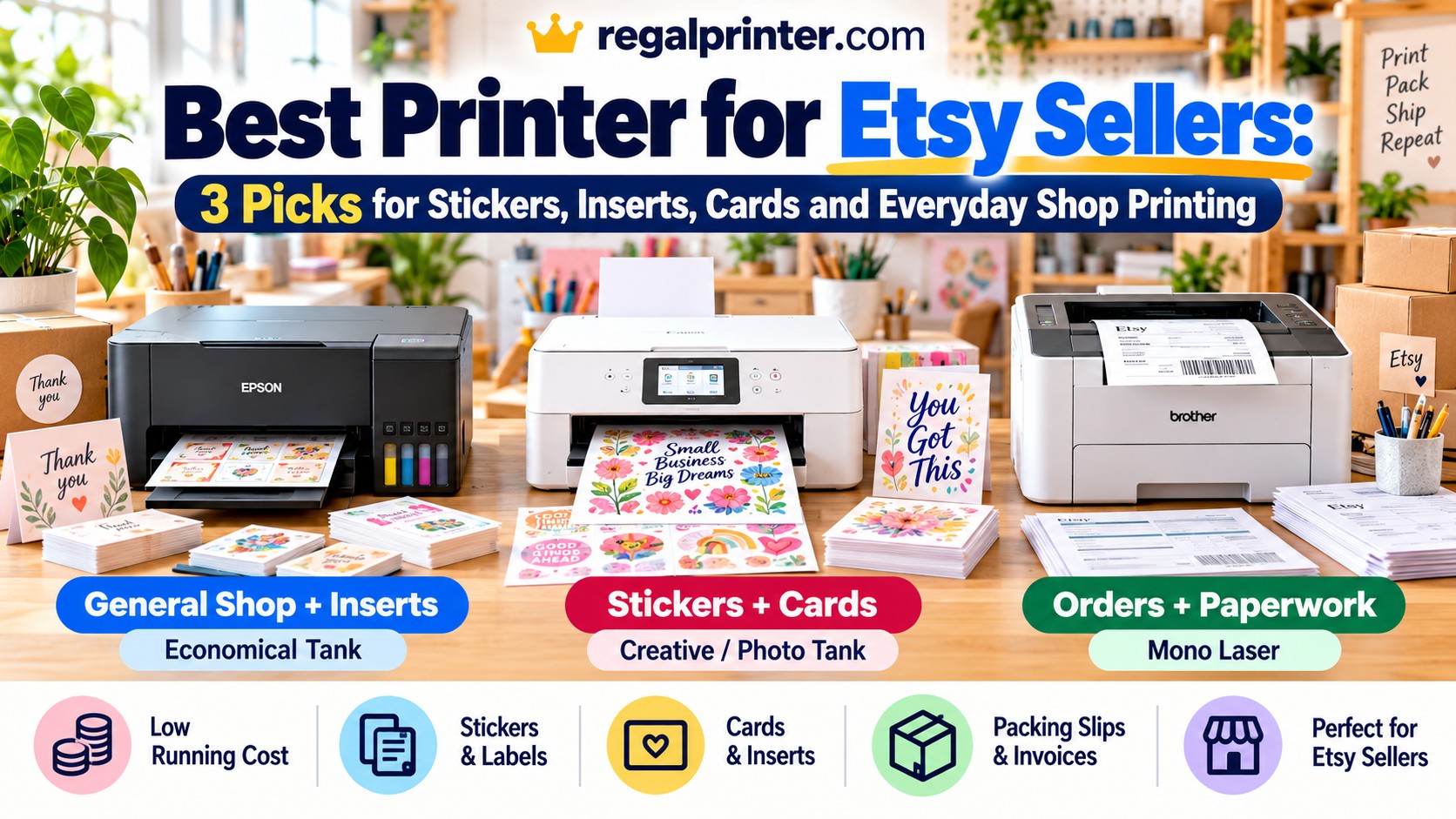
The best printer for an Etsy seller depends much more on what your shop actually prints than on which printer has the highest resolution or the longest feature list.
A seller making stickers, art prints, and greeting cards needs a very different machine from someone who mainly prints packing slips, invoices, thank-you inserts, and order paperwork.
That is why I would not recommend one universal “best Etsy printer.”
For most shops, there are three sensible directions:
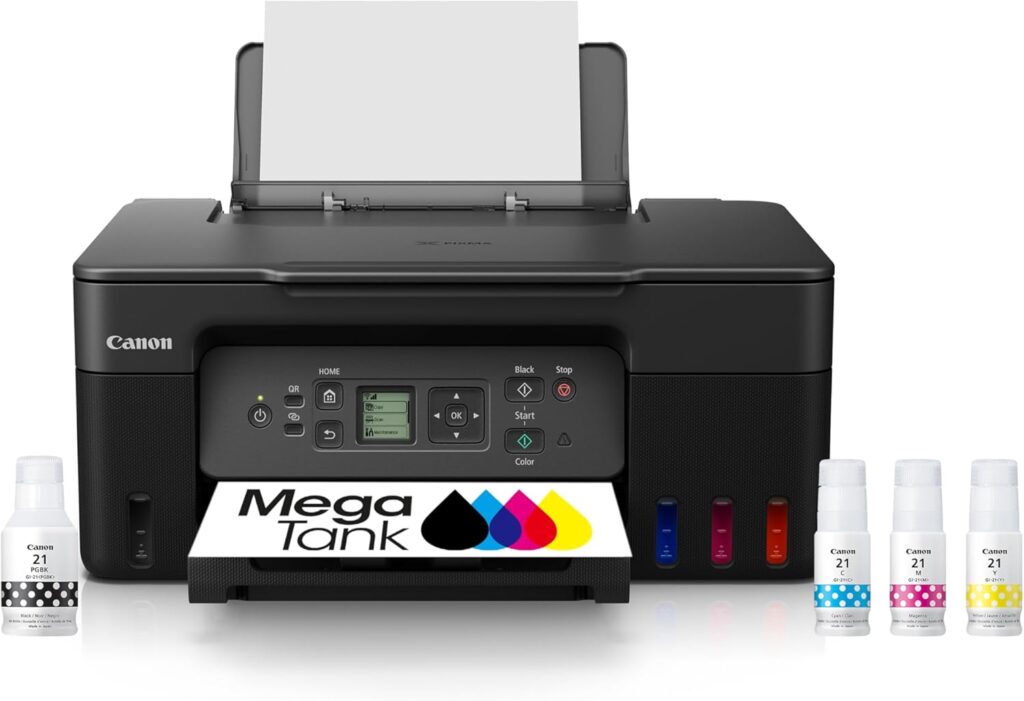
- Canon PIXMA G3270 MegaTank for general shop printing, inserts, labels, and low-cost color
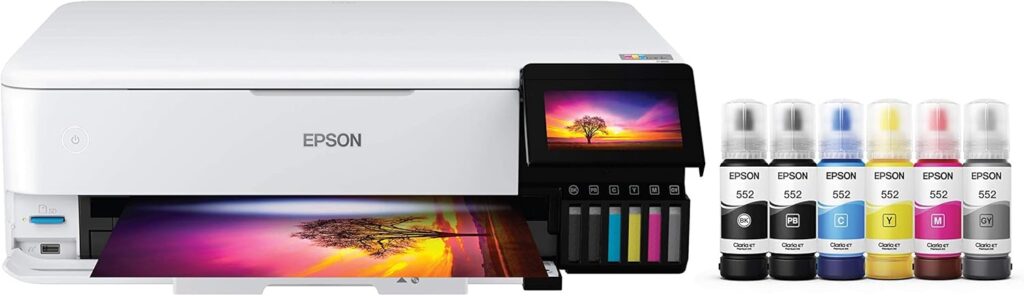
- Epson EcoTank Photo ET-8550 for stickers, cards, art prints, and more demanding creative work
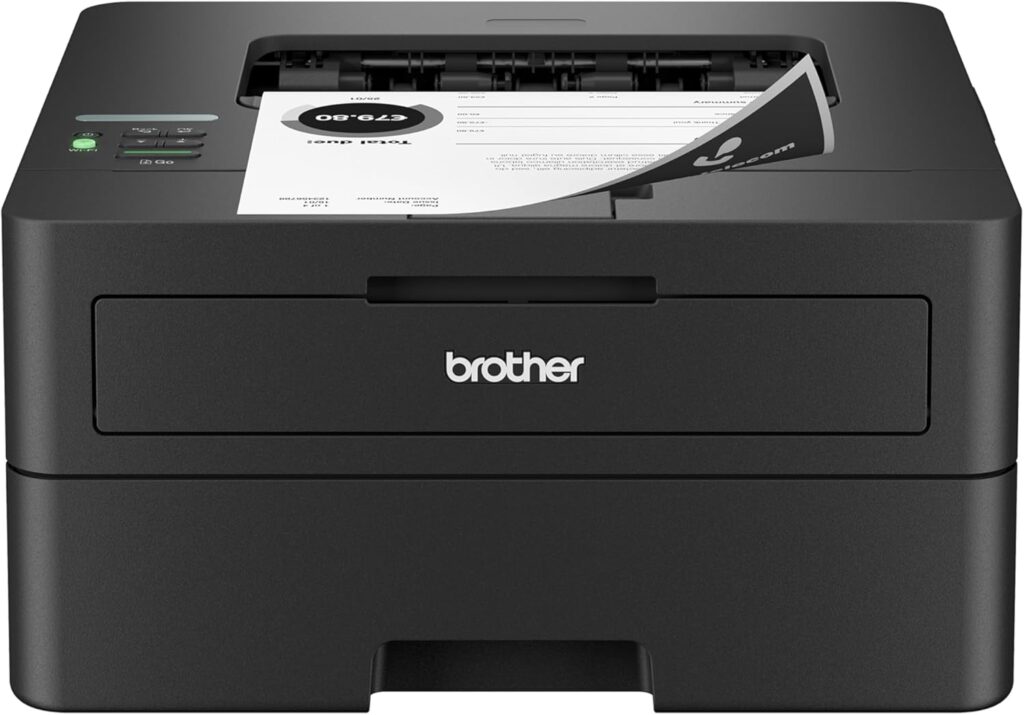
- Brother HL-L2460DW for sellers whose printing is mostly black-and-white orders, packing slips, return forms, and paperwork
For a small shop trying to keep costs under control, the Canon G3270 is the easiest place to start. If the printed product itself is part of what you sell, the ET-8550 is the much stronger creative machine. If color barely matters, the Brother laser may save you the most hassle.
The Short Answer
Buy the Canon PIXMA G3270 if: you need inexpensive color for thank-you inserts, basic labels, packaging materials, instruction sheets, cards, and everyday shop printing.
Buy the Epson ET-8550 if: you sell stickers, cards, art prints, photo products, or other items where print quality and media handling directly affect what the customer receives.
Buy the Brother HL-L2460DW if: your printer is mostly a business tool for packing slips, invoices, forms, order records, and other black-and-white paperwork.
A recent 2026 Etsy-focused competitor guide makes the same core point: the right printer depends on the shop workflow, not simply on photo quality. Etsy sellers may be printing inserts, labels, thank-you cards, templates, stickers, and ordinary business documents from the same workspace.
Best Printers for Etsy Sellers Compared
Feature | |||
|---|---|---|---|
Printer | 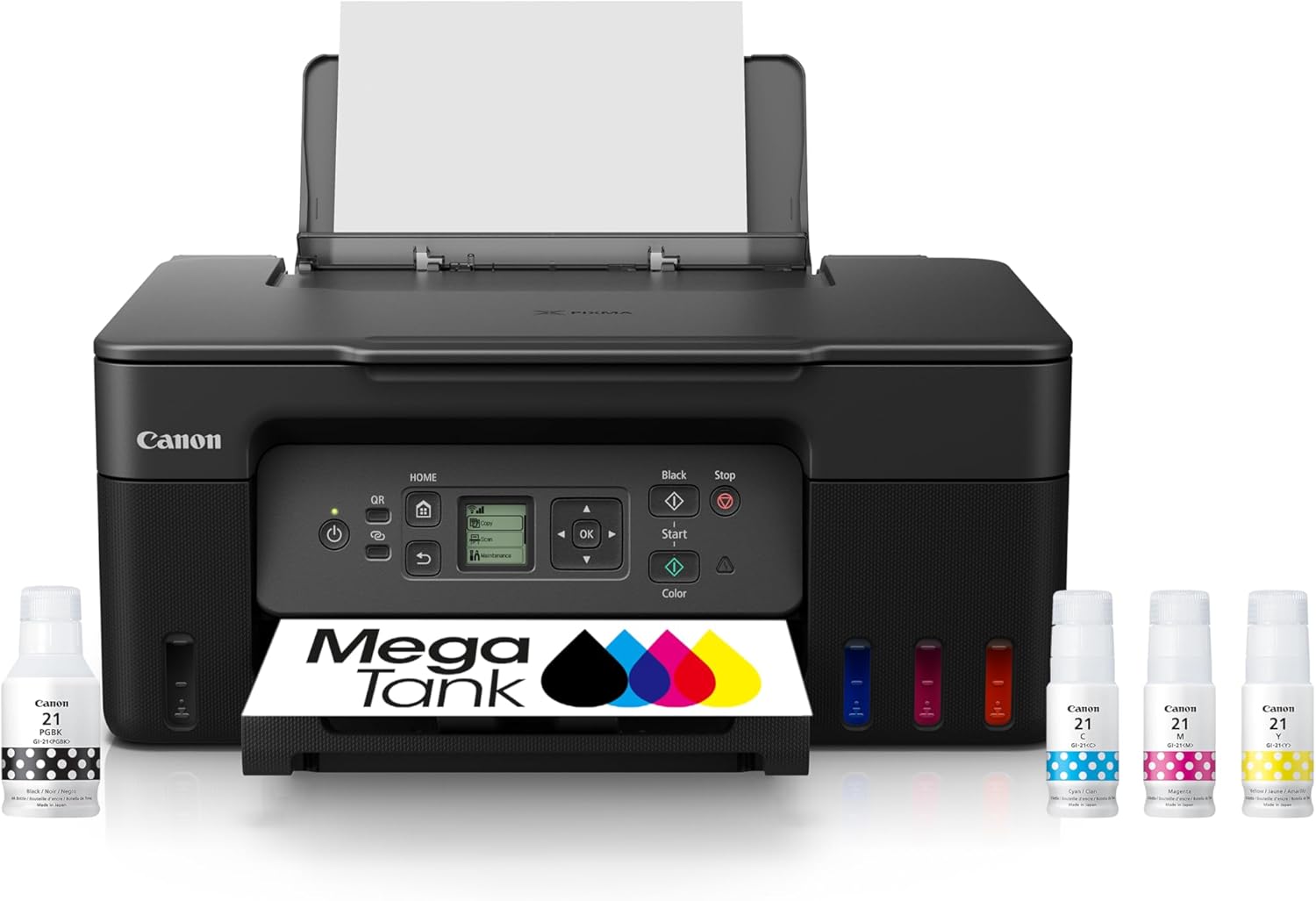 | 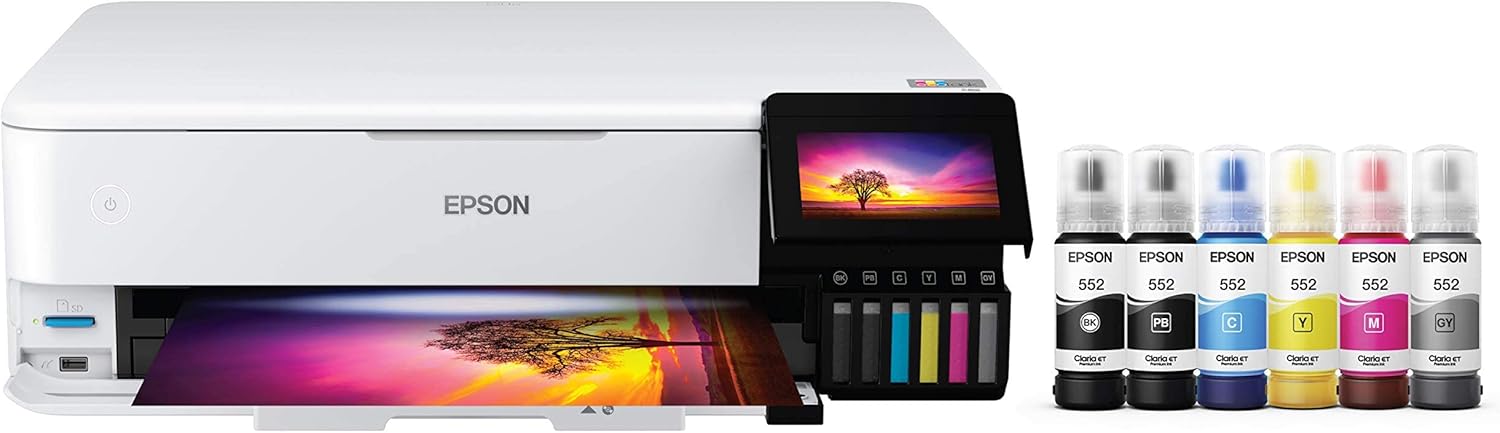 | 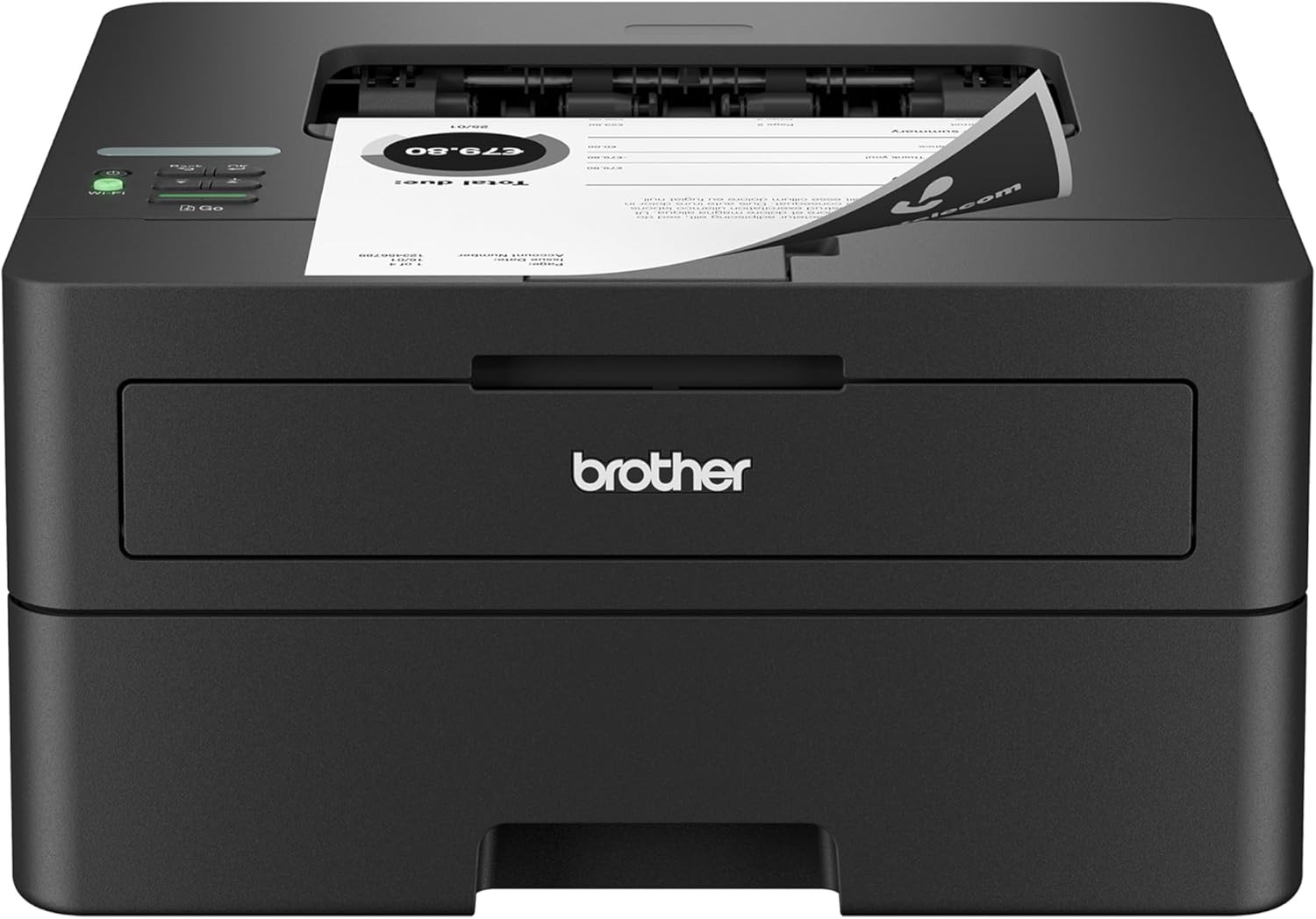 |
Best for | General Etsy shop printing | Stickers, cards, art and creative products | B&W orders and shipping paperwork |
Printer type | Refillable color inkjet | 6-color refillable photo inkjet | Monochrome laser |
Maximum borderless size | Up to 8.5 x 11 in. | Up to 13 x 19 in. | No borderless photo printing |
Specialty media | Cardstock, greeting cards, labels, photo paper | Thick cardstock, photo paper, fine art media | Labels, envelopes, ordinary office media |
Paper path advantage | 100-sheet rear feed | Multiple feeds + dedicated thick-media slot | 250-sheet tray + manual feed |
Scanner | Yes | Yes | No |
Automatic duplex | No | Yes on supported ordinary media | Yes |
Main advantage | Low-cost color for a small shop | Best creative flexibility | Fast, low-maintenance paperwork |
Price |  | | |
Canon explicitly lists label printing, greeting-card printing, cardstock, and borderless printing on the G3270. Epson supports borderless output up to 13 x 19 inches on the ET-8550 and a dedicated rear slot for thick paper or cardstock from 0.61 to 1.3 mm. Brother’s HL-L2460DW prints up to 36 ppm, has a 250-sheet tray, and supports automatic duplex printing.
Why Etsy Sellers Need a Different Kind of Printer Guide
“Best small-business printer” is too broad for Etsy.
A local accountant and a sticker shop are both small businesses.
Their printing needs are completely different.
An Etsy seller may use a printer for:
- thank-you cards
- packing slips
- order sheets
- care instructions
- packaging inserts
- stickers
- labels
- art prints
- greeting cards
- product samples
- photo products
- signage
- craft templates
Some of those jobs prioritize cost per page.
Some prioritize media handling.
Some prioritize color quality.
And some barely need color at all.
That is why the first question should not be:
Which printer is best?
It should be:
What part of your shop are you actually printing?
1. Canon PIXMA G3270 MegaTank: Best Overall for General Etsy Shop Printing
Best for:
Small Etsy shops printing inserts, thank-you cards, labels, instructions, prototypes, basic cards, and general color business materials.
Skip it if:
You sell premium art prints or need automatic duplex printing and an ADF.
The Canon PIXMA G3270 is the best starting point for a lot of Etsy sellers because it keeps both the purchase price and ink cost reasonable while still handling a surprisingly broad range of creative materials.
Canon gives it:
- refillable MegaTank ink
- pigment black
- dye-based color inks
- borderless printing
- rear paper feed
- flatbed scanner
- label printing
- greeting-card printing
- cardstock support
- photo printing
Canon rates the G3270 at up to 6,000 black pages and 7,700 color pages from a full standard ink set in default mode.
That is useful for Etsy because small shops often waste a lot of ink during setup.
You may print:
- three versions of a thank-you card
- five label samples
- several color tests
- packaging prototypes
- sticker alignment sheets
- sample inserts
before you settle on the final version.
A refillable tank system makes that experimentation much less painful than small cartridges.
Why the Rear Feed Matters
The G3270 uses a 100-sheet rear paper tray.
For ordinary office printing, that sounds less impressive than a 250-sheet cassette.
For craft work, rear feed can be a benefit.
It generally gives specialty media a less aggressive paper path and makes it easier to switch between:
- plain paper
- cardstock
- labels
- photo paper
- envelopes
without unloading a deep cassette.
Canon explicitly lists non-Canon cardstock and greeting-card stock as supported media.
Good for Packaging Inserts and Thank-You Cards
This may be where the G3270 makes the most sense.
A lot of Etsy sellers do not need museum-quality photo output.
They need:
- branded inserts
- care instructions
- colorful thank-you cards
- coupon cards
- return instructions
- simple product labels
For those jobs, the G3270’s hybrid ink system is a good fit.
Canon uses:
- pigment black for sharper text
- dye-based cyan, magenta, and yellow for color
That gives you cleaner document text without giving up colorful graphics.
Can It Print Stickers?
Yes, with the right printable media.
Canon includes label printing among the G3270’s supported print functions, and its rear-feed design is useful for sticker sheets.
That makes it suitable for:
- planner stickers
- packaging labels
- logo stickers
- decorative labels
- Cricut-style print-and-cut sheets
However, there is an important distinction.
The G3270 is a good entry-level sticker printer.
It is not the printer I would choose if high-end sticker quality is your primary product and your brand depends on very rich color reproduction.
That is where the ET-8550 becomes more attractive.
Can It Print Cards?
Yes.
Canon explicitly supports greeting cards and cardstock.
That makes the G3270 useful for:
- thank-you cards
- small inserts
- basic invitations
- care cards
- business cards on compatible stock
- product instruction cards
The main limitation is media weight and thickness.
Canon lists its own supported photo media up to approximately 265 gsm, but third-party cardstock varies.
Do not assume every 265 gsm card stock will behave identically.
Always test your exact paper.
The Biggest Weakness: No Automatic Duplex
The G3270 is a simplex printer.
It does not automatically turn the page over for double-sided printing.
That can matter if you regularly make:
- double-sided care cards
- folded inserts
- two-sided instruction sheets
You can still print both sides manually.
It just takes more work.
For a small shop, that may be completely acceptable.
For hundreds of cards per week, it can become tedious.
Scanner Included
The G3270 has a flatbed scanner.
That can be useful for:
- digitizing sketches
- scanning receipts
- copying forms
- capturing product artwork
- making quick copies of business paperwork
There is no automatic document feeder, so it is not ideal for scanning large stacks.
For a small home-based Etsy shop, that may not matter much.
Bottom Line on the G3270
The G3270 is the pick I would give to a seller who says:
“I need one affordable printer that can handle most of the random things my Etsy shop requires.”
It is not the best at everything.
It is economical and flexible.
Pros
- Very low ink cost
- Refillable tanks
- Borderless printing
- Rear feed
- Cardstock support
- Greeting-card support
- Label printing
- Scanner included
- User-replaceable printheads
- Good for inserts and general branding materials
Cons
- No automatic duplex
- No ADF
- Slower than the Brother laser
- Not as strong for premium creative output as the ET-8550
2. Epson EcoTank Photo ET-8550: Best for Stickers, Cards and Creative Products
Best for:
Sticker shops, card sellers, photographers, artists, invitation businesses, and sellers whose printed output is part of the product.
Skip it if:
You mostly need packing slips and ordinary shop paperwork.
The Epson ET-8550 is the serious creative-business pick.
If the printed sheet itself is something your customer is buying, the printer becomes production equipment rather than office equipment.
That changes what matters.
You care more about:
- color
- media type
- borderless printing
- thickness
- wide format
- ink cost
- consistent creative output
The ET-8550 is built much more directly around those needs.
Six-Color EcoTank Ink
The ET-8550 uses six refillable inks rather than the conventional four-color system found in many general-purpose printers.
That gives it a much stronger creative orientation.
For sticker and card sellers, that can help with:
- gradients
- colorful illustrations
- photographic designs
- skin tones
- pastel artwork
- dark artwork
- more subtle creative output
You still get the low-cost advantage of bottled ink rather than small cartridges.
That combination is what makes the ET-8550 so compelling for creative sellers.
Borderless Printing Up to 13 x 19 Inches
This is one of the biggest advantages over the Canon G3270.
Epson supports borderless printing on the ET-8550 up to A3+ / 13 x 19 inches.
That opens up more products and production layouts.
You can print:
- larger art prints
- multiple smaller cards on one sheet
- oversized posters
- large sticker layouts
- photographic products
- wall art
- 11 x 17 designs
- 13 x 19 creative pieces
For an Etsy seller, wider output can also improve efficiency because you may fit multiple sellable pieces on one larger sheet and trim them afterward.
Thick Cardstock Support Is Excellent
Epson gives the ET-8550 a dedicated rear slot for thick stock.
It supports cardstock from 0.61 to 1.3 mm thick, one sheet at a time.
That is an unusually useful specification.
It makes the ET-8550 especially attractive for:
- greeting cards
- invitations
- premium inserts
- art cards
- certificates
- thicker craft stock
This is exactly the kind of detail that matters more to Etsy sellers than generic print resolution.
Strong Choice for Sticker Sellers
Current 2026 sticker-focused guides are increasingly recommending the ET-8550 specifically because of its combination of six-color output, refillable ink, wide-format capability, and rear-feed media handling.
That does not mean every sticker seller automatically needs one.
But it is a much better fit when:
- stickers are your core product
- color accuracy matters
- you print large numbers of sheets
- you use glossy or matte inkjet sticker paper
- you run test prints frequently
- you use print-and-cut workflows
Good for Cards and Invitations
This is another strong use case.
Epson’s thick-media path and large print size make it useful for:
- greeting cards
- wedding invitations
- save-the-dates
- thank-you cards
- premium inserts
If you print heavily, bottled ink also keeps per-piece ink expense much lower than a cartridge-based photo printer.
That matters when you are selling products at scale.
Better for Art Prints Than the G3270
If your Etsy store sells wall art or printed illustrations, I would take the ET-8550 over the G3270.
The wider format alone matters.
So does the six-color system.
And the supported media list includes multiple photo and fine-art paper types, including Epson Velvet Fine Art Paper.
That makes it much closer to a true creative-production printer.
But It Is Not the Best Office Printer
This is where sellers should avoid overbuying.
If you sell handmade candles and your printer is mostly used for:
- invoices
- packing slips
- inventory lists
- black-and-white order sheets
the ET-8550 makes very little sense.
You would be paying for:
- six-color creative output
- wide-format printing
- advanced media support
that your business barely uses.
The printer should match the revenue-generating work.
Automatic Duplex Has Limits
The ET-8550 does support automatic duplex printing on compatible standard media.
That does not mean you should run heavy cardstock through the automatic duplexer.
For thick cards and specialty media, manual duplexing is the safer workflow.
Print one side, allow it to dry, flip the stock, then print the reverse.
Bottom Line on the ET-8550
If Etsy is not just the place where you sell but the reason you need high-quality creative printing, this is the strongest pick.
Pros
- Six-color refillable ink system
- Low cost per creative print
- Borderless up to 13 x 19
- Excellent thick-media handling
- Supports cardstock up to 1.3 mm through dedicated feed
- Strong for sticker sheets
- Strong for art prints
- Strong for cards and invitations
- Scanner included
- Wide range of photo and fine-art media
Cons
- Expensive upfront
- Overkill for paperwork-heavy shops
- Large footprint
- Specialty thick stock often needs single-sheet feeding
3. Brother HL-L2460DW: Best for Packing Slips, Orders and Everyday Paperwork
Best for:
Sellers who make physical products but mostly use their printer for black-and-white business documents.
Skip it if:
You sell printed creative products.
The Brother HL-L2460DW is the least glamorous recommendation here and potentially the best business decision for a lot of Etsy stores.
Think about a shop selling:
- jewelry
- candles
- crochet
- woodworking
- pottery
- soap
- vintage items
- handmade clothing
The thing being sold may have almost nothing to do with printing.
The printer exists to support the business.
That means the daily workload may look like:
- packing slips
- order records
- invoices
- return forms
- receipts
- checklists
- black-and-white inserts
- inventory sheets
For that workflow, a monochrome laser makes a lot of sense.
It Prints Up to 36 Pages Per Minute
Brother rates the HL-L2460DW at up to 36 ppm.
That is much faster than the creative inkjets in this roundup for basic document work.
If you have 50 orders waiting to pack, speed matters.
You do not want to wait while a photo-oriented inkjet slowly produces pages you only need in black and white.
250-Sheet Paper Tray
The Brother holds up to 250 sheets.
That is ideal for a business printer.
Load half a ream of paper and keep working.
Compared with the 100-sheet rear feed on the Canon G3270, it needs much less frequent attention during paperwork-heavy periods.
Automatic Duplex Printing
The HL-L2460DW can automatically print on both sides.
That is useful for:
- internal documents
- inventory reports
- policies
- reference sheets
- accounting paperwork
It can reduce paper use without manual flipping.
Toner Does Not Dry Out
This is an underrated advantage for seasonal Etsy sellers.
Suppose your shop is busiest:
- before Christmas
- during wedding season
- around Halloween
- during graduation
- during certain craft-fair seasons
Then your printer may sit relatively quiet for stretches.
Laser printers use toner powder instead of liquid ink, so you do not have the same printhead drying problem associated with inkjets.
That makes the Brother especially attractive as a business-support printer.
Great for Packing Slips, Not Great for Shipping Labels on Rolls
This distinction matters.
The Brother can print ordinary sheet labels and shipping documents.
But if your Etsy workflow revolves around hundreds of 4 x 6 thermal shipping labels, a dedicated thermal label printer may eventually make more sense.
I would not replace one of the three recommendations here with a thermal printer because that is a different product category.
A thermal label printer is a shipping tool.
These three printers are general-purpose printers.
Many established shops may ultimately own both:
- regular printer for documents/products
- thermal printer for 4 x 6 labels
No Scanner
The HL-L2460DW is print-only.
If you need to scan:
- receipts
- product sketches
- forms
- supplier paperwork
you will need a phone app or separate scanner.
For many Etsy sellers, phone scanning is perfectly adequate.
No Color
This is the obvious limitation.
If your brand depends on colorful:
- thank-you cards
- branded inserts
- product labels
- marketing pieces
the Brother is not enough as your only printer.
But if your actual product does not depend on printed color, that may not matter.
Bottom Line on the HL-L2460DW
If printing is overhead rather than part of what you sell, the Brother may be the smartest choice.
Pros
- Up to 36 ppm
- 250-sheet paper tray
- Automatic duplex printing
- Toner handles inactivity well
- Dual-band Wi-Fi
- Ethernet
- Compact
- Strong for order paperwork
- High-yield toner available
Cons
- Black and white only
- No scanner
- No photo printing
- Poor fit for creative products
Which Printer Fits Your Etsy Shop?
The easiest way to choose is by separating shop operations from shop production.
If the printer supports the business:
You are mostly printing:
- packing slips
- forms
- invoices
- shipping paperwork
Choose the Brother HL-L2460DW.
If the printer supports your branding:
You are mostly printing:
- inserts
- thank-you cards
- basic labels
- instruction cards
- occasional photos
Choose the Canon G3270.
If the printer creates what customers buy:
You are printing:
- stickers
- art prints
- greeting cards
- invitations
- photographic products
Choose the Epson ET-8550.
That distinction is much more useful than asking which printer has the highest DPI.
Best Printer for Etsy Packaging Inserts
For most small shops, I would choose the Canon G3270.
Inserts generally do not require professional photo-printer output.
What matters more is:
- color
- low ink cost
- cardstock support
- rear feed
- ability to experiment
The G3270 does all of that.
If your inserts are extremely premium and photographic, the ET-8550 can produce better creative output.
But for ordinary:
- thank-you cards
- care cards
- coupon inserts
- social-media cards
the Canon is usually enough.
Best Printer for Etsy Stickers
The ET-8550 is the strongest option here.
Its six-color system, low-cost bottled ink, wide-format printing, and varied media support make it more appropriate for sticker production than the simpler G3270.
Current 2026 sticker-printer guides are also increasingly emphasizing rear feed, refillable ink, and print-and-cut compatibility rather than generic office features.
One caution:
“Waterproof sticker” is not determined by the printer alone.
It depends on:
- ink
- printable vinyl
- coating
- laminate
- exposure conditions
Do not assume a sticker is waterproof merely because it came from an inkjet.
Best Printer for Etsy Greeting Cards
For a serious greeting-card shop:
ET-8550.
The thick-media slot is the deciding factor.
Epson supports stock up to 1.3 mm through that path.
For occasional cards that accompany other products:
G3270.
Canon explicitly supports greeting-card media and cardstock.
Best Printer for Etsy Art Prints
The ET-8550 wins easily among these three.
It gives you:
- 13 x 19 printing
- borderless output
- six colors
- refillable ink
- fine-art media support
That makes it far better suited to sellable artwork.
If art prints become the core of a higher-end business, you might eventually compare it against dedicated photo printers such as Canon’s PRO series.
But the ET-8550 is a particularly strong balance between quality and running cost.
Best Printer for Etsy Shipping Paperwork
The HL-L2460DW is the simplest answer.
You do not need expensive photo ink for packing slips.
Brother gives you:
- 36 ppm
- 250 sheets
- duplex printing
- toner
That is exactly what ordinary business paperwork needs.
Ink Tank vs Laser for Etsy Sellers
Need | Ink Tank | Monochrome Laser |
|---|---|---|
Color branding | Excellent | No |
Stickers | Good to excellent | Poor fit |
Art prints | Excellent with photo model | No |
Packing slips | Good | Excellent |
Speed for B&W documents | Moderate | Excellent |
Long inactivity | Requires more attention | Excellent |
Ink/toner cost | Very low color cost | Low B&W cost |
Photo paper | Excellent | Poor fit |
Neither technology is universally better.
The product you sell determines which one makes sense.
Should an Etsy Seller Buy an Ink Tank Printer?
If you print a meaningful amount of color, yes, it is often one of the best options.
Small cartridges become expensive quickly when you are constantly printing:
- samples
- tests
- inserts
- stickers
- product cards
Current Etsy-focused competitor content increasingly emphasizes the same point: refillable ink systems give sellers more room to test and iterate without treating every failed sheet as a significant expense.
Should an Etsy Seller Buy a Laser Printer?
Yes, if most printed pages are operational documents.
A monochrome laser is particularly sensible when:
- the product itself is not printed
- color branding is outsourced or purchased preprinted
- you mostly need packing paperwork
- the printer may sit unused between busy periods
Do not pay for creative print capability you will not use.
What About Shipping Labels?
This needs its own distinction.
Sheet labels
Any compatible conventional printer may work.
4 x 6 roll labels
Consider a dedicated thermal printer.
Thermal printing uses no ink or toner and is optimized for shipping labels.
If your store grows to dozens or hundreds of shipments per week, a thermal printer can become a worthwhile second machine.
It should usually complement, not necessarily replace, the printer used for the rest of your shop.
Can You Print Etsy Stickers at Home?
Yes.
A typical workflow is:
- Create the sticker design.
- Arrange it on printable sticker paper or vinyl.
- Print from an inkjet.
- Allow the print to dry as required.
- Cut manually or with a cutting machine.
- Laminate or seal if your product requires additional durability.
The printer is only one part of the final quality.
Paper or vinyl choice can matter enormously.
Should You Use Dye or Pigment Ink for Etsy Products?
It depends on the product.
Dye ink
Often provides:
- vivid color
- strong photographic output
- excellent glossy-paper results
Pigment ink
Often provides:
- strong text
- better resistance characteristics on compatible media
- crisp matte output
Many general-purpose printers combine the two.
For example, the Canon G3270 uses pigment black with dye colors.
The ET-8550 also uses a mixed creative ink system rather than behaving like a conventional four-color office printer.
The paper and finish matter just as much as the ink type, so do not choose based on “pigment vs dye” alone.
Cardstock Matters More Than Many Etsy Guides Admit
If you make:
- inserts
- cards
- invitations
- tags
the printer’s paper path matters enormously.
GSM alone does not tell you whether the stock will feed properly.
Thickness and stiffness matter too.
That is one reason the ET-8550 is particularly strong: Epson gives an actual thick-stock specification of 0.61 to 1.3 mm through its dedicated rear slot.
For a deeper explanation, see RegalPrinter’s guide to the best printers for cardstock.
How Much Should a New Etsy Seller Spend?
Do not automatically buy the premium printer.
Your first goal should be validating that people actually want the product.
New shop
The G3270 makes a lot of sense if you need color.
Established creative shop
The ET-8550 becomes easier to justify once print quality and media flexibility affect revenue.
Product shop with almost no creative printing
Buy the Brother.
Put the savings into the business.
A printer should solve a bottleneck.
It should not become a business expense simply because another seller has one.
Frequently Asked Questions
What is the best printer for Etsy sellers?
There is no single best printer for every Etsy shop.
For general low-cost color printing, the Canon G3270 is the most balanced choice.
For stickers, art prints, cards, and other creative products, the Epson ET-8550 is stronger.
For black-and-white shop paperwork, the Brother HL-L2460DW is the better tool.
What is the best printer for Etsy stickers?
Of these three, the Epson ET-8550 is the strongest sticker printer because of its six-color ink system, refillable tanks, wide-format output, and specialty-media handling.
Is the Canon G3270 good for Etsy?
Yes, particularly for newer or smaller shops.
Canon supports labels, greeting cards, cardstock, borderless printing, and refillable ink, making it versatile for inserts, packaging materials, and low-to-moderate creative work.
Is the Epson ET-8550 worth it for Etsy?
It can be if the printer directly creates the product you sell.
Its biggest advantages are six-color output, low bottled-ink costs, 13 x 19 borderless printing, and support for thick creative media.
If you only print invoices, it is overkill.
Can the G3270 print stickers?
Yes.
Canon explicitly lists label printing among its supported functions. Use inkjet-compatible sticker paper or printable vinyl.
Can the ET-8550 print cardstock?
Yes.
Epson supports cardstock between 0.61 and 1.3 mm thick through the dedicated single-sheet rear slot.
What printer is best for Etsy packing slips?
The Brother HL-L2460DW is ideal if your packing slips are black and white. It prints up to 36 ppm and holds 250 sheets.
Do Etsy sellers need a color printer?
Not necessarily.
A seller making physical products may only need black-and-white business paperwork.
A sticker, art, or stationery seller almost certainly needs color.
Do Etsy sellers need a thermal label printer?
Not when starting.
You can print shipping labels using an ordinary printer on compatible sheets.
As shipping volume grows, a dedicated 4 x 6 thermal label printer can save time and eliminate ink or toner costs for shipping labels.
Is EcoTank or MegaTank better for Etsy?
Neither brand is universally better.
The specific model matters more.
The ET-8550 is more powerful creatively than the G3270.
The G3270 is much more affordable and adequate for many ordinary Etsy shop tasks.
What is the cheapest printer to run for Etsy?
That depends on the workload.
Tank printers offer extremely low color ink costs.
A monochrome laser can be very economical for black-and-white business paperwork.
The cheapest printer overall is the one that matches what you actually print rather than forcing you to pay for unused capabilities.
Which Printer Should You Buy?
The choice becomes simple when you look at where printing fits into your business.
Your printer supports your shop
You sell physical products and mostly print paperwork.
Buy the Brother HL-L2460DW.
Your printer supports your branding
You need inexpensive color inserts, thank-you cards, labels, and occasional creative pieces.
Buy the Canon PIXMA G3270.
Your printer creates the product
You sell stickers, cards, art, photo products, or other printed goods.
Buy the Epson EcoTank Photo ET-8550.
Final Verdict
The best printer for Etsy sellers is not the model with the longest feature sheet.
It is the printer that matches the part of the business actually generating the print job.
The Canon PIXMA G3270 is the best general-purpose starting point for many small Etsy shops. Its refillable ink, rear feed, cardstock and greeting-card support, label printing, and borderless color output make it flexible without requiring a large upfront investment.
The Epson EcoTank Photo ET-8550 is the strongest choice when printed products are part of what customers are buying. Its six-color system, 13 x 19 borderless capability, and dedicated thick-media feed make it much better suited to stickers, cards, art prints, and creative production.
The Brother HL-L2460DW is the practical business pick for sellers who mainly need fast black-and-white paperwork. At up to 36 ppm with automatic duplex printing and a 250-sheet tray, it is far better suited to packing slips and order records than an expensive photo printer.
The easiest buying rule is:
General shop + inserts: Canon G3270.
Stickers, cards and art: Epson ET-8550.
Orders and paperwork: Brother HL-L2460DW.
That is a much better way to buy an Etsy printer than paying for creative features your shop never uses.