I'm a participant in the Amazon Services LLC Associates Program, an affiliate advertising program designed to provide a means for me to earn fees by linking to Amazon.com and affiliated sites.
A $100 printer can cost more to own than a $400 printer.
The difference is usually hiding in the ink or toner.
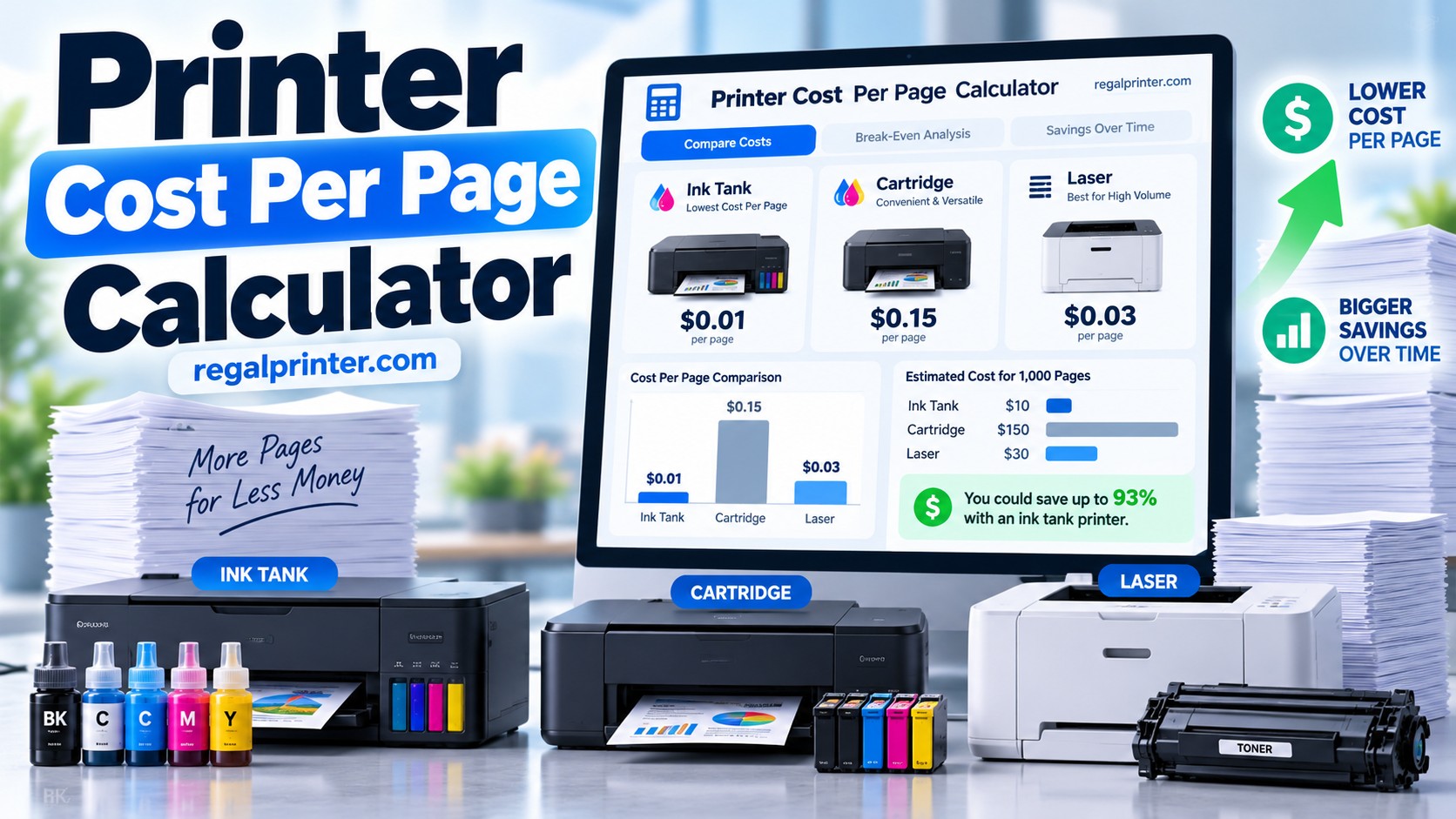
Use the Printer Cost Per Page Calculator below to compare two printers using their purchase price, replacement ink or toner cost, rated page yield, paper cost, and your actual monthly printing volume.
Unlike a basic ink calculator, this tool also calculates the point where a more expensive printer becomes cheaper to own.
That makes it particularly useful when comparing:
- a cheap cartridge printer against an EcoTank or MegaTank
- an inkjet against a laser printer
- standard cartridges against high-yield cartridges
- two printers with very different purchase prices
Printer Cost Per Page Calculator
Compare two printers using hardware price, ink or toner, paper, monthly volume, and optional maintenance costs.
Tip: For a true comparison, use the same paper assumptions for both printers. For color supplies, enter the total cost of the color ink/toner set needed to achieve the listed color yield.
Printer A
Optional maintenance cost
Printer B
Optional maintenance cost
Your Results
Printer A
Printer B
Break-even analysis
Which printer is cheaper over your selected ownership period?
Estimates use manufacturer-rated page yields and the prices you enter. Real-world yield varies with page coverage, cleaning cycles, print settings, photos/graphics, and maintenance. Hardware price is included in ownership totals but not in operating cost per page.
The calculator gives you:
Result | What It Tells You |
|---|---|
Ink or toner cost per page | What the consumables alone cost for each printed page |
Total operating cost per page | Ink/toner + paper + optional maintenance |
Monthly printing cost | Estimated cost based on your monthly page volume |
Yearly printing cost | Estimated operating cost over 12 months |
Three-year ownership cost | Printer purchase price + three years of printing |
Break-even point | How many pages must be printed before the lower-cost-per-page printer recovers its higher purchase price |
The Short Answer
If you print very little, the printer with the lowest purchase price can sometimes remain the cheapest choice for years.
If you print hundreds or thousands of pages each month, cost per page becomes much more important than purchase price.
That is why refillable ink-tank printers can make economic sense even though they often cost substantially more upfront than conventional cartridge printers.
HP describes cost per page as a useful measure of long-term printer value and calculates basic ink cost by dividing the price of the replacement ink by its rated page yield. Paper can then be added separately to get closer to the actual cost of producing a page.
The problem is that cost per page alone still does not answer:
Is the expensive printer actually worth paying more for?
That requires a break-even calculation.
The RegalPrinter calculator does both.
How Printer Cost Per Page Is Calculated
The basic formula is simple:
Ink or toner cost per page = replacement supply cost ÷ rated page yield
Suppose a toner cartridge costs $60 and is rated for 3,000 pages.
The toner cost is:
$60 ÷ 3,000 = $0.02 per page
That is 2 cents in toner for each page.
Then add paper.
If a 500-sheet ream costs $8:
$8 ÷ 500 = $0.016 per sheet
That is another 1.6 cents.
Your estimated total becomes:
2¢ toner + 1.6¢ paper = 3.6¢ per page
HP similarly recommends adding paper cost to the ink or toner calculation when estimating the actual cost of producing a page.
Why Printer Price Is Not Included in Basic Cost Per Page
There are really two different numbers worth knowing.
Operating cost per page
This tells you what each additional page costs once you already own the printer.
It includes things such as:
ink or toner + paper + maintenance
Total ownership cost
This includes the original printer purchase too.
That distinction matters.
Imagine:
Printer A costs $100 but costs 10 cents per page.
Printer B costs $400 but costs 1 cent per page.
Printer A is cheaper on the day you buy it.
Printer B is dramatically cheaper every time you print.
Eventually those two total costs cross.
That is the break-even point.
How Printer Break-Even Works
Suppose:
Printer A | Printer B | |
|---|---|---|
Printer price | $100 | $400 |
Operating cost/page | $0.10 | $0.01 |
Printer B costs $300 more upfront.
But every page saves:
$0.10 – $0.01 = $0.09
So:
$300 ÷ $0.09 = approximately 3,333 pages
Before approximately 3,333 pages, Printer A is cheaper overall.
After approximately 3,333 pages, Printer B becomes cheaper.
That is much more useful than simply knowing that one printer has a lower cost per page.
Current standalone calculator tools use the same basic break-even principle: the higher initial hardware cost is divided by the per-page savings to determine how many pages are needed to recover the difference.
Why Pages Per Month Matter
Break-even pages become much easier to understand when converted into time.
A printer that breaks even after 4,000 pages means very different things to different users.
50 pages per month
4,000 pages takes about 80 months, or more than six years.
The cheaper printer may make more sense.
500 pages per month
4,000 pages takes only eight months.
The higher-priced, lower-cost-per-page machine suddenly looks much more attractive.
2,000 pages per month
4,000 pages is only two months of printing.
At that point, ignoring supply costs can become expensive very quickly.
That is why the calculator asks how many pages you actually print.
Ink Tank vs Cartridge Printer Cost
This is one of the most important comparisons the calculator can make.
Traditional cartridge printers often have an attractive purchase price.
You may see:
Printer: $79
next to:
EcoTank: $349
and assume the $79 printer is obviously cheaper.
For someone printing 30 pages each month, it may be.
For someone printing 700 pages per month, it may not even be close.
HP’s current explanation of ink-tank economics similarly notes that tank printers cost more initially but can have substantially lower operating costs because refillable bottles contain far more printable ink than small conventional cartridges.
The calculator lets you determine where that tradeoff flips for your actual printing volume rather than relying on a generic rule.
Ink Tank vs Laser Printer Cost
This comparison is less predictable.
People sometimes assume laser automatically means lowest cost per page.
That is not necessarily true anymore.
Modern ink-tank printers can have extremely low black and color ink costs.
Laser still has other advantages, particularly:
- fast document printing
- excellent text
- no liquid ink drying in a printhead
- suitability for intermittent use
But cost per page has to be calculated printer by printer.
A high-yield business laser can be extremely economical.
A cheap color laser using expensive toner may not be.
A refillable tank printer can have extremely low ink costs but may cost more upfront.
Use the calculator rather than choosing based on printer technology alone.
Cartridge vs Laser Printer Cost
This is another useful comparison for home offices.
Imagine choosing between:
$90 cartridge inkjet
and
$180 monochrome laser
If you print only a few pages each month, spending twice as much on the laser may take years to recover.
If you print hundreds of black-and-white pages every month, the laser may quickly become less expensive.
There is also a non-financial consideration.
Laser toner is a dry powder.
Inkjet cartridges contain liquid ink.
For people who print very infrequently, the laser may still be preferable even when the raw calculator shows only a small financial difference because toner is much better suited to sitting unused.
Why Color Printing Needs Its Own Calculation
Black-and-white cost per page is relatively straightforward.
Color is more complicated because a color printer may use:
- black
- cyan
- magenta
- yellow
- photo black
- gray
- light cyan
- light magenta
depending on the model.
For the calculator, enter the combined cost of the color supplies required to achieve the manufacturer’s stated color yield.
For example, if cyan, magenta, and yellow cost $20 each:
Color supply cost = $60
If the printer also meaningfully consumes black as part of the manufacturer’s color-yield calculation, account for that when entering the supply cost.
The goal is not to pretend color usage is perfectly predictable.
It is to create a consistent estimate that lets you compare two printers.
Mixed Black-and-White and Color Printing
Most households and offices do not print exclusively one or the other.
That is why the RegalPrinter calculator includes a mixed option.
Suppose your monthly printing looks like:
80% black and white
20% color
Enter 20% for color.
The calculator weights the two operating costs to estimate an average cost for your real workload.
This is much more realistic for things like:
- homeschool printing
- home offices
- small businesses
- Etsy shops
- teachers
where ordinary documents make up most of the workload but color is still used regularly.
Why Rated Page Yield Is Only an Estimate
Manufacturer page yields are useful because they give us a standardized comparison point.
They are not a guarantee.
Real-world yield changes with:
- how much of each page is covered
- photographs
- charts and graphics
- cleaning cycles
- print quality settings
- printer maintenance
- environmental conditions
A page containing one paragraph of text does not consume the same amount of ink as a borderless photograph.
HP also notes that document size, media, page coverage, and other factors influence the actual cost of a print.
So think of calculator results as:
comparison estimates
rather than:
promises that page 4,372 will cost exactly 3.24 cents.
Why Paper Cost Should Be Included
Paper seems cheap until you print a lot.
Suppose a 500-sheet ream costs $8.
That is:
1.6 cents per sheet
If your printer uses only half a cent of tank ink for a black page, the paper itself costs more than the ink.
This becomes even more important with:
- cardstock
- sticker paper
- photo paper
- labels
- premium presentation paper
If you are calculating a creative product, replace the ordinary paper assumptions with the actual media cost.
For example:
A 20-sheet pack of printable vinyl costs $12.
That means the media alone costs:
60 cents per sheet
At that point, obsessing over whether ink costs 1.2 or 1.4 cents per page misses the main expense.
Why the Calculator Includes Maintenance
This field is optional.
For most home inkjets, you can leave it blank.
For some laser printers and higher-volume machines, however, consumables may include:
- drum units
- maintenance kits
- imaging units
- transfer belts
Suppose a drum costs $120 and lasts 30,000 pages.
The drum adds:
$120 ÷ 30,000 = $0.004
or 0.4 cents per page.
That may not sound like much.
Across 100,000 pages, it becomes $400.
Adding these costs makes high-volume comparisons more realistic.
Should Electricity Be Included?
For most household comparisons, I would not bother.
Ink, toner, paper, and hardware cost dominate.
For a business operating a printer continuously or comparing an entire printer fleet, electricity can matter more.
The current RegalPrinter calculator intentionally stops short of fleet-management complexity so ordinary buyers can still use it in under a minute.
Example: Cheap Cartridge Printer vs Ink Tank
Imagine these hypothetical printers:
Cartridge Printer | Ink Tank Printer | |
|---|---|---|
Purchase price | $100 | $350 |
Ink cost/page | $0.10 | $0.01 |
Paper cost/page | $0.016 | $0.016 |
The operating costs become:
Cartridge printer: 11.6 cents/page
Ink tank: 2.6 cents/page
The ink tank costs $250 more upfront but saves 9 cents every page.
Break-even:
$250 ÷ $0.09 = approximately 2,778 pages
If you print 500 pages monthly:
2,778 ÷ 500 = about 5.6 months
If you print 50 pages monthly:
2,778 ÷ 50 = about 55.6 months
Same printers.
Completely different buying decision.
That is why monthly volume belongs in the calculation.
At What Point Is an EcoTank Worth It?
There is no universal page count.
It depends on:
- the EcoTank purchase price
- the alternative printer price
- ink costs
- yields
- how much color you print
- monthly volume
The calculator exists specifically so you do not have to rely on rules like:
“EcoTank is always cheaper.”
or:
“Laser is always cheaper.”
Neither statement is universally true.
What Cost Per Page Does Not Tell You
The cheapest printer is not automatically the best printer.
Cost calculations cannot tell you:
- print quality
- photo quality
- scan quality
- reliability
- paper handling
- speed
- envelope compatibility
- cardstock capability
- whether the printer clogs after sitting unused
- whether you hate using it
A printer saving $40 over three years is not necessarily a good purchase if it lacks a feature you need every day.
Use total ownership cost as one part of the buying decision.
Frequently Asked Questions
How do you calculate printer cost per page?
Divide the replacement ink or toner cost by its rated page yield.
Then add the cost of one sheet of paper and any recurring maintenance cost you want to include. HP uses the same general supply-cost-divided-by-yield approach when explaining printer cost per page.
Does cost per page include the price of the printer?
Usually, basic cost per page refers to operating supplies rather than the printer’s purchase price.
For a buying decision, however, you should compare total ownership cost, which adds the hardware price.
How do I calculate paper cost per page?
Divide the price of the paper pack by the number of sheets.
A $10 pack containing 500 sheets costs:
$10 ÷ 500 = $0.02 per sheet.
How do I calculate toner cost per page?
Divide toner cartridge price by rated cartridge yield.
A $75 toner rated for 3,000 pages costs:
$75 ÷ 3,000 = $0.025
or 2.5 cents per page.
How do I calculate EcoTank ink cost per page?
Use the same formula.
Divide the replacement bottle or applicable ink-set cost by its rated yield.
The difference is that tank bottles generally provide much higher yields than small cartridges, which can make the resulting cost per page much lower.
Is laser cheaper than inkjet per page?
Sometimes.
High-yield laser printers can have very low document-printing costs, but modern ink-tank printers can be cheaper still.
Compare the actual supply prices and yields for the specific printers.
Is an ink tank cheaper than cartridges?
At moderate and high page volumes, it often can be because bottled ink has extremely high yields.
However, tank printers usually cost more upfront, so someone printing very little may never recover the additional purchase price.
What is a printer break-even point?
It is the number of pages where two printers have cost the same amount overall.
Before that point, the cheaper printer may cost less.
After that point, the printer with lower operating costs may become the less expensive choice.
Should I include starter ink?
For a simple long-term comparison, I would calculate using replacement supplies, not the unusually sized starter cartridges or introductory ink bundled with a printer.
That gives you a more representative ongoing cost.
You can then treat unusually generous included ink as an additional first-year benefit.
Should I use standard or XL cartridges?
Use whichever cartridge you realistically expect to buy.
If you plan to use XL cartridges, calculate using their current price and yield.
That usually gives a more useful result than comparing a printer using supplies you would never actually purchase.
Final Verdict
Printer purchase price tells you what the machine costs today.
Cost per page tells you what it keeps costing after you bring it home.
And the break-even point connects those two numbers.
That makes it especially useful for comparing printers that seem difficult to judge from price alone:
$100 cartridge printer vs $350 EcoTank
$150 inkjet vs $250 laser
standard toner vs high-yield toner
old printer vs more economical replacement
HP’s current printer-cost guidance similarly emphasizes that total printer economics depend on both the upfront hardware cost and the ongoing supplies used over time.
Use the calculator with your actual:
printer prices, replacement supply prices, page yields, paper cost, and monthly volume.
Then look at the break-even result.
If the expensive printer does not recover its additional cost until page 40,000 and you print 50 pages per month, the cheaper printer may be the sensible buy.
If it breaks even after 3,000 pages and you print 1,000 pages every month, the higher purchase price may barely matter.
That is the question the sticker price cannot answer.