I'm a participant in the Amazon Services LLC Associates Program, an affiliate advertising program designed to provide a means for me to earn fees by linking to Amazon.com and affiliated sites.
If you only print occasionally, the best printer is not necessarily the one with the cheapest ink.
It is the one that still works when you need it.
That distinction matters because inkjet printers use liquid ink. Leave one unused long enough and the ink around the printhead can dry, potentially causing missing lines, poor colors, cleaning cycles, or clogged nozzles. Laser printers use dry toner instead, so there is no liquid ink sitting in a printhead waiting to dry.
For someone who might print a shipping label today and then leave the printer untouched for several weeks, that makes a laser printer the safest choice.
For most occasional users, the Brother HL-L2460DW is my first pick. If you need occasional color documents, the Canon Color imageCLASS LBP646Cdw gives you the same basic toner advantage in color. If you actually need photos and other inkjet-specific printing, the Canon PIXMA G3270 MegaTank is the compromise pick, but it still benefits from being used periodically.
The Short Answer
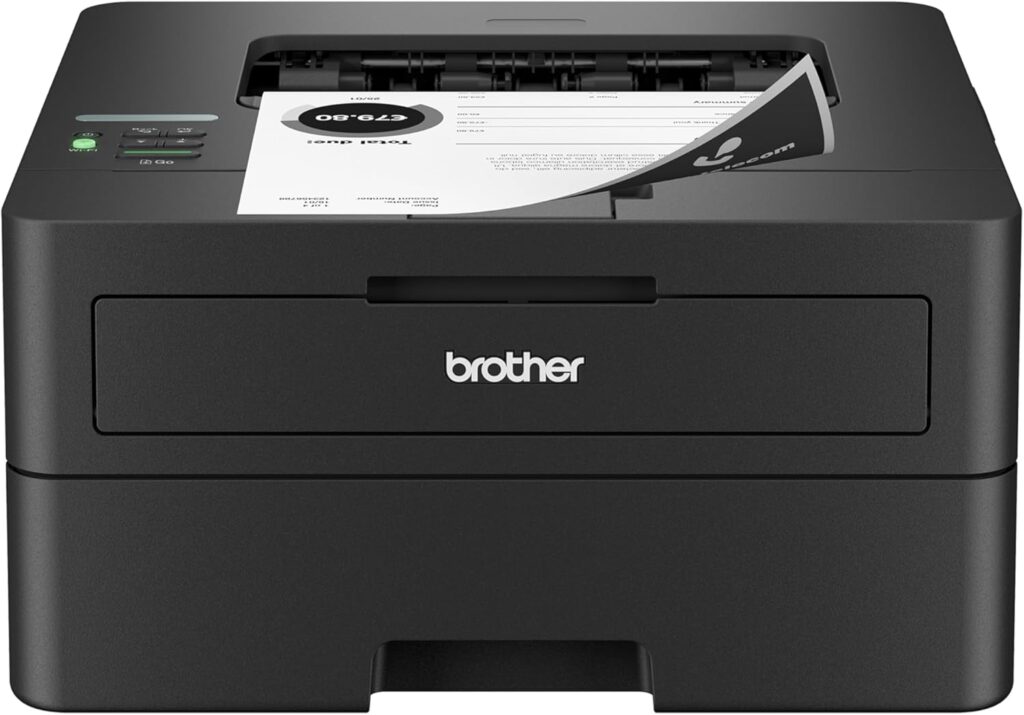
Buy the Brother HL-L2460DW if you mostly print black-and-white documents. It is inexpensive, compact, fast, supports automatic two-sided printing, and uses toner instead of liquid ink. For someone who can go weeks between print jobs, that is exactly what I would prioritize.
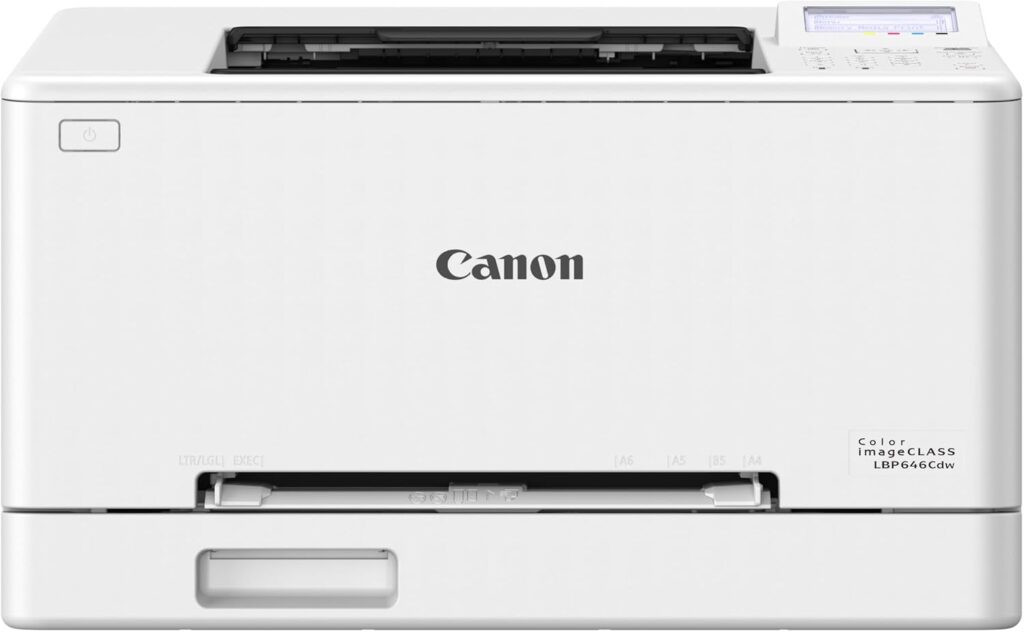
Buy the Canon Color imageCLASS LBP646Cdw if you need color but still print infrequently. It is a color laser, so you avoid the dried-ink problem while gaining color for charts, schoolwork, presentations, forms, and other everyday documents.
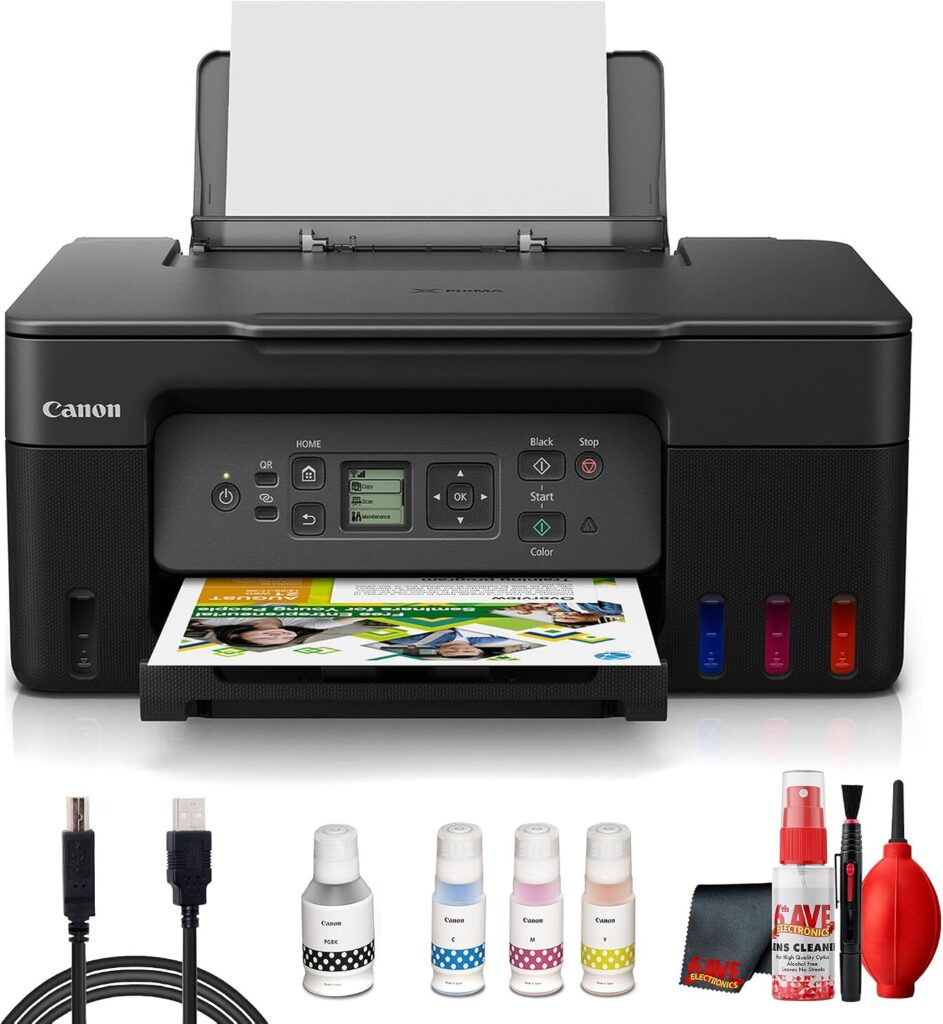
Buy the Canon PIXMA G3270 if you genuinely need photos, borderless printing, greeting cards, or other jobs where an inkjet makes more sense. Its refillable ink system keeps ink costs low, and Canon makes its printheads and maintenance cartridge user-replaceable. However, this is still an inkjet. It is not the best choice if you expect the printer to sit unused for months at a time.
Best Printers for Occasional Use Compared
Feature | |||
|---|---|---|---|
Printer | 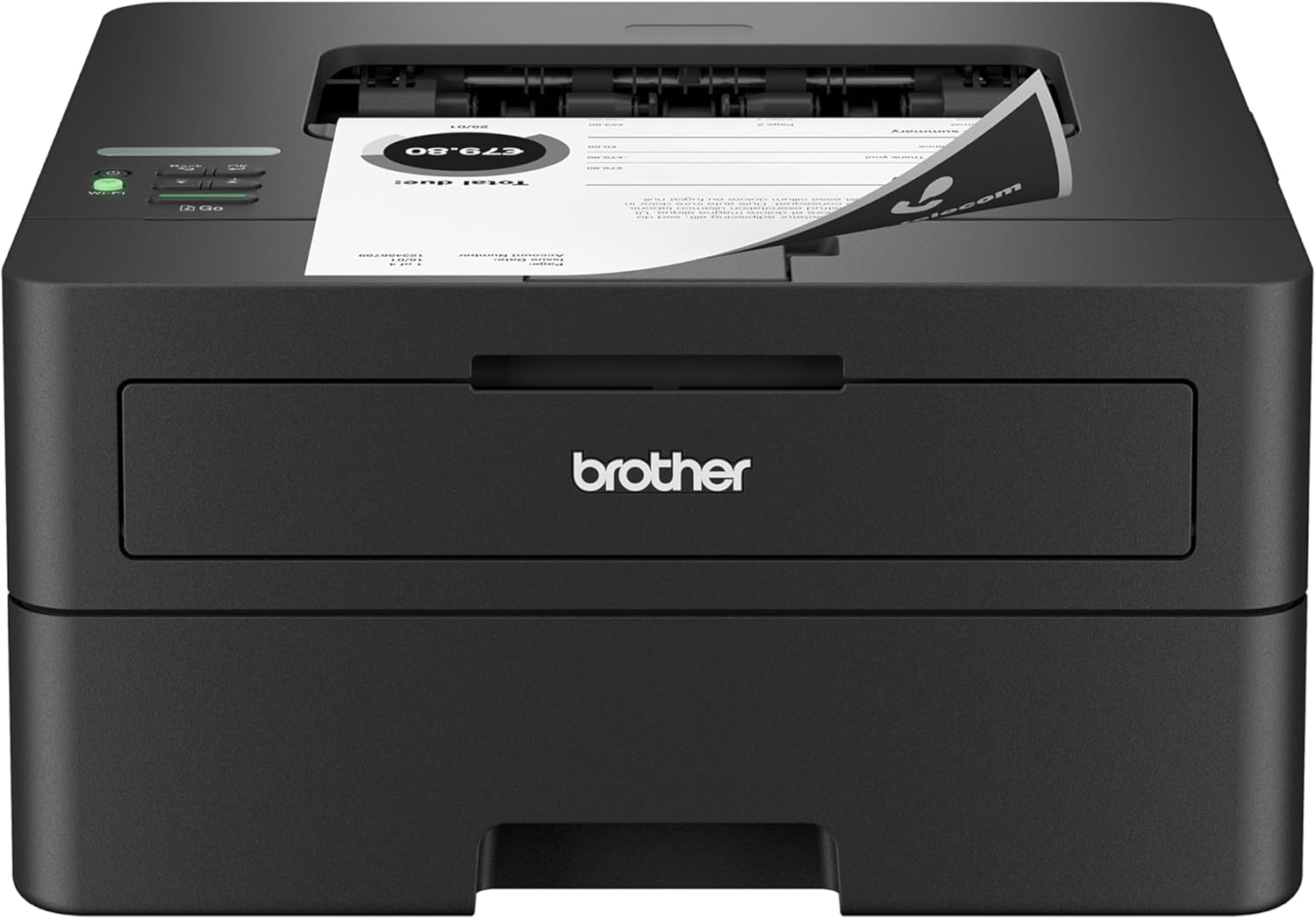 | 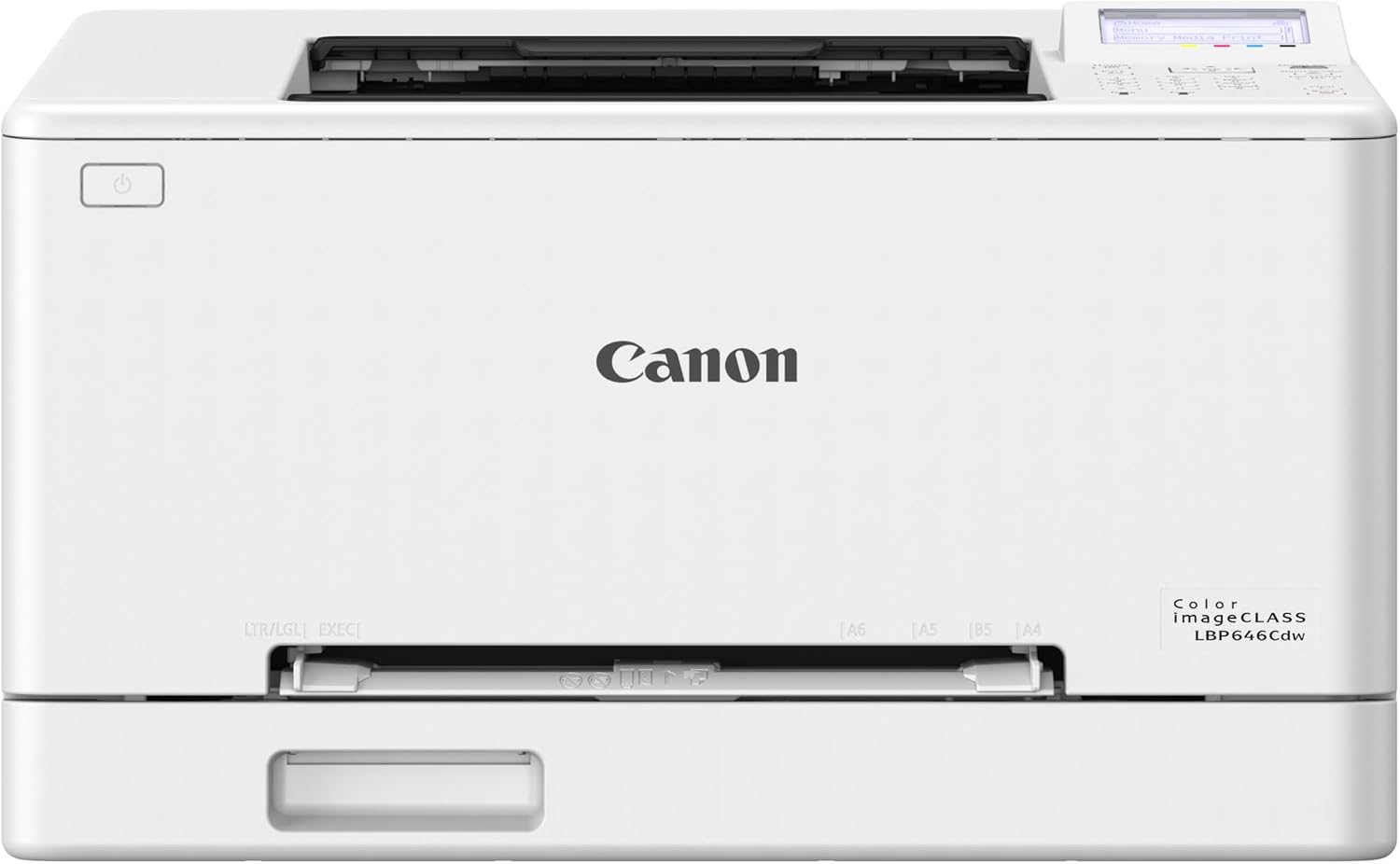 | 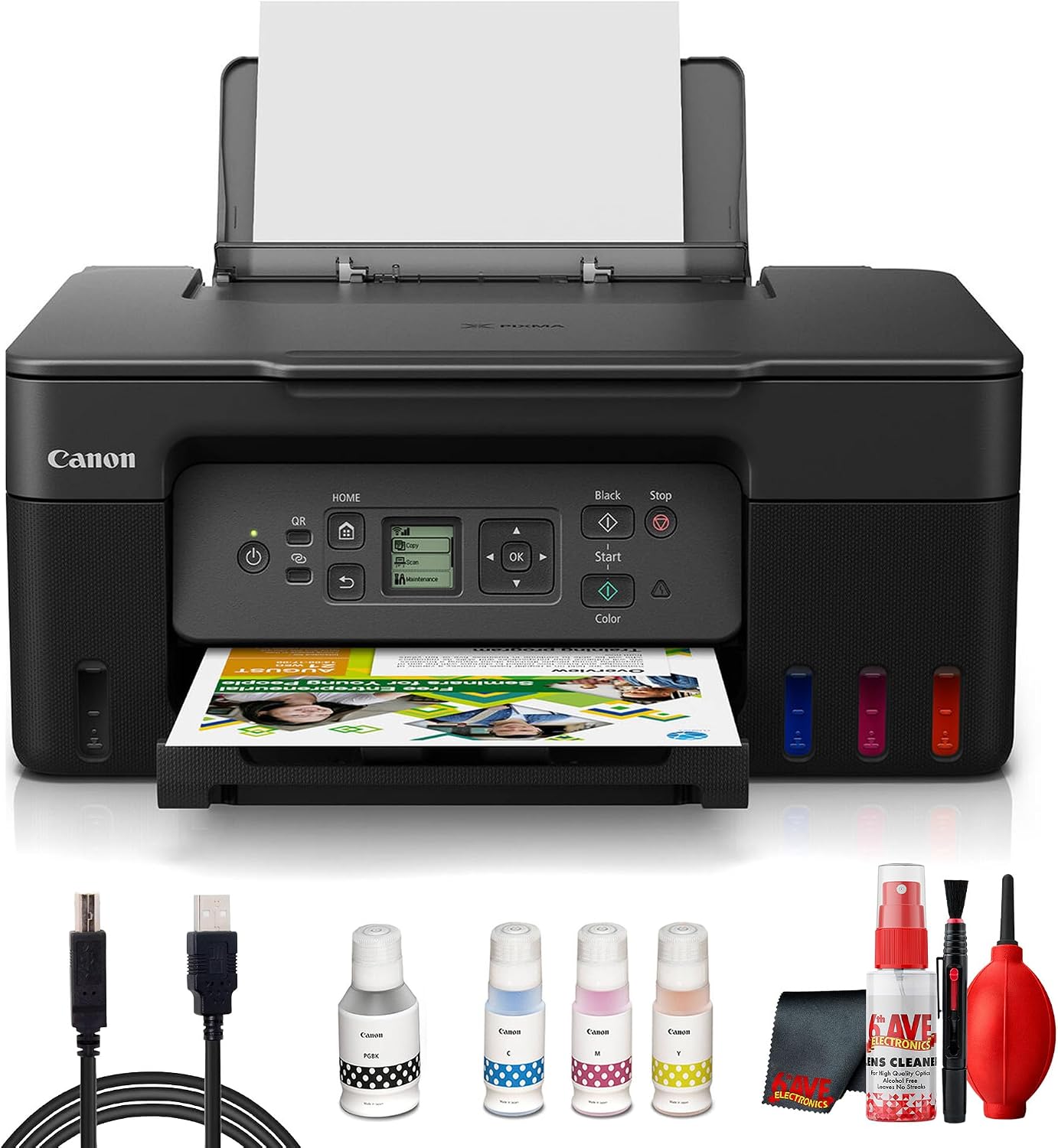 |
Best for | Occasional B&W documents | Occasional color documents | Photos, crafts and color-heavy printing |
Printer type | Monochrome laser | Color laser | Refillable ink-tank inkjet |
Rated print speed | Up to 36 ppm | Up to 26 ppm | Approx. 11 ipm black / 6 ipm color |
Automatic duplex | Yes | Yes | No |
Paper capacity | 250 sheets | 250 sheets | 100 sheets |
Main reason to buy | Toner can sit without drying out | Color without inkjet drying concerns | Low ink cost + photo/media flexibility |
Price |  | | |
Brother rates the HL-L2460DW at up to 36 pages per minute and offers standard and high-yield toner options. Canon’s newer LBP646Cdw prints color or black documents at up to 26 ppm and uses Canon 075 or 075 H toner. The PIXMA G3270 is substantially slower but adds borderless photo printing and support for a much wider variety of creative media.
Why Occasional Printing Changes What You Should Buy
Printer recommendations often focus on cost per page, print speed, photo quality, or cartridge yield.
Those things matter.
But if you only print a few times per month, inactivity becomes one of the most important specifications even though you will rarely see it on the box.
An inkjet printer works by moving liquid ink through very small nozzles in the printhead. When the printer sits unused, ink around those nozzles can begin drying. The longer it sits, the greater the possibility of print-quality problems and cleaning cycles.
HP’s own guidance on infrequent printing says that the longer an inkjet sits unused, the more severe drying can become. It specifically identifies laser printers as the most reliable option for infrequent users because toner is already a dry powder and therefore does not dry out the way liquid ink can.
That is why this list looks different from a typical “best home printer” roundup.
An EcoTank or MegaTank printer can have dramatically lower ink costs than a laser printer. But saving fractions of a cent per page is not very helpful if you only print 20 pages in a month and have to run repeated cleaning cycles because the printer sat unused.
If you print infrequently, prioritize:
- reliability after sitting unused
- simple maintenance
- low standby hassle
- automatic duplexing if you print documents
- reasonable replacement toner or ink costs
- only the features you actually need
For genuinely infrequent printing, laser is usually the cleaner answer.
1. Brother HL-L2460DW: Best Overall for Occasional Printing
Best for:
People who mostly print black-and-white documents and may go days or weeks without printing.
Skip it if:
You need color, scanning, copying, or photo printing.
The Brother HL-L2460DW is the printer I would recommend to most people who tell me, “I barely use my printer, but I need one in the house.”
That is because it solves the most important problem first.
It uses toner.
There is no liquid ink sitting inside the printer that needs to remain flowing through microscopic printhead nozzles. If you print a tax document this week, ignore the printer for three weeks, and then suddenly need a return label, that usage pattern is much better suited to laser technology.
Brother rates the HL-L2460DW at up to 36 pages per minute, so it is also much faster than many inexpensive home inkjets when you do finally need to print several pages.
It supports automatic two-sided printing and has a 250-sheet paper tray, which means you can load a substantial stack of paper and leave it there rather than feeding sheets every time you need the printer.
Brother offers several toner sizes, including a standard TN830 rated for 1,200 pages and higher-yield versions rated at 3,000 pages or more.
For someone who does not print frequently, even the standard cartridge can potentially last quite a while.
Why the HL-L2460DW works so well for infrequent printing
There is a tendency to assume that an occasional printer should be the cheapest inkjet you can find.
That can be false economy.
If nearly everything you print is:
- shipping labels
- tax documents
- recipes
- tickets
- school worksheets
- return forms
- contracts
- PDFs
- letters
- black-and-white reports
you gain very little from owning an inkjet.
The Brother gives up color, but in return you get a relatively simple machine built around the type of printing occasional users tend to do most.
It is also a print-only model, which can be an advantage if you do not need a scanner. There are fewer reasons to pay for a large all-in-one printer if your phone already handles the rare document scan.
What you give up
The biggest limitation is obvious: there is no color.
If a document contains colored charts or photographs, the printer will reproduce them in grayscale.
You also do not get:
- a flatbed scanner
- automatic document feeder
- copier
- fax
- borderless photo printing
If you need those features, another model will make more sense.
But for someone who says, “I just need a printer that works when I turn it on,” the simplicity is part of the appeal.
Bottom line on the HL-L2460DW
For infrequent black-and-white printing, I would choose a basic monochrome laser like this before an inexpensive cartridge inkjet.
You sacrifice color.
You gain a printer that is much better suited to sitting around.
Pros
- Toner does not dry like liquid ink
- Fast 36 ppm rated speed
- Automatic duplex printing
- 250-sheet paper tray
- High-yield toner available
- Compact compared with many office printers
- Good fit for basic home document printing
Cons
- Black and white only
- No scanner or copier
- Not suitable for photo printing
2. Canon Color imageCLASS LBP646Cdw: Best for Occasional Color Printing
Best for:
People who need color documents but still want the sit-for-weeks reliability of toner.
Skip it if:
Your idea of “color printing” primarily means glossy photos.
The Canon Color imageCLASS LBP646Cdw fills the biggest gap in the Brother recommendation.
It prints color.
More importantly for this particular article, it prints color using toner rather than liquid ink.
That makes it a much better fit for occasional-use households that need things like:
- school projects
- charts
- graphs
- forms
- presentations
- business documents
- flyers
- occasional color handouts
but do not want to keep an inkjet active just to prevent the printhead from drying.
Canon introduced the LBP646Cdw as part of its newer imageCLASS lineup. It prints at up to 26 pages per minute, includes a 250-sheet cassette, supports automatic duplex printing, and has Wi-Fi, Ethernet, USB, and Wi-Fi Direct connectivity.
That is a strong combination for a home office or household that needs color occasionally rather than constantly.
Why not just buy a cheap color inkjet?
Because “I sometimes need color” and “I print color frequently” are very different situations.
A traditional cartridge inkjet may cost much less upfront.
But if you print in January, ignore the machine throughout February, and suddenly need it again in March, liquid ink is still the maintenance concern.
The Canon laser eliminates that particular problem.
The tradeoff: color toner costs more
Color laser printers have four toner colors:
- black
- cyan
- magenta
- yellow
That means replacement supplies are more expensive than maintaining a simple monochrome laser.
Canon offers standard 075 toner rated at up to 1,300 pages per color and 075 H high-capacity toner rated at up to 3,500 black pages and 2,500 color pages.
For a heavy printer, those toner costs deserve careful comparison against an EcoTank.
For an occasional printer, though, there is another way to look at it:
you may not be replacing toner very often.
If you print only 30 or 50 pages per month, toner yield may matter less than knowing the printer is ready when needed.
Is color laser good for photos?
This is where I would draw an important line.
The LBP646Cdw prints color documents well.
That does not make it a photo printer.
If you want:
- glossy 4 x 6 photos
- borderless family pictures
- craft prints
- greeting cards
- detailed photographic output
an inkjet is still the better tool.
Color laser printing is ideal when the color is part of a document rather than the main attraction.
Think charts, logos, worksheets, presentations, and graphics.
Not a framed photograph.
Bottom line on the LBP646Cdw
If you rarely print but occasionally need color, this is the type of printer I would choose.
It costs more than a basic monochrome laser, but it gives you color without bringing back the main inkjet problem we are trying to avoid.
Pros
- Color laser technology
- Toner does not dry like liquid ink
- Up to 26 ppm
- Automatic duplex printing
- 250-sheet tray
- Wireless, Ethernet, and Wi-Fi Direct
- Good fit for color office documents
Cons
- More expensive than a monochrome laser
- Four toner colors to replace
- Not a true photo printer
- Print-only design
3. Canon PIXMA G3270 MegaTank: Best If You Really Need an Inkjet
Best for:
Occasional users who specifically need photos, borderless prints, greeting cards, creative media, or other inkjet features.
Skip it if:
You routinely leave your printer untouched for very long periods and only need ordinary documents.
Putting an inkjet in an article called “best printer for occasional use” requires an explanation.
The Canon PIXMA G3270 is not here because ink tanks somehow eliminate clogging.
They do not.
It is here because some people asking for an occasional-use printer still need things that a laser printer does poorly or cannot do at all.
For example:
- borderless photos
- glossy photo paper
- greeting cards
- crafts
- colorful school projects
- creative media
- inexpensive high-volume color when printing picks up again
For those people, the question is not whether laser is lower maintenance.
It is.
The question is which inkjet compromise makes sense when you still need inkjet capabilities.
The G3270 is a particularly interesting choice because Canon explicitly designed its printheads and maintenance cartridge to be user-replaceable.
That does not mean you should ignore maintenance, but it gives the printer an advantage over inkjets where a serious printhead problem can effectively become a service or replacement decision.
Why choose a MegaTank?
The other advantage is running cost.
Instead of repeatedly buying small cartridges, you refill the printer’s internal tanks from bottles.
Canon rates the G3270 for approximately 6,000 black pages and 7,700 color pages from its ink system under the company’s stated testing conditions. Actual yield varies with what and how you print.
If your printing habits are uneven, perhaps nothing for two weeks followed by 100 pages of school or craft printing, that can make a tank printer attractive.
But ink tanks are not magic
This deserves emphasis because it is frequently misunderstood.
A refillable tank changes how ink is stored and purchased.
It does not turn liquid ink into toner.
The printer still ultimately feeds liquid ink through a printhead.
If an inkjet sits unused long enough, printhead drying and clogging can still occur. HP’s guidance on infrequent printing explicitly notes that drying becomes more severe the longer an inkjet remains unused.
So I would not buy the G3270 for someone who prints one page every three months.
For that person, get a laser printer.
Why I prefer the G3270 as the inkjet option
Canon gives the G3270 a hybrid ink system with pigment black for text and dye-based color inks for photo and color output.
It supports borderless printing up to 8.5 x 11 inches and can handle media including:
- photo paper
- cardstock
- greeting cards
- envelopes
- labels
- matte paper
Canon lists a 100-sheet rear tray and print speeds of approximately 11 ipm black and 6 ipm color.
Those numbers are far below the two laser printers in this roundup.
But speed is not why you buy it.
You buy it because it can do printing jobs the lasers cannot.
The replaceable printhead is important
The G3270’s black and color printheads are sold as user-replaceable components. Canon currently lists compatible BH-20 black and CH-20 color printheads separately, along with a replaceable maintenance cartridge.
That is a meaningful design feature in an occasional-use discussion.
It does not mean:
“Don’t worry about clogging.”
It means:
“If long-term ownership eventually produces a printhead problem that cleaning cannot resolve, the printhead is not necessarily the end of the printer.”
That is a much more defensible reason to recommend it.
Bottom line on the G3270
Buy the G3270 only when your printing needs justify an inkjet.
If all you need is text, buy the Brother.
If you need ordinary color documents, buy the Canon laser.
If you need photographs and creative printing, then the G3270 becomes the better tool.
Pros
- Very low ink cost
- Borderless photo printing
- Supports varied creative media
- User-replaceable printheads
- User-replaceable maintenance cartridge
- Scanner and copier included
- Pigment black plus dye color inks
Cons
- Still susceptible to inkjet maintenance issues
- Much slower than the laser picks
- No automatic duplex printing
- Only 100-sheet paper capacity
- Poor choice for extremely long periods of inactivity
Laser vs Ink Tank for Occasional Printing
This is the central decision.
If you print infrequently, laser usually wins on convenience.
If you print enough color pages that supply cost becomes more important, an ink tank begins making more sense.
Consideration | Laser Printer | Ink Tank Printer |
|---|---|---|
Sitting unused | Excellent | Less ideal |
Risk of dried ink | None | Possible |
B&W documents | Excellent | Excellent |
Color documents | Excellent with color laser | Excellent |
Photos | Limited | Much better |
Cost per color page | Usually higher | Usually lower |
Cleaning cycles | No inkjet printhead cleaning | May be required |
Best occasional-use case | Documents | Users who specifically need inkjet output |
If you want a deeper breakdown of the economics, RegalPrinter’s ink tank vs laser printer guide goes further into the long-term cost differences.
The practical rule is simpler:
Print rarely + mostly documents:
Buy laser.
Print rarely + need color documents:
Buy color laser.
Need photos/crafts:
Consider an ink tank, but accept the maintenance requirement.
How Often Should You Print With an Inkjet?
There is no universal number because climate, ink formulation, printer design, humidity, and usage all affect how quickly problems develop.
That said, an inkjet generally benefits from regular use rather than prolonged dormancy.
You do not need to print a 20-page document every week just to exercise the machine.
A small color page that activates the different ink channels is more useful than repeatedly printing only black text.
If you own an inkjet but rarely use it:
- leave it plugged in so automatic maintenance can operate as designed
- avoid repeatedly unplugging it to save tiny amounts of electricity
- print a small color document periodically
- run a nozzle check if output begins showing missing lines
- do not run repeated deep-cleaning cycles unnecessarily
- follow the manufacturer’s maintenance procedure
RegalPrinter’s guides to inkjet maintenance and preventing printer clogs cover this problem in more detail.
Cleaning cycles themselves consume ink, which is another reason a low advertised cost per page does not tell the entire story for someone who barely prints.
Is a Cheap Inkjet a Good Printer for Occasional Use?
Usually not my first choice.
Cheap cartridge inkjets are attractive because the initial purchase price can be extremely low.
The problem is that the printer’s purchase price is only one part of ownership.
An infrequent user can encounter:
- dried or partially clogged printheads
- expensive replacement cartridges
- cleaning cycles consuming ink
- cartridges aging before all their ink is used
- frustration when the printer is needed unexpectedly
That does not mean cartridge inkjets are universally bad.
If you need photos and print at least somewhat regularly, one can make perfect sense.
But if the printer exists mainly for the five times each year when someone says:
“I need to print this right now,”
laser is usually the technology I would trust more.
What If I Print Only Once a Month?
I would strongly lean toward a laser printer unless you have a specific need for photographic output.
Printing only once a month is exactly the type of use where toner makes sense.
You might pay slightly more upfront than the cheapest inkjet, but you are buying something better suited to your actual behavior.
For black-and-white documents, choose the Brother HL-L2460DW.
For color documents, choose the Canon LBP646Cdw.
If that monthly print job is a photo, craft project, or greeting card, then the PIXMA G3270 becomes more reasonable, but I would still give it some periodic use between major projects.
What About Printing Once Every Few Months?
Buy a laser printer.
This is where I would stop trying to optimize ink cost and prioritize reliability.
Someone who prints 10 pages every three months is not consuming enough toner for cost per page to dominate the purchasing decision.
What matters is whether the machine works when those 10 pages suddenly matter.
Should You Buy a Printer at All?
For extremely rare printing, this is a legitimate question.
If you print five pages per year and live near a library, office store, workplace printer, or shipping center, owning a printer may cost more than simply paying for the occasional page.
A personal printer starts making more sense when convenience matters.
Examples include:
- frequent shipping returns
- school forms
- tax documents
- work-from-home paperwork
- medical paperwork
- last-minute tickets
- legal documents
- having children who unexpectedly need something printed at 9 p.m.
In those situations, a simple monochrome laser is particularly attractive because the printer can essentially serve as an appliance waiting until you need it.
Frequently Asked Questions
What type of printer is best if you don’t use it often?
A laser printer is generally the best choice for infrequent printing because it uses dry toner instead of liquid ink. Toner does not dry inside a printhead while the printer sits unused. HP’s own guidance recommends laser for infrequent printing for this reason.
Can a laser printer sit unused for months?
Laser printers are much better suited to extended inactivity than inkjets because toner is a dry powder. Toner can still be affected by poor storage conditions such as extreme humidity, but it does not evaporate and clog inkjet nozzles.
Is an EcoTank or MegaTank good for occasional use?
It can be, but there is an important qualification.
Tank printers dramatically reduce the cost of ink, but they are still inkjet printers. Their liquid ink still passes through a printhead.
If you print color regularly enough to keep the printer active, the economics can be excellent.
If you print only once every few months, a laser is usually the safer choice.
Does ink dry out in an EcoTank printer?
Ink tank printers are not immune to printhead drying or clogging. Large refillable reservoirs can reduce the hassle and cost associated with cartridges, but the printer still uses liquid ink and an inkjet printhead.
Does toner dry out?
No, not in the same way ink does. Toner is already a dry powder. That is why laser printers are particularly well suited to intermittent printing.
Is black-and-white laser cheaper than inkjet?
That depends on the exact printer, page volume, cartridges, and toner used.
Tank inkjets can produce a lower calculated cost per page than many laser printers.
However, for someone who prints very little, the difference may be tiny in actual dollars because so few pages are being printed.
For occasional users, reliability after inactivity can matter more than achieving the absolute lowest theoretical cost per page.
See RegalPrinter’s guide to printers with cheap ink for a deeper look at running costs.
What printer should I buy if I print shipping labels occasionally?
If you are printing shipping labels on ordinary letter-size label sheets, a monochrome laser such as the Brother HL-L2460DW is a strong option.
If you mainly print dedicated 4 x 6 shipping labels, however, you may be better served by a thermal label printer rather than any of the printers in this article.
What printer should I buy for occasional photos?
An inkjet.
Neither monochrome nor color laser is the best technology for photographic output.
The Canon PIXMA G3270 makes the most sense of these three because it supports borderless photo printing and uses dye-based color inks alongside pigment black.
Do I need a color printer?
Probably less often than you think.
If 90% of what you print is text, forms, labels, PDFs, recipes, or school worksheets, a monochrome laser may be enough.
You can always order or locally print the occasional high-quality photograph rather than maintaining a color inkjet all year for three photo-printing sessions.
Which Printer Should You Buy?
The easiest way to decide is to ignore brand names for a moment and ask what you actually print.
Mostly black-and-white documents?
Buy the Brother HL-L2460DW.
It is the simplest recommendation here. It is fast, compact, has a useful 250-sheet tray, supports automatic duplex printing, and uses toner.
Need color, but mostly for documents?
Buy the Canon Color imageCLASS LBP646Cdw.
You keep the major inactivity advantage of a laser printer while gaining color for school and business documents.
Need photographs, cards, crafts, or borderless prints?
Buy the Canon PIXMA G3270.
Just understand that you are choosing inkjet capability over maximum inactivity tolerance.
Final Verdict
The best printer for occasional use is usually not an inkjet with the lowest advertised cost per page.
It is a laser printer that can spend most of its life waiting for you.
For most people, that makes the Brother HL-L2460DW the best overall choice. If you only need black-and-white documents, it avoids one of the biggest frustrations of infrequent printing: liquid ink drying while the printer sits unused.
The Canon Color imageCLASS LBP646Cdw is the better choice if color documents are genuinely important. You pay more and have four toner colors to manage, but you retain the low-maintenance advantage of laser technology.
The Canon PIXMA G3270 MegaTank is the exception for buyers who really need inkjet output. Its inexpensive bottled ink, borderless printing, varied media support, and user-replaceable printheads make it a sensible compromise. But a tank printer is still an inkjet, and it should not be marketed as immune to clogging simply because its ink comes from bottles.
If your printer routinely sits untouched for weeks, start with laser.
Then add inkjet only when there is something you actually need an inkjet to do.