I'm a participant in the Amazon Services LLC Associates Program, an affiliate advertising program designed to provide a means for me to earn fees by linking to Amazon.com and affiliated sites.
The best printer for cardstock is not simply the printer with the highest print resolution.
For cards, invitations, crafts, art prints, and other heavy-media projects, paper handling matters just as much as print quality. A printer can produce beautiful photos and still be frustrating with cardstock if the paper path bends too sharply, the rear feed is weak, or the manufacturer only supports lightweight media.
For most creative users, the Epson EcoTank Photo ET-8550 is the best overall cardstock printer because it combines low-cost bottled ink, excellent photo and graphic output, wide-format printing up to 13 x 19 inches, and a dedicated rear slot specifically rated for thick paper and cardstock from 0.61 to 1.3 mm.
The Canon PIXMA PRO-200S is the better choice when print quality is more important than ink cost. Its eight-color dye ink system, manual feed, and support for cardstock, greeting cards, and media up to roughly 0.6 mm thick make it especially appealing for premium invitations, photographic cards, and portfolio-quality work.
For a lower-cost home option, the Canon PIXMA TS8820 supports cardstock and greeting-card media through its rear feed and gives you six-color photo printing without moving into the price range of a dedicated professional photo printer.
The Short Answer
Buy the Epson ET-8550 if: you print a lot of cards, invitations, crafts, or art and want low running costs plus unusually strong thick-media support.
Buy the Canon PRO-200S if: image quality matters more than ink cost and you want a printer primarily for premium creative output.
Buy the Canon TS8820 if: you want an affordable printer for lighter cardstock, greeting cards, school projects, and occasional creative work.
The biggest mistake to avoid is assuming that all cardstock is interchangeable.
A sheet labeled “80 lb cardstock” does not tell you everything you need to know about whether a printer can feed it reliably.
Thickness, stiffness, coating, grain, and feed path all matter.
Best Printers for Cardstock Compared
Feature | |||
|---|---|---|---|
Printer | 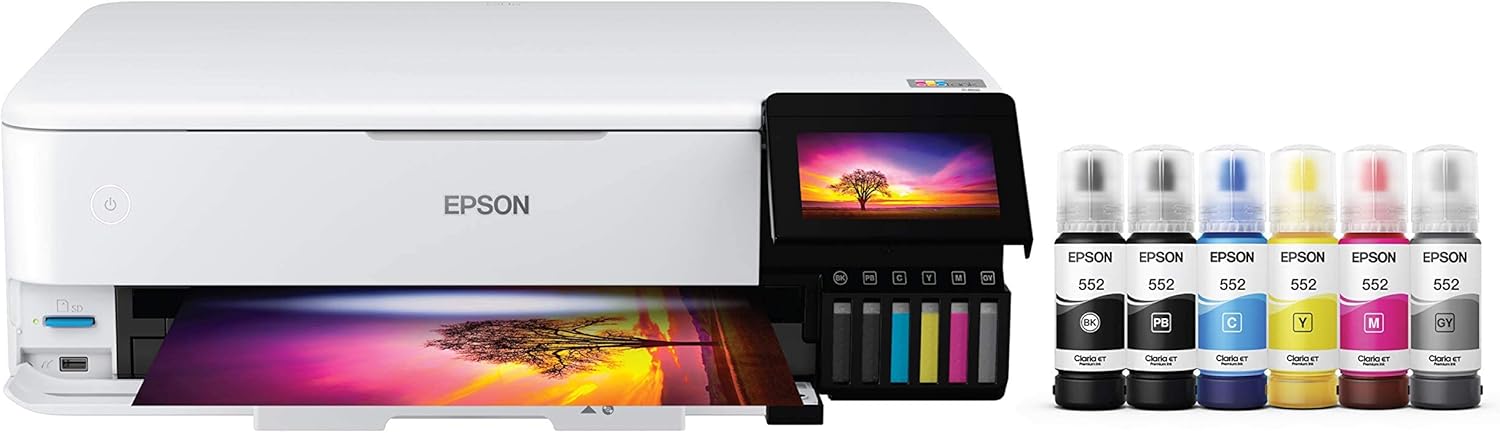 | 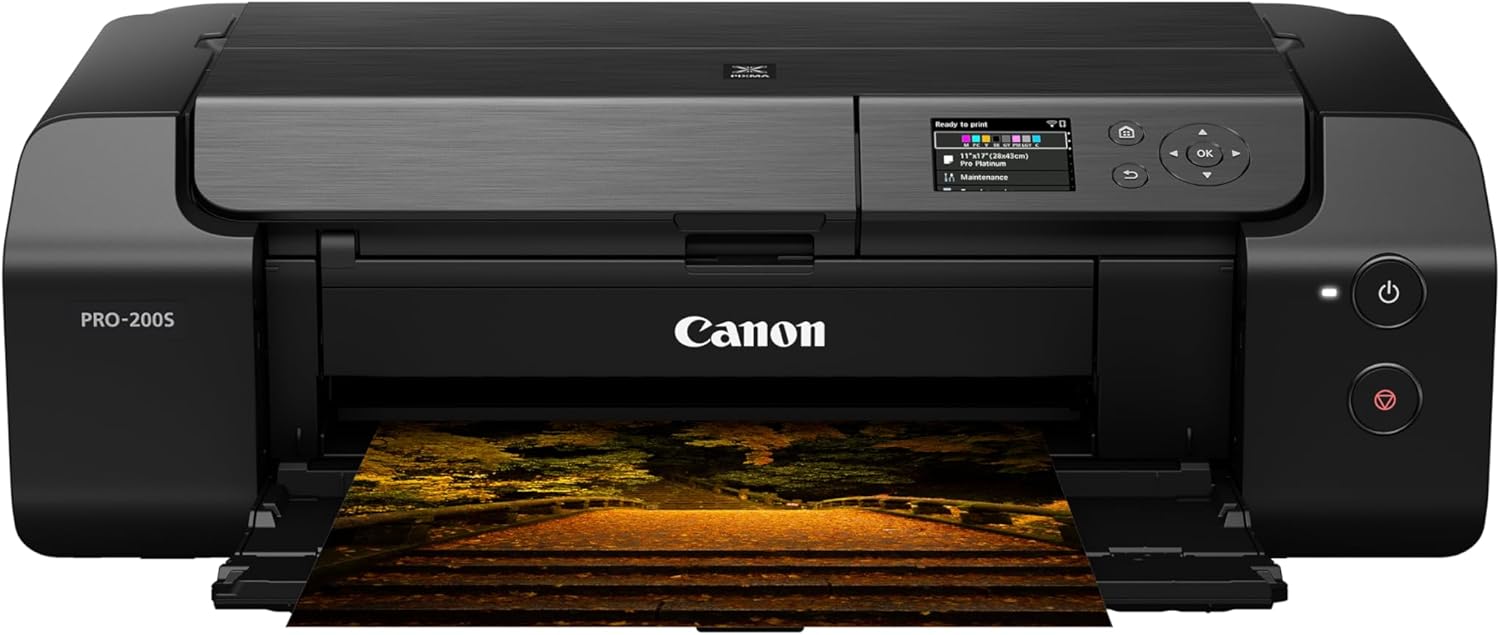 | 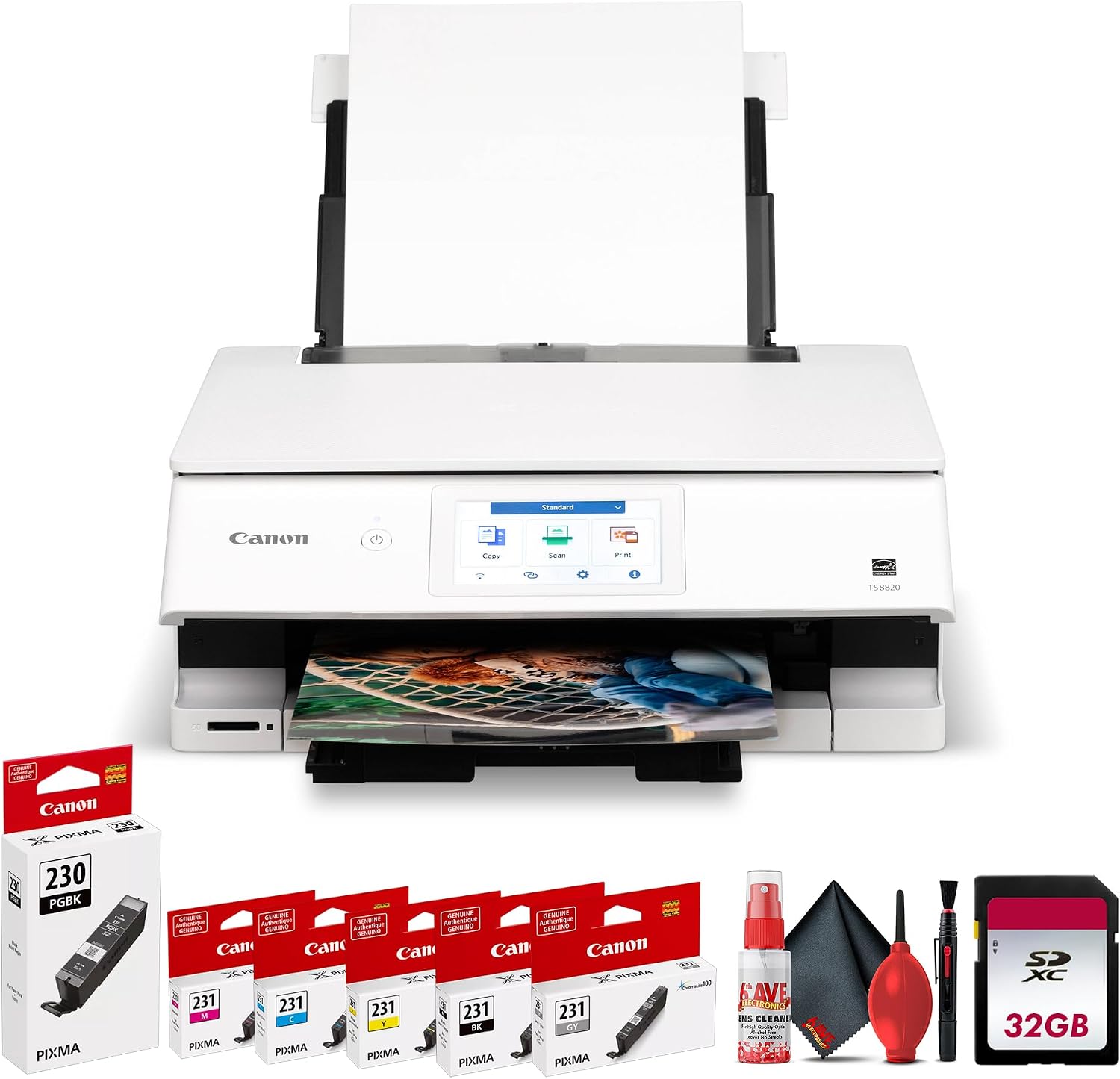 |
Best for | Frequent cardstock, crafts and wide-format projects | Best print quality for premium cards and invitations | Budget creative printing and lighter cardstock |
Maximum print size | Up to 13 x 19 in. borderless | Up to 13 x 19 in. borderless | Up to 8.5 x 11 in. borderless |
Thick-media feed | Dedicated single-sheet rear slot | Manual feed slot | Rear tray |
Manufacturer cardstock support | 0.61 to 1.3 mm through rear slot | Cardstock supported; manual feed up to approx. 0.6 mm on specified Canon media | Cardstock and greeting-card media supported |
Ink system | 6-color refillable EcoTank | 8-color dye cartridge system | 6-color cartridge system |
Automatic duplex on heavy cardstock | No | No automatic duplex | Do not assume heavy cardstock is supported for auto duplex |
Price |  | | |
Epson explicitly instructs ET-8550 owners to use the rear paper feed slot for cardstock between 0.61 and 1.3 mm thick, one sheet at a time. Canon lists non-Canon cardstock and greeting-card stock as compatible with the PRO-200S and rates its manual feed for Canon media up to approximately 0.6 mm thick. Canon also explicitly lists cardstock and greeting cards among compatible non-Canon media for the TS8820.
What Actually Makes a Printer Good for Cardstock?
A lot of printer guides treat cardstock like ordinary paper that happens to weigh more.
That is too simple.
The features that matter most are:
- feed path
- supported media thickness
- rear or manual feed
- ink type
- maximum print size
- borderless capability
- paper coating compatibility
- whether the printer can print one or both sides
- ink cost if you print in volume
A printer with a strong rear feed and modest resolution can sometimes handle cardstock better than a more expensive printer with a tightly curved internal paper path.
That is why this list does not simply rank printers by DPI.
1. Epson EcoTank Photo ET-8550: Best Overall Printer for Cardstock
Best for:
Frequent card makers, crafters, Etsy sellers, photographers, artists, and anyone printing a lot of premium cardstock.
Skip it if:
You only print a handful of cards each year and do not need 13 x 19-inch output.
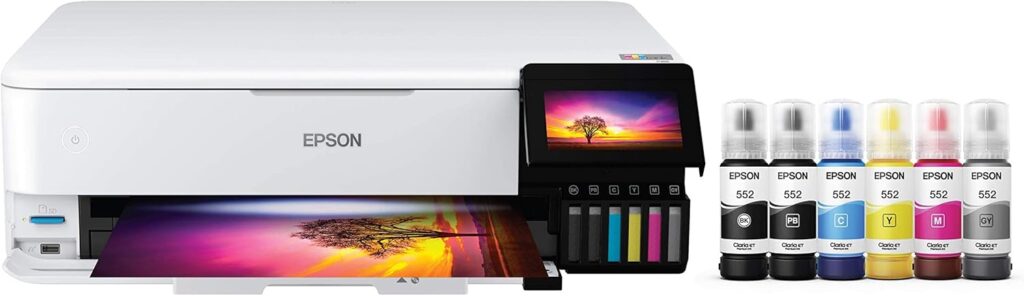
The Epson EcoTank Photo ET-8550 is my first choice for most serious cardstock printing because Epson actually documents unusually strong thick-media support.
The printer has multiple paper paths, including a dedicated rear paper feed slot for thick media.
Epson specifies that the ET-8550 can accept thick paper or cardstock from 0.61 to 1.3 mm through that rear slot, one sheet at a time. Supported sizes include Letter, A4, Legal, 11 x 14, 11 x 17, A3, and A3+.
That is far more useful than a vague claim that a printer “works with cardstock.”
It tells you the printer was actually designed with a heavy-media path in mind.
Why the rear slot matters
Heavy cardstock does not like being bent.
Many ordinary printers pull paper from a lower cassette, curve it around rollers, and send it back out the front.
That is fine for office paper.
It can be much less reliable for stiff card stock.
The ET-8550’s dedicated rear slot reduces how aggressively the sheet needs to bend through the machine.
I would not call any desktop printer’s path perfectly straight, but this is much closer to what you want for stiff media than feeding heavy stock from a conventional bottom cassette.
The ET-8550 also handles large cardstock
This is another major advantage.
The ET-8550 can print up to 13 x 19 inches, including borderless output on compatible media. Epson supports 11 x 14, 11 x 17, A3, and A3+ sizes through the thick-media slot.
That makes it much more versatile for:
- folded greeting cards
- wedding invitations
- menus
- certificates
- art prints
- signage
- scrapbook elements
- oversized craft pieces
- small posters
- card fronts that will later be trimmed
If you work with Cricut, Silhouette, or other cutting machines, the larger printable area can also give you more flexibility before cutting.
Low ink cost is a major advantage
The ET-8550 uses Epson’s six-color 552 Claria ET Premium ink system.
The set includes:
- pigment black
- photo black
- gray
- cyan
- magenta
- yellow
Epson uses dye-based photo black, gray, cyan, magenta, and yellow inks, while the standard black is pigment-based for sharper text.
That makes the printer unusually versatile.
You can print:
- colorful artwork
- photos
- typography
- invitations
- cards
- text-heavy designs
without relying entirely on a standard four-color office ink system.
Because it is an EcoTank, you refill from bottles instead of replacing small cartridges.
That matters enormously if you print large numbers of cards.
A photographer printing ten premium cards a year may not care much about ink cost.
Someone selling invitations or handmade cards absolutely will.
One important duplex limitation
The ET-8550 has automatic duplex printing, but do not assume that means it can automatically duplex heavy cardstock.
Epson says automatic double-sided printing is limited to supported plain-paper sizes and is not supported on thick paper, glossy paper, and certain matte papers.
If you are making folded cards or invitations that need printing on both sides, expect to print one side, allow it to dry, then manually flip and reload the stock.
That is normal for heavy creative media.
Trying to force thick stock through an automatic duplex mechanism is exactly the kind of thing that can cause skewing or jams.
Bottom line on the ET-8550
If cardstock is something you print regularly rather than occasionally, the ET-8550 is the strongest all-around choice here.
Its combination of:
- documented thick-stock support
- dedicated rear feed
- 13 x 19 printing
- borderless capability
- six-color photo ink
- low bottled-ink cost
makes it unusually well suited to creative cardstock work.
Pros
- Supports cardstock from 0.61 to 1.3 mm through dedicated rear slot
- Prints up to 13 x 19 inches
- Borderless printing
- Six-color photo-oriented ink system
- Very low ink cost compared with cartridge photo printers
- Good for high-volume crafts and cards
- Scanner and copier included
Cons
- High purchase price
- Thick cardstock must be fed one sheet at a time
- Automatic duplexing is not supported on thick stock
- Large footprint compared with ordinary letter-size printers
2. Canon PIXMA PRO-200S: Best Print Quality for Cards and Invitations
Best for:
Photographers, designers, invitation makers, and anyone prioritizing premium color and image quality over ink cost.
Skip it if:
You print very high volumes and want the cheapest possible ink.
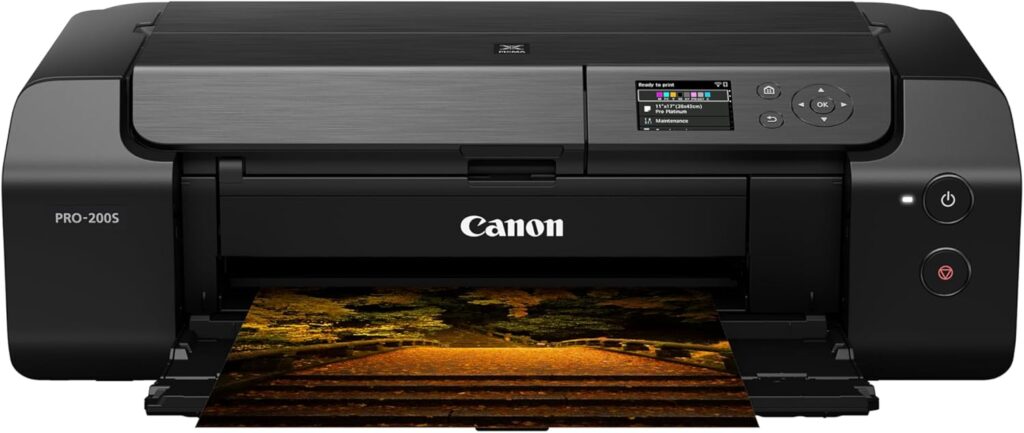
The Canon PIXMA PRO-200S is the choice I would make when the finished print itself matters more than running cost.
This is not an office printer that happens to accept cardstock.
It is a dedicated photo and fine-art printer built around color quality and media handling.
Canon uses an eight-color dye ink system and supports output up to 13 x 19 inches, with custom print lengths up to 39 inches.
Canon explicitly lists non-Canon cardstock and inkjet greeting cards among supported media.
That immediately makes it relevant for:
- premium wedding invitations
- save-the-dates
- photographic greeting cards
- boutique stationery
- art cards
- portfolio pieces
- event cards
- small-run creative products
The PRO-200S feed system is made for specialty media
The printer has:
- a top feed
- a manual feed slot
- a multipurpose tray
Canon rates its manual feed for supported Canon media from approximately 0.1 to 0.6 mm thick, with media weights around 380 gsm for certain Canon photo papers.
There is an important qualification here.
Canon’s 380 gsm and 0.6 mm figures are tied to specified Canon media.
That does not mean every third-party 380 gsm cardstock will feed correctly.
Two sheets can have the same GSM and very different stiffness or thickness.
That is why I would always test a small pack before buying hundreds of sheets.
Why the PRO-200S can look better
The ET-8550 is already an excellent creative printer.
The PRO-200S goes further toward dedicated photographic output.
Its eight-color dye system gives it more control over subtle color transitions and tonal gradation than a basic four-color home printer.
For an invitation with:
- watercolor artwork
- skin tones
- floral photography
- pastel gradients
- detailed illustrations
that can matter.
If your card is mostly black text and a simple logo, the difference may be difficult to justify.
If you sell premium stationery where buyers are paying for how the finished piece looks, the PRO-200S has a stronger case.
Dye ink is particularly attractive for glossy and photographic cards
Dye inks tend to produce rich, vibrant color on compatible coated media.
That makes the PRO-200S particularly appealing for:
- photo greeting cards
- glossy card fronts
- high-saturation illustrations
- artistic invitations
- photographic save-the-dates
For purely text-heavy matte invitations, the advantage is less dramatic.
No automatic duplex
The PRO-200S is a simplex printer.
Canon lists single-sided printing rather than automatic duplex printing.
That may sound like a disadvantage, but for thick specialty cardstock it is not as important as it seems.
Heavy card stock is generally better handled manually anyway.
If you want printing on both sides:
- Print side one.
- Let the ink dry completely.
- Reload the sheets in the correct orientation.
- Print side two.
For wedding invitations or premium cards, I would rather do that than force the material through a duplexer.
Ink cost is the real drawback
The PRO-200S uses eight separate ink cartridges.
That gives it excellent color control.
It also means there are eight consumables to replace.
If you are printing thousands of cards, the ET-8550’s bottle-based ink system is much more appealing economically.
The PRO-200S therefore makes more sense when:
quality per sheet matters more than cost per sheet.
That is especially true if you are selling premium work with enough margin to absorb higher ink costs.
Bottom line on the PRO-200S
The PRO-200S is the specialist pick.
I would choose it over the ET-8550 if I were producing premium invitation samples, art cards, or photographic cards where image quality was the main selling point.
I would choose the ET-8550 if I were producing large quantities and needed to keep ink expense under control.
Pros
- Excellent eight-color photo output
- Supports cardstock and greeting cards
- Manual feed for specialty media
- Up to 13 x 19-inch printing
- Borderless printing
- Strong choice for premium invitations
- Good for photographic card work
Cons
- Higher running cost than EcoTank
- Eight cartridges to replace
- No automatic duplex
- Not an all-in-one
- Maximum stated manual-feed thickness is lower than the ET-8550’s dedicated cardstock rating
3. Canon PIXMA TS8820: Best Budget Printer for Cardstock
Best for:
Occasional card making, school projects, home crafts, invitations, and lighter cardstock.
Skip it if:
You routinely use very thick stock or print cards commercially.
Not everyone needs an expensive creative printer.
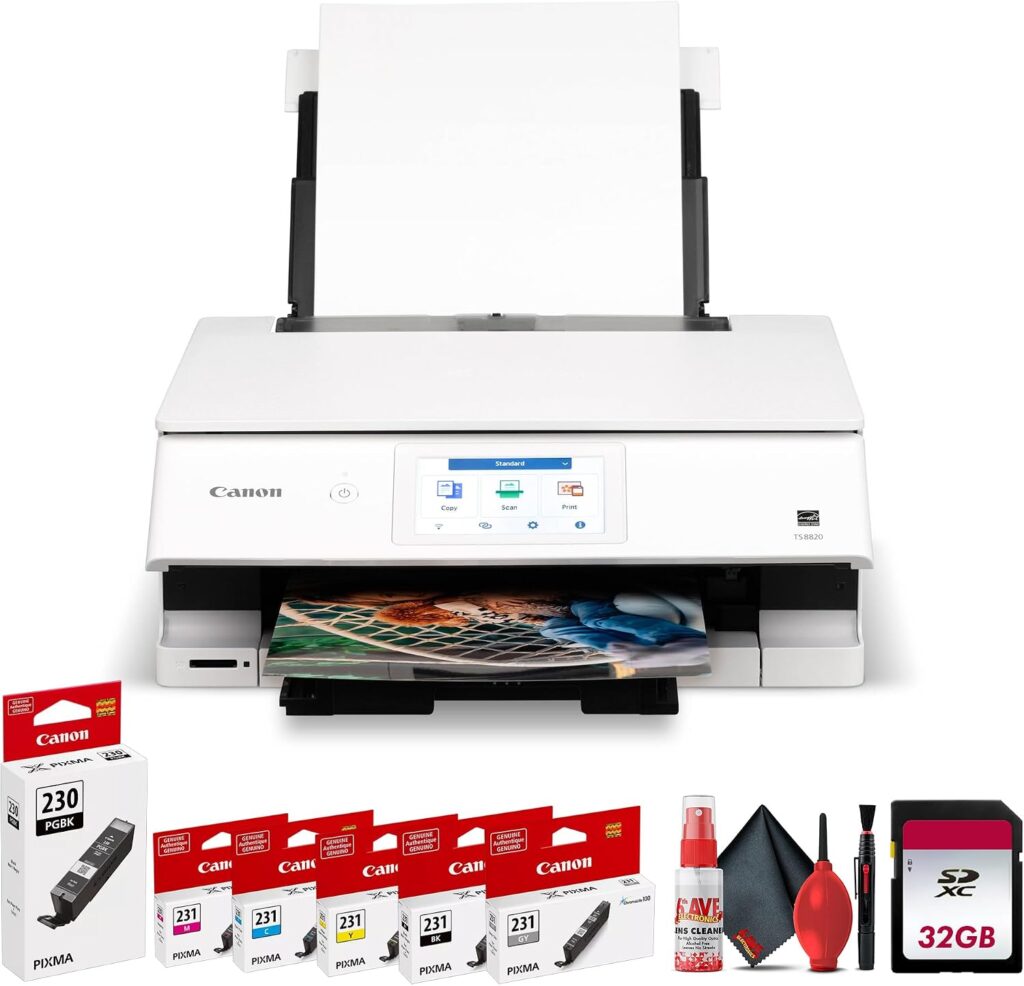
For occasional home projects, the Canon PIXMA TS8820 is a much easier entry point.
Canon explicitly lists both cardstock and greeting cards as compatible non-Canon media. It also provides a rear tray, which is where I would feed specialty stock rather than relying on the lower cassette.
The TS8820 uses six inks and is designed around photo and creative printing rather than purely office documents.
That makes it a better fit for cardstock than a cheap four-color office all-in-one.
The rear tray is the important part
Canon gives the TS8820:
- 100-sheet cassette
- 100-sheet rear tray
- single-sheet multipurpose/manual bypass
The rear tray supports custom media up to 8.5 inches wide and 26.6 inches long.
For ordinary paper, either tray works.
For cardmaking, I would generally favor the rear path.
It reduces the amount of bending compared with pulling stiff media through the cassette path.
How thick can the TS8820 handle?
This is where you need to be more cautious than with the ET-8550.
Canon rates the rear tray for plain paper from 64 to 105 gsm and Canon photo media up to approximately 265 gsm. It separately lists non-Canon cardstock and greeting cards as compatible media.
But Canon does not give the same clean third-party cardstock thickness range that Epson provides for the ET-8550.
So I would not write:
“The TS8820 supports all 265 gsm cardstock.”
That overstates the documentation.
Instead:
Canon supports cardstock and greeting-card media, but because third-party cardstock varies widely in thickness and stiffness, test the exact stock you plan to use.
That is the responsible recommendation.
Six-color printing is useful for crafts
The TS8820 is more photo-oriented than a typical cheap home printer.
That makes it a good option for:
- birthday cards
- party invitations
- school projects
- recipe cards
- small art prints
- scrapbooking
- planner inserts
- homemade stationery
You do not get the same wide-format capability or thick-media specialization of the other two picks.
But if your projects are mostly letter-size and your cardstock is moderate rather than extremely heavy, the TS8820 is much easier to justify financially.
Automatic duplex exists, but be careful
Canon includes automatic two-sided printing on the TS8820.
That does not mean I would use automatic duplexing for heavy cardstock.
Automatic duplex mechanisms require the paper to reverse direction through the printer.
That is much harder on stiff media.
For heavy greeting-card stock, manually printing each side is usually the safer approach.
Use automatic duplex primarily with supported ordinary or lighter media.
Bottom line on the TS8820
The TS8820 is not a substitute for the ET-8550 if cardstock is central to your business.
It is a very reasonable home craft printer.
For occasional:
- birthday invitations
- holiday cards
- school crafts
- party decorations
- scrapbook pieces
you may not need anything more expensive.
Pros
- More affordable than the ET-8550 and PRO-200S
- Canon explicitly supports cardstock and greeting cards
- Rear paper tray
- Six-color ink system
- Borderless printing up to letter size
- Scanner and copier included
- Good for occasional creative projects
Cons
- Limited to 8.5 x 11-inch borderless printing
- No clearly stated heavy-cardstock thickness range like the ET-8550
- Cartridge ink costs more per print than EcoTank
- Not ideal for commercial-volume card production
- Very thick stock may require trial and error
Feature | |||
|---|---|---|---|
Printer | | | |
Best for | Frequent cardstock, crafts and wide-format projects | Best print quality for premium cards and invitations | Budget creative printing and lighter cardstock |
Maximum print size | Up to 13 x 19 in. borderless | Up to 13 x 19 in. borderless | Up to 8.5 x 11 in. borderless |
Thick-media feed | Dedicated single-sheet rear slot | Manual feed slot | Rear tray |
Manufacturer cardstock support | 0.61 to 1.3 mm through rear slot | Cardstock supported; manual feed up to approx. 0.6 mm on specified Canon media | Cardstock and greeting-card media supported |
Ink system | 6-color refillable EcoTank | 8-color dye cartridge system | 6-color cartridge system |
Automatic duplex on heavy cardstock | No | No automatic duplex | Do not assume heavy cardstock is supported for auto duplex |
Price | | | |
Cardstock GSM vs Thickness: They Are Not the Same Thing
This is probably the most important technical point in this article.
People commonly shop for cardstock based on GSM, or grams per square meter.
GSM measures weight.
It does not directly measure thickness.
A 300 gsm cotton card stock can be thicker and softer than a 300 gsm coated photo stock.
Another 300 gsm sheet may be heavily compressed and surprisingly thin.
That means:
300 gsm does not automatically tell you whether a printer can feed the paper.
Thickness is usually measured in:
- millimeters
- points
- mils
These measurements are more useful when a printer manufacturer gives an actual maximum media thickness.
For example, Epson’s ET-8550 specification of 0.61 to 1.3 mm for cardstock is more useful than a vague claim that it supports “heavy paper.”
Why 80 lb Cardstock Is So Confusing
Paper weight becomes even more confusing in pounds.
“80 lb paper” can refer to very different things depending on whether it is:
- 80 lb text
- 80 lb cover
- 80 lb index
Those are not equivalent.
An 80 lb cover sheet is much heavier and thicker than 80 lb text paper.
That is why I would avoid choosing a printer based on a simple claim such as:
Handles up to 80 lb paper.
Without knowing the paper category, that number can be misleading.
Whenever possible, compare the exact stock’s:
- GSM
- thickness
- coating
- stiffness
against the printer manufacturer’s media guidelines.
Rear Feed vs Bottom Cassette for Cardstock
For cardstock, I strongly prefer a rear or manual feed when available.
A conventional bottom cassette usually forces the paper through a tighter curve.
That is not ideal for rigid media.
A rear-feed design tends to create a straighter or less aggressively curved paper path.
That can reduce:
- jams
- skew
- corner damage
- roller marks
- failed pickups
It is one reason both the ET-8550 and PRO-200S perform so well as creative printers.
Their specialty-media feeds are not an afterthought.
Is a Completely Straight Paper Path Necessary?
Not always.
A perfectly straight-through path is ideal for extremely rigid specialty stock, but most home cardmakers do not need industrial paper handling.
The key is avoiding unnecessarily tight bends.
For ordinary invitation stock or greeting-card media, a good rear/manual feed is usually enough.
If you are working with extremely thick board, chipboard, or rigid packaging stock, these desktop inkjets are probably not the right machines at all.
Coated vs Uncoated Cardstock
Coating matters just as much as thickness.
Uncoated cardstock
Examples include:
- matte invitation paper
- cotton stock
- basic cover stock
- craft cardstock
Uncoated paper absorbs ink into the fibers.
Results can look soft or muted depending on the paper.
A printer with pigment black can help produce sharper text, but color saturation depends heavily on the exact stock.
Inkjet-coated cardstock
This is generally easier to print well with an inkjet.
The coating is designed to control ink absorption.
It can produce:
- sharper text
- better color saturation
- more detail
- less feathering
For premium invitations or art prints, inkjet-specific cardstock is often worth paying for.
Glossy or photo-coated card
Photo printers like the ET-8550 and PRO-200S are particularly strong here.
Their photo-oriented ink systems are designed for coated media.
However, always check whether the stock is explicitly labeled for inkjet printing.
Laser-coated paper and inkjet-coated paper are not interchangeable.
Best Printer for Greeting Cards
For high-volume greeting cards, I would choose the Epson ET-8550.
Its low ink cost is the deciding factor.
You can print:
- card fronts
- artwork
- family photos
- text
- borders
- decorative backgrounds
without worrying as much about consuming expensive small cartridges.
The ability to print up to 13 x 19 inches is also useful if you want to impose multiple card panels on one large sheet and trim them afterward.
For premium photographic greeting cards where quality is more important than cost, I would move to the Canon PRO-200S.
For occasional homemade holiday or birthday cards, the Canon TS8820 is sufficient for many users.
Best Printer for Invitations
Wedding and event invitations create a slightly different set of priorities.
You may care more about:
- fine text
- subtle color
- watercolor artwork
- cream and off-white stocks
- matte finishes
- thick cover media
- accurate color
For an invitation business producing volume, the ET-8550 is the better economic choice.
For boutique or premium invitations where presentation matters above all else, I would lean toward the PRO-200S.
The TS8820 makes sense for DIY wedding invitations or occasional personal projects.
Best Printer for Crafts
The ET-8550 wins here because it is the most versatile.
You can use it for more than cards:
- scrapbook pages
- stickers
- printable decorations
- art prints
- photo projects
- labels
- large creative pieces
- craft templates
The ability to print up to 13 x 19 inches and handle multiple media paths makes it more flexible than a conventional letter-size printer.
The EcoTank ink system also makes experimentation cheaper.
That matters with crafting because not every print becomes a finished product.
Sometimes you test three versions before choosing one.
Can You Automatically Print Both Sides of Cardstock?
Sometimes, but do not assume you should.
This is one of the most misleading features in printer marketing.
A printer may advertise:
Automatic duplex printing
while limiting that function to:
- plain paper
- specific sizes
- relatively light media
For example, Epson specifically says the ET-8550’s automatic duplex function is not supported on thick paper.
The PRO-200S does not offer automatic duplex printing at all.
The TS8820 has automatic duplexing, but Canon’s general auto-duplex specification should not be interpreted as permission to run every heavy cardstock through the duplex unit.
For thick cards, manual duplexing is generally safer.
How to Manually Print Double-Sided Cards
A simple workflow works well:
- Print one side.
- Let the sheet dry completely.
- Mark one test sheet so you know the correct orientation.
- Reload it through the recommended specialty-media feed.
- Print the second side.
- Confirm alignment before printing the full batch.
Do not immediately stack heavily inked sheets face-to-face.
Some coated media needs additional drying time.
Can a Printer Handle 300 GSM Cardstock?
Maybe.
That answer is more accurate than a universal yes or no.
Remember:
GSM measures weight, not thickness.
The PRO-200S can handle specified Canon photo media around 380 gsm through its supported feeds, yet Canon gives an approximately 0.6 mm thickness limit for its manual feed with that media.
The ET-8550 uses a thickness-based specification instead, supporting cardstock up to 1.3 mm through its dedicated rear slot.
So a 300 gsm sheet may work perfectly in one printer and fail in another depending on how the stock is constructed.
Should You Use 110 lb Cardstock in a Home Printer?
Again, the pound rating alone is not enough.
A 110 lb cover stock can be fairly substantial.
Some desktop printers will handle it through a manual or rear feed.
Others may struggle.
Before buying a large pack:
- check thickness
- check GSM
- check the manufacturer’s supported media
- test 5–10 sheets first
The ET-8550 offers the most reassuring specification of these three because Epson explicitly publishes its cardstock thickness range.
Frequently Asked Questions
What is the best printer for cardstock?
For most serious creative users, the Epson EcoTank Photo ET-8550 is the strongest overall choice because it combines a dedicated thick-paper feed, support for cardstock from 0.61 to 1.3 mm, wide-format 13 x 19-inch printing, and low-cost bottled ink.
Which printer is best for wedding invitations?
The Canon PIXMA PRO-200S is the strongest choice when premium print quality is the main priority.
The ET-8550 is better for higher-volume invitation production because its ink costs are much lower.
Can the Epson ET-8550 print cardstock?
Yes.
Epson specifically supports thick paper and cardstock from 0.61 to 1.3 mm through the rear paper feed slot, one sheet at a time.
Can the Canon PRO-200S print cardstock?
Yes.
Canon lists third-party inkjet greeting cards and cardstock among compatible media. Its manual feed supports specified Canon media up to approximately 0.6 mm thick.
Can the Canon TS8820 print cardstock?
Canon lists cardstock and greeting cards as compatible non-Canon media for the TS8820. Because Canon does not provide a universal maximum thickness for third-party cardstock, test unusually heavy stock before committing to a large quantity.
Is 300 gsm cardstock too thick for a printer?
Not necessarily.
Some printers can handle 300 gsm or heavier media.
However, GSM measures weight rather than thickness, so compatibility depends on the exact stock and printer feed system.
Is 250 gsm good for invitations?
Yes, 250 gsm is a common general range for substantial invitation stock, though the final feel depends on paper construction and finish.
Always check the actual thickness and printer compatibility rather than relying on GSM alone.
Do you need a special printer for cardstock?
Not necessarily, but a printer with a rear or manual feed is preferable.
The heavier and stiffer the cardstock becomes, the more important the paper path becomes.
Is inkjet or laser better for cardstock?
For creative cards and invitations, inkjet is usually the better choice because photo-oriented inkjets handle coated media, color gradients, photographs, and borderless output better.
Laser printers can be excellent for text-heavy cardstock, but heat from the fuser means you must use laser-compatible stock.
Never put inkjet-only coated cardstock into a laser printer.
Can I print glossy cardstock?
Yes, if the stock is designed for inkjet printing and is within the printer’s supported specifications.
The ET-8550 and PRO-200S are particularly suitable for coated photo-style media.
Can I use cardstock in the regular paper tray?
Sometimes.
But for heavier stock, use the rear or manual feed whenever the manufacturer recommends it.
That generally reduces bending and improves feed reliability.
Can I automatically duplex cardstock?
Usually not with very heavy stock.
Automatic duplexing often supports only ordinary paper or a limited range of media.
For thick cards and invitations, manual two-sided printing is usually the safer method.
Which Cardstock Printer Should You Buy?
The easiest way to decide is by matching the printer to the kind of work you actually produce.
You print lots of cards, crafts, or invitations
Buy the Epson EcoTank Photo ET-8550.
It has the best balance of thick-media handling, wide-format capability, creative print quality, and low ink cost.
You want the best-looking premium cards
Buy the Canon PIXMA PRO-200S.
Its eight-color dye system is better suited to buyers who care more about color reproduction and photographic quality than consumable cost.
You just want to make cards at home
Buy the Canon PIXMA TS8820.
It supports cardstock and greeting cards, offers a useful rear feed, and costs much less than the specialist printers.
Final Verdict
The Epson EcoTank Photo ET-8550 is the best overall printer for cardstock because it solves the two problems that matter most for serious creative printing: feeding thick stock reliably and keeping ink costs manageable.
Epson’s published support for cardstock from 0.61 to 1.3 mm gives it a particularly strong advantage over printers whose product pages simply say “cardstock compatible.”
The Canon PIXMA PRO-200S is the better specialist choice for premium print quality. If you are making high-end invitations, photographic cards, or art pieces where the finished image is the product, its eight-color photo system is compelling.
The Canon PIXMA TS8820 is the practical budget choice. It does not offer the ET-8550’s extreme media flexibility or the PRO-200S’s professional photo system, but it gives occasional crafters a rear feed, six-color printing, and explicit support for cardstock and greeting-card media without forcing them into a much more expensive printer.
The biggest lesson is not to shop by GSM alone.
For cardstock, feed path and thickness matter more than a single paper-weight number.
If you print heavy stock regularly, choose the printer that was actually designed to feed it.