I'm a participant in the Amazon Services LLC Associates Program, an affiliate advertising program designed to provide a means for me to earn fees by linking to Amazon.com and affiliated sites.
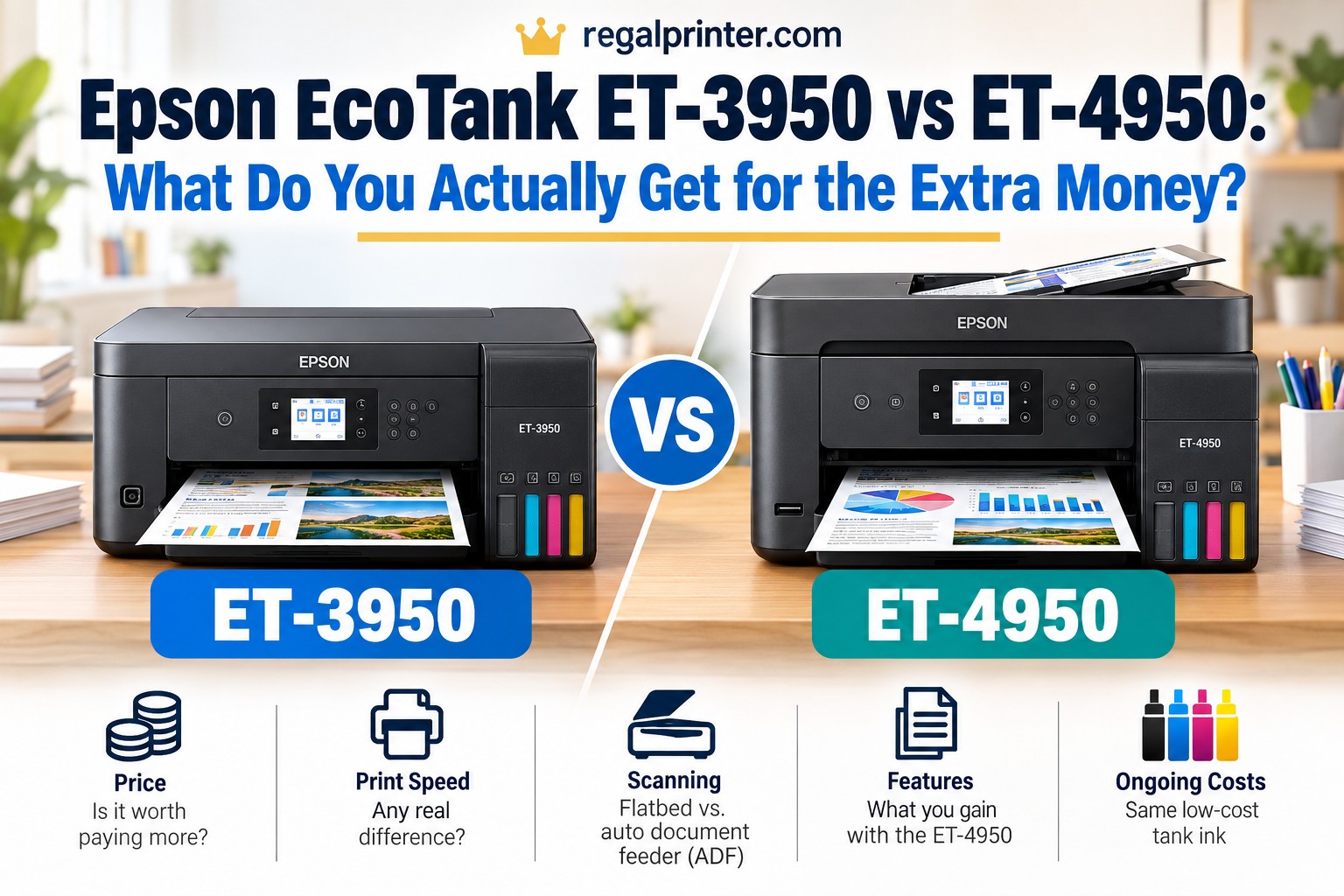
The Epson EcoTank ET-3950 and ET-4950 sit unusually close together in Epson’s current EcoTank lineup. At first glance, the higher model number makes the ET-4950 look like the noticeably more capable printer.
That is not really what is happening.
Both printers use the same basic EcoTank platform, have the same rated print speeds, hold the same amount of paper, support automatic two-sided printing and scanning, and use the same Epson 502 replacement ink bottles. The ET-4950 does not buy you faster printing or cheaper ink.
Instead, you are mostly paying for a couple of office-oriented conveniences.
Epson ET-3950 vs ET-4950: the short answer
The two printers are much more alike than their model numbers suggest. They use the same basic ink platform and have similar printing performance. The real question is whether the ET-4950’s additional office features matter enough to justify its price.
For most home users, families, students, and home offices that do not fax, the Epson EcoTank ET-3950 is the better value. You get essentially the same core printing and scanning hardware without paying for features you may never use.
The Epson EcoTank ET-4950 makes more sense for an office that still uses fax or for someone who strongly prefers a touchscreen interface. Those are useful additions, but they do not improve print speed, print cost, or paper capacity. Epson currently lists the ET-3950 at $399.99 and the ET-4950 at $499.99, although retail pricing can change frequently.
Quick Verdict
Buy the Epson ET-3950 if: you want a capable EcoTank for home, school, or home-office printing and do not need fax. It gives you nearly all of the ET-4950’s important hardware for less money.
Buy the Epson ET-4950 if: fax is genuinely part of your workflow or you are willing to pay extra for the more convenient touchscreen control panel.
The important thing to know: the ET-4950 is not the “better printer” in the sense of producing better or faster prints. It is essentially a more fully equipped office version of the ET-3950.
That distinction makes this comparison much simpler than it initially appears.
Epson ET-3950 vs ET-4950 Comparison
Feature | ||
|---|---|---|
Product | 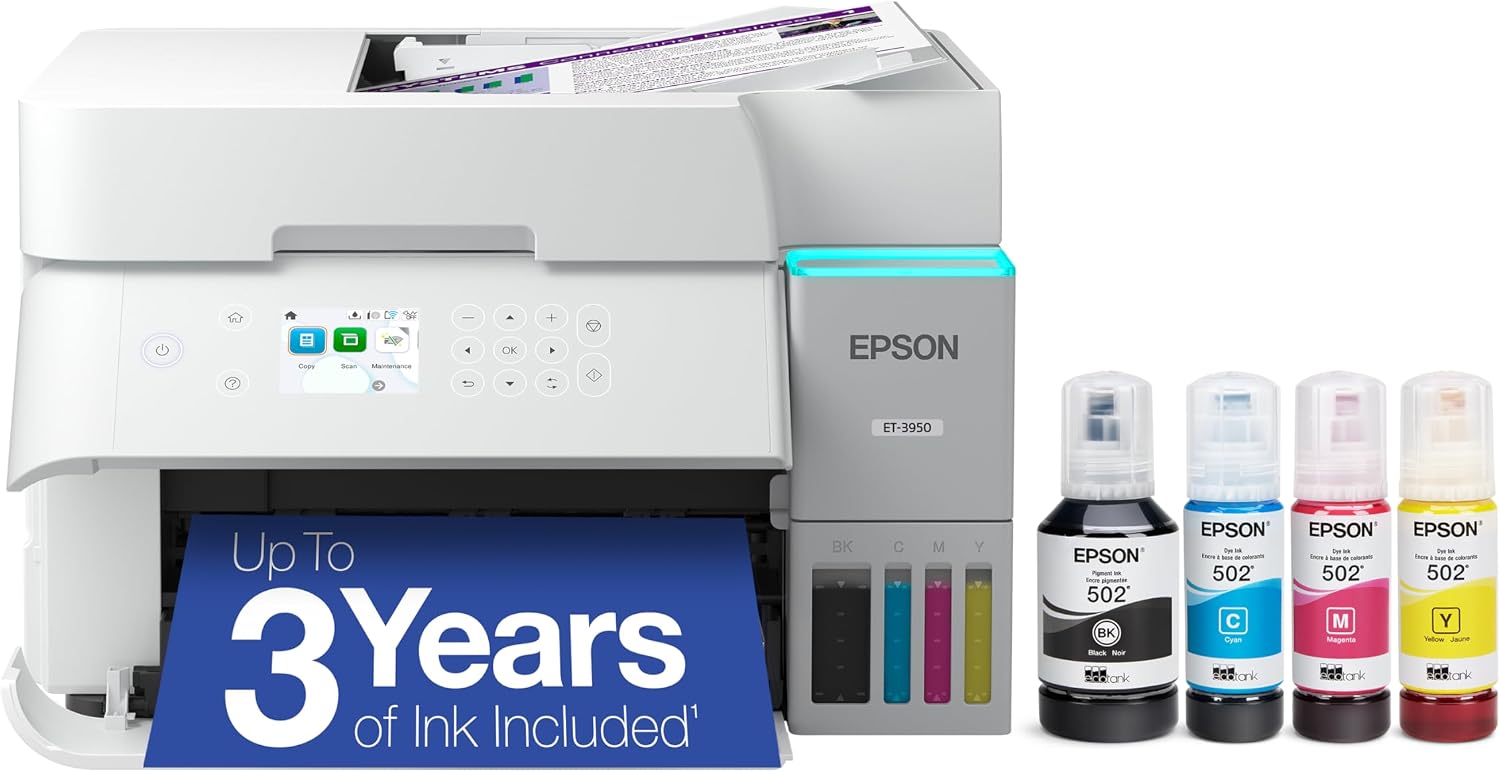 | 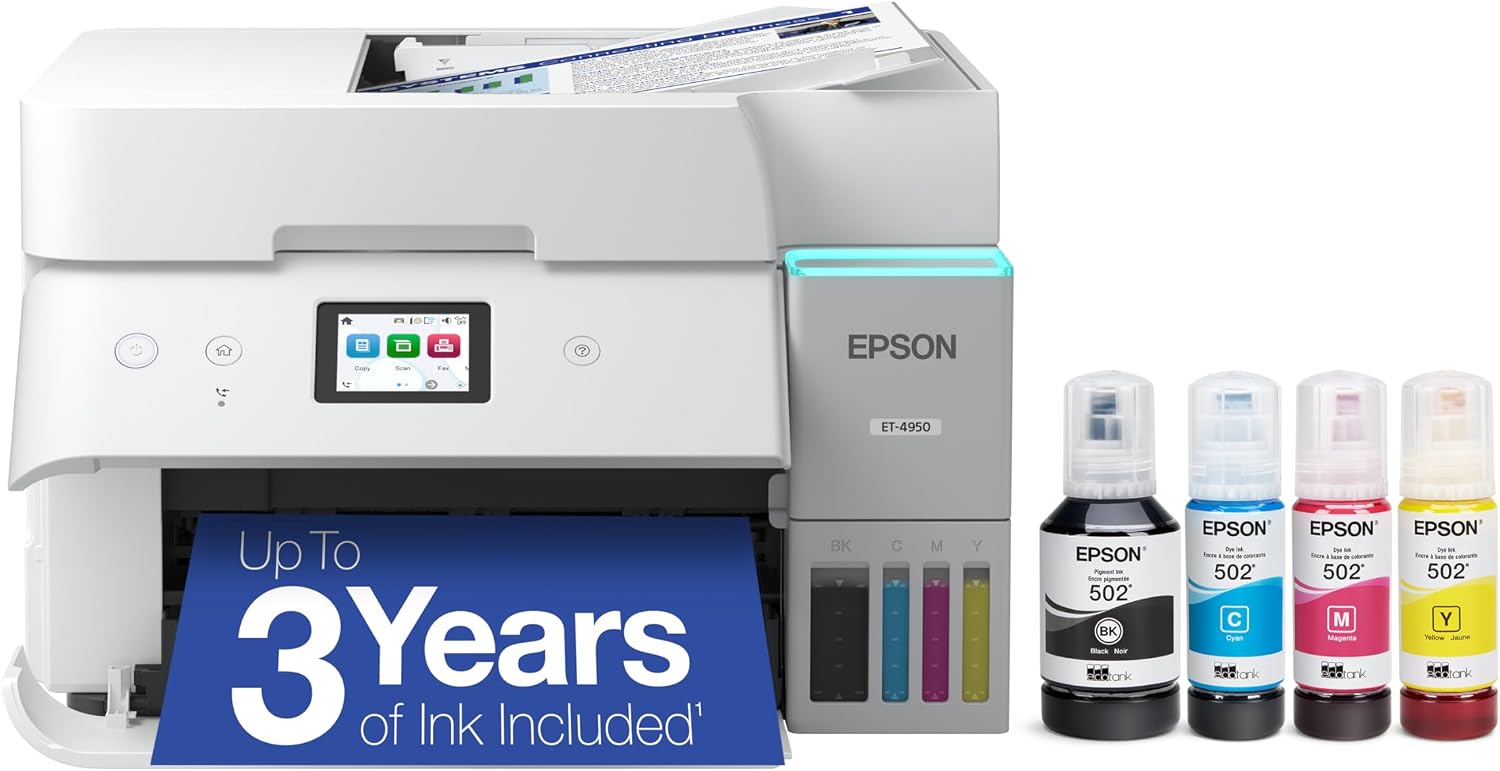 |
Rated print speed | 18 ppm black / 9 ppm color | 18 ppm black / 9 ppm color |
Display | 2.4-inch color LCD | 2.4-inch color touchscreen |
Fax | No | Yes |
Paper capacity | 250 sheets | 250 sheets |
Duplex features | Automatic two-sided printing and scanning | Automatic two-sided printing and scanning |
Replacement ink | Epson 502; up to 8,500 black / 6,500 color pages | Epson 502; up to 8,500 black / 6,500 color pages |
Price |  | |
Epson itself lists the same rated printing speeds, paper capacity, duplex capabilities, and replacement ink yields for the two printers. The ET-4950’s two clearly advertised upgrades are fax and the touchscreen display.
What’s Actually Different Between the ET-3950 and ET-4950?
There are plenty of specifications you could compare between these two printers, but most of them end in a tie.
That is the most important thing to understand before spending extra money on the ET-4950.
Both printers are part of Epson’s seventh-generation EcoTank lineup and were designed for families and home offices. Both use Epson’s cartridge-free refillable tank system, PrecisionCore printing technology, automatic document feeders, 250-sheet paper trays, automatic duplex printing and scanning, wireless connectivity, Ethernet, USB, and mobile printing.
Even their physical dimensions are essentially identical. B&H lists both at approximately 14.8 inches wide, 10.6 inches high, and 19.9 inches deep during use, with only a negligible difference in weight.
There are really two reasons to move from the ET-3950 to the ET-4950.
1. The ET-4950 has a touchscreen
The ET-3950 has a 2.4-inch color LCD.
The ET-4950 has a 2.4-inch color touchscreen.
That sounds like a small distinction, and for many buyers it is. You can perform many printer tasks from a computer or through Epson’s Smart Panel mobile app anyway.
However, if you frequently scan, copy, change settings, or operate the printer directly from its control panel, the touchscreen is more convenient.
It is a quality-of-life upgrade rather than a performance upgrade.
2. The ET-4950 includes fax
The ET-3950 prints, copies, and scans.
The ET-4950 prints, copies, scans, and faxes.
For the average household, this may have almost no value. Fax has disappeared from many everyday workflows.
It is still used in some medical, legal, government, financial, and traditional office environments, however. If your work occasionally requires sending documents directly by fax, having it integrated into the printer can be much easier than relying on a separate service or device.
In that situation, the ET-4950 has a legitimate advantage.
If you have never faxed anything from your current printer, though, it probably should not influence your purchase.
Feature | ||
|---|---|---|
Product | | |
Rated print speed | 18 ppm black / 9 ppm color | 18 ppm black / 9 ppm color |
Display | 2.4-inch color LCD | 2.4-inch color touchscreen |
Fax | No | Yes |
Paper capacity | 250 sheets | 250 sheets |
Duplex features | Automatic two-sided printing and scanning | Automatic two-sided printing and scanning |
Replacement ink | Epson 502; up to 8,500 black / 6,500 color pages | Epson 502; up to 8,500 black / 6,500 color pages |
Price | | |
Printing Performance: Essentially a Tie
Do not buy the ET-4950 expecting faster printing.
Epson rates both printers at 18 ISO pages per minute for black documents and 9 ISO pages per minute for color documents.
Independent testing reaches much the same conclusion. RTINGS describes the two printers as extremely similar and says they deliver the same overall performance, with the ET-4950 primarily adding fax and the touchscreen.
B&H also lists identical rated speeds for both models:
- 18 ppm black
- 9 ppm color
- 7 ppm black duplex
- 5 ppm color duplex
Both have a maximum print resolution listed at 4800 x 1200 dpi and support borderless printing up to 8.5 x 11 inches.
In practical terms, choosing the ET-4950 does not move you into a higher class of printing hardware.
Text, schoolwork, business documents, charts, casual graphics, and everyday color printing should be very similar between the two.
That is important because a $100 difference can make buyers assume that the more expensive model must have a substantially better print engine.
It does not.
Printing Cost: Another Tie
Running cost is one of the main reasons to buy an EcoTank in the first place, and neither model has an advantage here.
Both use the same Epson 502 ink bottle system.
Epson rates the replacement ink at up to:
- 8,500 pages in black
- 6,500 pages in color
Actual yield will vary based on what you print, print settings, maintenance cycles, and other factors, but because both printers use the same ink platform, there is no meaningful ongoing cost advantage to choosing one over the other.
That changes the economics of this comparison.
With some printer comparisons, paying more upfront can save money later because the more expensive model uses larger or cheaper cartridges.
That argument does not really apply here.
If the ET-4950 costs more when you buy it, you are not likely to recover that additional purchase cost through cheaper ink.
You are simply paying for its extra features.
For buyers focused primarily on low long-term printing costs, that makes the ET-3950 especially attractive.
Scanning and ADF: Much More Similar Than You Might Expect
The scanner is another area where you might reasonably expect the ET-4950 to pull ahead.
It largely does not.
Both printers include:
- a flatbed scanner
- an automatic document feeder
- automatic two-sided scanning
- automatic two-sided copying
Epson specifically promotes automatic duplex scanning on both models.
That matters because duplex scanning is one of the features that separates a basic home printer from a more useful home-office machine.
If someone hands you a stack of double-sided documents, you do not necessarily want to scan one side, turn the entire stack around, and scan everything again.
Both of these printers are designed to handle that type of office workflow.
B&H also lists the same scanner resolution and copy specifications for both machines, including up to 99 copies and reduction/enlargement between 25 and 400 percent.
The ET-4950’s scanning-related advantage is therefore not that it has a dramatically better scanner.
Its advantage is that scanned documents can also fit into its fax workflow.
If you only need scanning, copying, and an ADF
Buy the ET-3950.
If you need scanning plus traditional fax
That is where the ET-4950 earns its place.
Paper Handling: No Reason to Upgrade
Paper handling is virtually identical.
Both printers have a 250-sheet main paper tray, which is a useful capacity for a home office or family that prints frequently.
B&H lists support for paper sizes ranging from 3.5 x 5 inches through legal-size 8.5 x 14-inch media, as well as an envelope capacity of up to 10 envelopes.
Both also support automatic duplex printing.
Again, there is no meaningful reason to pay extra for the ET-4950 if paper handling is your deciding factor.
You do not get:
- a larger main tray
- a second paper tray
- faster duplex printing
- larger-format printing
- significantly heavier-duty paper handling
If your goal is simply to keep a full ream-sized workflow manageable without constantly reloading paper, both printers offer essentially the same experience.
Connectivity Is Basically the Same Too
Both machines give you the major connection options most home-office users would expect.
That includes:
- Wi-Fi
- Wi-Fi Direct
- Ethernet
- USB
- Apple AirPrint
- mobile printing
- Epson Smart Panel support
B&H lists Wi-Fi 5 and Ethernet connectivity on both models, while Epson highlights USB, AirPrint, and its current wireless platform across the two printers.
That makes the ET-3950 particularly difficult to dismiss as the “basic” version.
This is not a stripped-down EcoTank that sacrifices networking, automatic duplexing, scanning features, and paper capacity to reach a lower price.
It already contains most of the features people buying a capable home-office EcoTank are likely to want.
Who Should Buy the Epson ET-3950?
The ET-3950 is the model I would choose for most buyers comparing these two printers.
It makes the most sense for:
- families that print frequently
- students
- teachers
- homeschool households
- remote workers
- small home offices
- people replacing a cartridge printer because ink costs are too high
- anyone who wants an ADF and duplex scanning without paying for fax
The strongest argument for the ET-3950 is not simply that it costs less.
It is that very little is being sacrificed to reach that lower price.
You are still getting the same rated printing speed, same ink system, same replacement ink yields, same 250-sheet paper capacity, same automatic duplex printing, and essentially the same scanning capabilities.
The main things you give up are touchscreen operation and fax.
For a lot of people, that is an excellent trade.
Skip the ET-3950 if:
You regularly send or receive traditional faxes and want that capability built directly into the printer.
You may also prefer the ET-4950 if you operate the printer almost entirely from its front panel and value a touchscreen enough to pay extra for it.
Who Should Buy the Epson ET-4950?
The ET-4950 is the better fit for a more traditional office workflow.
It makes sense for:
- medical or healthcare-related offices that still use fax
- legal or administrative offices
- small businesses dealing with organizations that require faxed forms
- home workers who regularly send faxes
- people who prefer touchscreen controls
- buyers who find the two models on sale at nearly the same price
The last point is important.
Printer prices fluctuate constantly.
At Epson’s current listed pricing, there is a substantial enough gap that most buyers should think carefully before moving up to the ET-4950.
But if a retailer discounts the ET-4950 until it is only slightly more expensive than the ET-3950, the calculation changes.
For a small price difference, having fax available and getting the touchscreen can be worthwhile even if you only use them occasionally.
Skip the ET-4950 if:
You are paying significantly more and neither fax nor a touchscreen solves a real problem for you.
There is little reason to buy it solely because 4950 sounds higher-end than 3950.
Is Upgrading From the ET-3950 to ET-4950 Worth It?
For most people, no.
If you already own an ET-3950, moving to the ET-4950 makes particularly little sense unless you suddenly need fax capability.
You would be moving between printers with the same basic printing performance, the same paper capacity, the same ink system, and very similar scanning capabilities.
A touchscreen alone is not enough reason to replace an otherwise functional ET-3950.
The question is slightly different if you are choosing between the two as a new purchase.
In that case, compare the actual price difference on the day you buy.
If the ET-4950 costs around $100 more
I would choose the ET-3950 unless you specifically need fax.
If the difference drops to around $30 to $50
The ET-4950 becomes more tempting. The touchscreen is convenient, and having fax available may be worthwhile even if it is rarely used.
If they are almost the same price
Buy the ET-4950.
There is no real downside to getting the extra functionality when the price premium disappears.
This is why the price difference matters more than the model-number difference.
ET-3950 vs ET-4950: Which Is the Better Value?
The ET-3950 is the value pick.
That is not because the ET-4950 is overpriced or poorly equipped. The ET-4950 is actually a very complete home-office printer.
The problem is that Epson made the ET-3950 unusually complete too.
You still get:
- refillable high-yield ink tanks
- 18 ppm rated black printing
- 9 ppm rated color printing
- automatic duplex printing
- automatic duplex scanning
- ADF
- 250-sheet paper capacity
- Ethernet
- Wi-Fi
- mobile printing
- borderless printing
That leaves relatively little for the ET-4950 to add.
RTINGS reached a similar conclusion in its direct comparison, describing the printers as extremely similar and suggesting the less expensive ET-3950 makes more sense when fax is unnecessary.
Frequently Asked Questions
What is the main difference between the Epson ET-3950 and ET-4950?
The biggest differences are fax and the control panel. The ET-4950 includes fax and a 2.4-inch color touchscreen. The ET-3950 does not fax and uses a 2.4-inch color LCD rather than a touchscreen. Their major printing, ink, scanning, and paper-handling specifications are otherwise very similar.
Does the Epson ET-4950 print faster than the ET-3950?
No. Epson rates both printers at 18 ISO ppm for black printing and 9 ISO ppm for color printing.
Do the ET-3950 and ET-4950 use the same ink?
Yes. Both use Epson 502 replacement ink bottles. Epson rates replacement yields at up to 8,500 black pages and 6,500 color pages.
Does the ET-3950 have an automatic document feeder?
Yes. The ET-3950 includes an ADF, so you do not need to place every page individually on the flatbed when scanning or copying multipage documents.
Can the Epson ET-3950 scan double-sided documents?
Yes. Epson lists automatic two-sided scanning for both the ET-3950 and ET-4950. That is one of the reasons the cheaper ET-3950 is such a strong home-office option.
Does the Epson ET-3950 have fax?
No. Fax is one of the ET-4950’s primary upgrades. If traditional fax is required for your work, choose the ET-4950.
Does the ET-4950 have better print quality?
There is no significant print-quality upgrade that should drive the buying decision. The printers share the same basic printing platform and specifications, and independent testing describes their overall performance as essentially the same.
Which printer is better for a home office?
For most home offices, the ET-3950 offers the better balance of features and price because it already includes an ADF, automatic duplex scanning, automatic duplex printing, Ethernet, Wi-Fi, and a 250-sheet tray.
The ET-4950 becomes the better fit when fax is part of the office workflow or when its touchscreen is worth the additional cost to you.
Bottom Line: Don’t Pay More for a Model Number
The Epson EcoTank ET-3950 and ET-4950 are a good example of why printer model numbers can be misleading.
The ET-4950 sounds as though it should sit an entire performance class above the ET-3950.
It does not.
For printing, ink cost, paper handling, connectivity, and most scanning tasks, these printers are remarkably similar.
The Epson ET-3950 is the better choice for most households and home offices because it preserves nearly all of the useful hardware while cutting out two features many buyers will rarely use.
The ET-4950 is worth paying extra for when you actually need fax or place substantial value on the touchscreen.
Otherwise, save the money.
In this comparison, the smartest way to choose is simple: buy the feature you need, not the higher model number.