I'm a participant in the Amazon Services LLC Associates Program, an affiliate advertising program designed to provide a means for me to earn fees by linking to Amazon.com and affiliated sites.
If you’re comparing Epson EcoTank Photo ET-8550 vs 8500, here’s the truth: these two printers are basically twins in photo quality and ink economics — and the ET-8550 only “wins” if you’ll actually use wide-format printing. If you’ll never print bigger than letter-size, the ET-8500 gives you the same photo-centric EcoTank experience in a smaller, easier-to-place footprint.
My verdict:
- Buy the ET-8550 if you want 13″ × 19″ borderless, posters, portfolio prints, or you think you might someday.
- Buy the ET-8500 if your world is 4×6, 5×7, 8×10, and letter-size (8.5″ × 11″) and you want the cleaner fit on a desk or craft table.
The “gap” in most comparisons? They stop at “ET-8550 prints bigger.” True—but the real decision is workflow: wide-format changes how you buy paper, store prints, and justify the space. Let’s make this easy.
Epson ET-8550 vs ET-8500 Comparison Table
Feature | ||
|---|---|---|
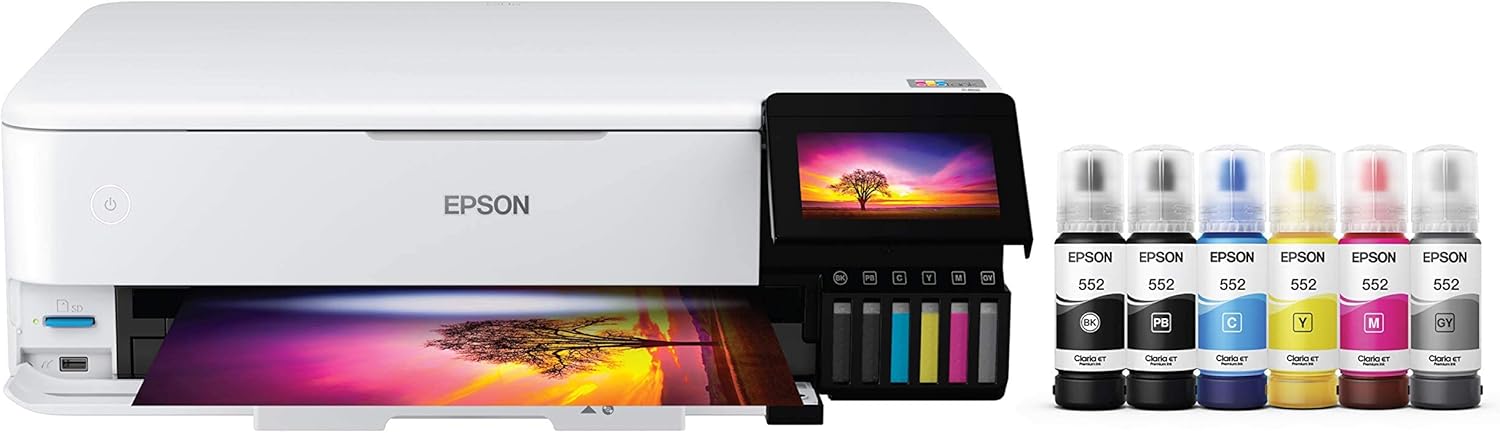 | 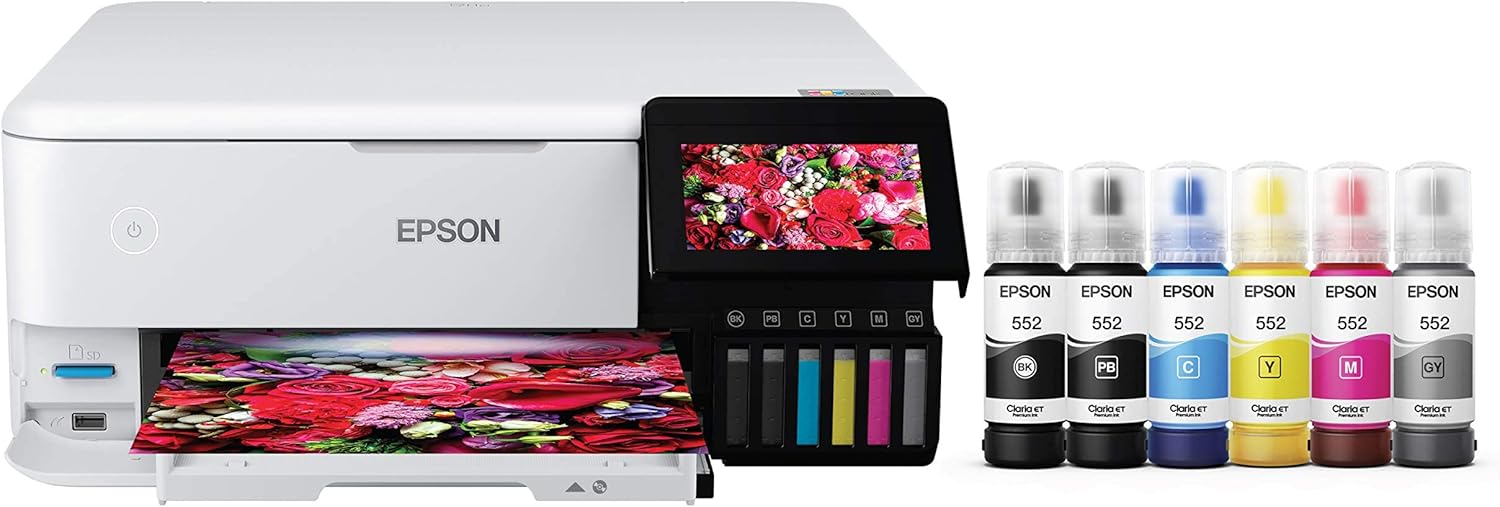 | |
Best for | Creators who want wide-format prints, posters, portfolios | Photo printing up to letter-size + everyday home documents |
Max borderless photo size | Up to 13″ × 19″ borderless | Up to 8.5″ × 11″ borderless |
Ink system | 6-color Claria ET Premium (photo-focused) | 6-color Claria ET Premium (photo-focused) |
Why photos look “better than normal EcoTanks” | Extra photo colors (beyond CMYK) help smooth gradients + tones | Same advantage (same photo-oriented ink concept) |
4″ × 6″ photo cost claim | ~4¢ per 4″ × 6″ (Epson’s estimate) | ~4¢ per 4″ × 6″ (Epson’s estimate) |
4″ × 6″ speed claim | As fast as ~15 seconds (marketing claim) | As fast as ~15 seconds (marketing claim) |
What actually decides the winner | Whether you’ll use 13×19 often enough to justify space + paper cost | Whether you’re staying letter-size forever and want smaller footprint |
Price |  | |
(Yes, they’re that close. This is one of those rare matchups where you’re not “downgrading” by choosing the smaller model—you’re choosing size class.)
🖼️ 1) Print Size & Creative Output (The only difference that really matters)
This is the whole fight:
- ET-8550 is built for wide-format photo printing, including borderless 13×19. That’s big enough for wall prints, shop signage, art prints, school poster boards, and photo portfolios that don’t look like “home printer work.”
- ET-8500 caps out at borderless 8.5×11. That’s still fantastic for photos, crafts, planners, scrapbook layouts, and “frame-ready” prints—just not poster-sized.
Real-life decision shortcut:
- If you’ve ever said “I wish I could print this bigger” (even once), the ET-8550 is the safer buy.
- If you’ve never printed bigger than letter-size in your life, the ET-8500 is the sane buy.
🎨 2) Photo Quality: What you’re actually paying for
Both printers are EcoTank Photo models, which is Epson’s way of saying: “This isn’t just a cheap-ink document tank—this one is tuned for photos.”
Epson positions both around the same core story: cartridge-free + 6-color photo ink for “lab-quality” style photo output.
Here’s the practical take:
- Your portraits and skies look smoother than standard 4-color tanks because photo-oriented ink sets tend to handle gradients better (less banding, less “flatness”).
- Your everyday documents still come out sharp—but these are not “office monsters” designed for massive monthly document throughput. They’re creator-first.
And if you’re wondering “Do reviewers actually like the ET-8550 for photos?” It consistently shows up as a top-tier pick in ink-tank roundups focused on photo output.
📄 3) Media Handling & Workflow (where wide-format sneaks up on people)
This is the part competitor articles usually skip—and it’s why buyers end up with regret.
ET-8550 workflow reality
Wide-format is awesome… but it’s also a lifestyle:
- You’ll buy and store 13×19 paper (it’s not expensive per sheet, but it’s another supply chain).
- You’ll want a space where prints can dry/stack without getting smudged.
- You’ll start printing things you didn’t print before (posters, art layouts, “real” presentation prints).
If that sounds fun, the ET-8550 becomes a “why didn’t I do this sooner” printer.
ET-8500 workflow reality
The ET-8500 keeps life simple:
- Paper is easy (letter, 4×6, 5×7, 8×10).
- The printer fits more naturally into a home setup.
- It still scratches the “photo printer” itch without pulling you into wide-format land.
Feature | ||
|---|---|---|
| | |
Best for | Creators who want wide-format prints, posters, portfolios | Photo printing up to letter-size + everyday home documents |
Max borderless photo size | Up to 13″ × 19″ borderless | Up to 8.5″ × 11″ borderless |
Ink system | 6-color Claria ET Premium (photo-focused) | 6-color Claria ET Premium (photo-focused) |
Why photos look “better than normal EcoTanks” | Extra photo colors (beyond CMYK) help smooth gradients + tones | Same advantage (same photo-oriented ink concept) |
4″ × 6″ photo cost claim | ~4¢ per 4″ × 6″ (Epson’s estimate) | ~4¢ per 4″ × 6″ (Epson’s estimate) |
4″ × 6″ speed claim | As fast as ~15 seconds (marketing claim) | As fast as ~15 seconds (marketing claim) |
What actually decides the winner | Whether you’ll use 13×19 often enough to justify space + paper cost | Whether you’re staying letter-size forever and want smaller footprint |
Price | | |
💰 4) Ink costs & long-term value (both are the reason EcoTank exists)
Epson’s headline claim for both is basically the same: very low cost per photo and a refillable system designed to beat cartridge printers on running costs. Epson even uses the same “~4 cents per 4×6” style messaging on both product pages.
What that means in plain English:
If you’re printing photos regularly (kids, Etsy product shots, scrapbooks, real hobbies), these are the kinds of printers where you stop fearing the “ink purchase moment.”
🧩 Major Differences (use-cases that actually decide it)
Choose the ET-8550 if…
- You want borderless 13×19 prints. (This is the headline.)
- You sell art prints, make portfolios, or do photography and want larger presentation sizes.
- You hate the idea of buying again later when you “outgrow” letter-size.
Choose the ET-8500 if…
- You print photos for albums, frames, planners, and home projects up to 8.5×11.
- You want the same “photo EcoTank vibe” without dedicating extra space to a wide-format machine.
- You’re trying to keep things simple (paper, storage, workflow).
✅ Pros & Cons (no fluff)
Epson EcoTank Photo ET-8550 — Pros
- Wide-format borderless up to 13×19 is the killer feature
- Photo-focused EcoTank concept = low running cost vs cartridges
- Frequently praised as a top ink-tank pick for photo-oriented users
Epson EcoTank Photo ET-8550 — Cons
- Takes more space (wide-format always does)
- Wide-format paper + storage becomes part of your routine
Epson EcoTank Photo ET-8500 — Pros
- Borderless up to 8.5×11 covers most home photo printing needs
- Similar EcoTank photo economics and “creator” positioning
- Easier fit for desks/craft rooms/home offices
Epson EcoTank Photo ET-8500 — Cons
- You lose the “print it big” moment—no 13×19
FAQ: Epson EcoTank Photo ET-8500 vs ET-8550
Is the Epson ET-8550 better than the ET-8500?
Only if you’ll use 13×19 borderless. If you won’t, print quality/value is close enough that the ET-8500 is often the smarter fit.
Do the ET-8550 and ET-8500 use the same ink type?
They’re both positioned as EcoTank Photo printers using Epson’s 6-color Claria ET Premium photo-oriented ink system.
Can both print 4×6 photos cheaply?
Epson markets both as capable of very low-cost 4×6 photo printing (often cited around ~4 cents per 4×6).
Which one is better for everyday documents too?
Both can handle everyday documents, but these are “photo-first” EcoTanks. If you’re doing heavy office throughput, you’d usually look at document-focused tank lines instead. (For photo + documents, these are great.)
Which is better for photographers?
If you sell prints or want gallery-style sizes, the ET-8550 wins because wide-format changes your output options.
Should I buy the ET-8550 “just in case”?
If you have the space and you might want posters/portfolios later, yes—that’s the one “future-proof” angle that’s real here. Otherwise, the ET-8500 is the clean, practical choice.
Final Take: Epson EcoTank Photo ET-8550 vs 8500
If you want the simplest “no regrets” pick: ET-8550—because once you’ve got 13×19 borderless available, you actually use it.
If you want the best value for normal printing photos up to letter-size: ET-8500—same vibe, less space, less lifestyle creep.
Other Interesting Articles
- 3D Printing Ideas: 40 Genius Projects You’ll Actually Want to Try
- 50 Cool Things to 3D Print: From Useful to Fun!
- Best Resin 3D Printer: My Top 3 Picks, Tested Specs, and Who Each One Is For
- Flashforge Adventurer 5M vs Elegoo Centauri Carbon: Which 3D Printer Comes Out on Top?
- Flashforge Adventurer 5M vs Bambu A1: Which 3D Printer Should You Pick?
- Flashforge Adventurer 5M vs 5M Pro: Which 3D Printer Really Delivers?
About RegalPrinter
RegalPrinter offers the best reviews for inkjet printers, laser printers, 3D printers, and other similar office machines that you use in your everyday life. We provide expert information that will ensure you are making the right decision whenever buying any of these machines. Our Epson EcoTank Photo ET-8550 vs ET-8500 review will ensure you know which is right for you.