I'm a participant in the Amazon Services LLC Associates Program, an affiliate advertising program designed to provide a means for me to earn fees by linking to Amazon.com and affiliated sites.
If you’re searching Epson EcoTank Photo ET-8550 vs 15000, here’s the clean verdict:
- Buy the ET-8550 if you care about photo quality (smooth gradients, richer tones, better-looking prints) and you want true borderless 13″ × 19″.
- Buy the ET-15000 if you want a home-office workhorse with a 35-sheet ADF + fax + 250-sheet tray, and you mostly print documents (with occasional “big” prints).
Most competitor comparisons get stuck on “both are wide-format.” That’s not the decision.
The decision is: photo-first 6-color vs business-first 4-color, and borderless 13×19 vs not.
Epson ET-8550 vs ET-15000 Comparison Table
Feature | ||
|---|---|---|
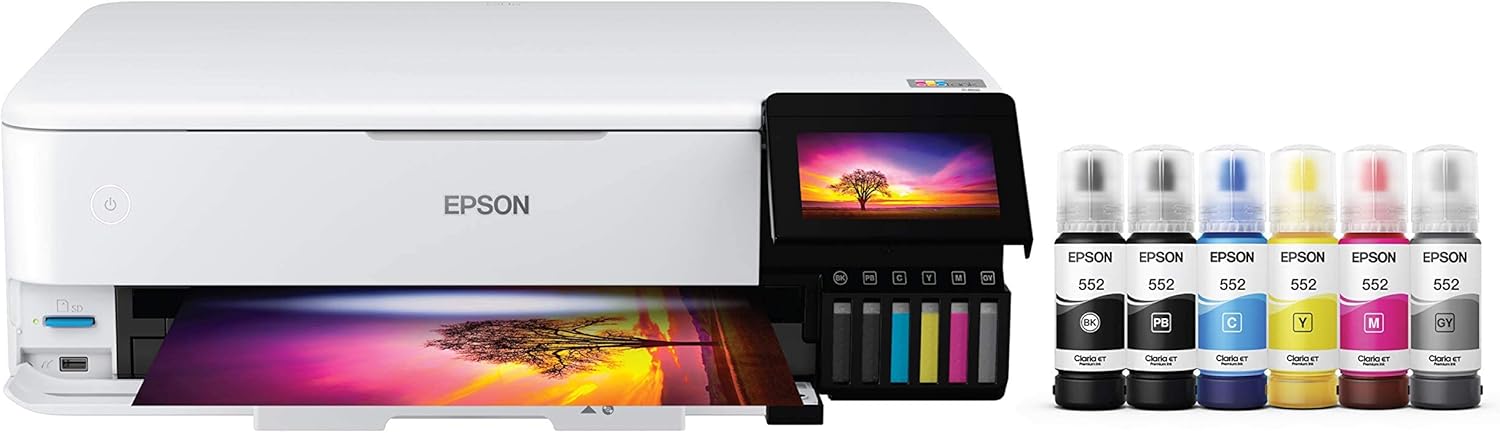 | 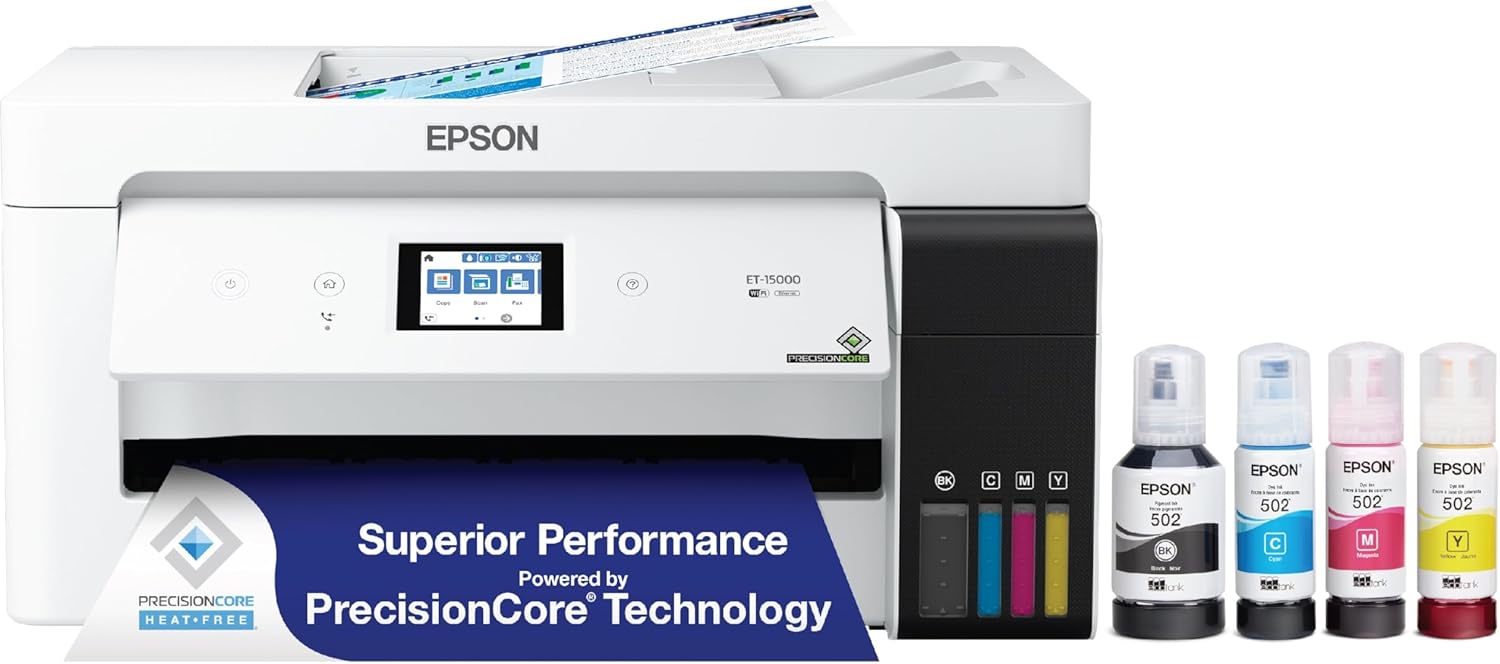 | |
Best for | Photo lovers, creators, crafters who want premium-looking prints | Home office, small business, paperwork + scanning stacks |
Ink system | 6-color Claria ET Premium (includes gray; photo-oriented) | 4-color (business-oriented) |
Max print size | Up to 13″ × 19″ | Up to 13″ × 19″ via rear feed |
Borderless max size | Up to 13″ × 19″ (big deal) | Up to 11″ × 17″ |
ADF (automatic document feeder) | No ADF | Yes — 35 sheets (up to Legal) |
Fax | No | Yes |
Auto duplex printing | Yes | Yes |
Scanner hardware resolution | 1200 × 4800 dpi | 1200 × 2400 dpi (1200 dpi hardware spec listed) |
Who’s happier after 3 months | People printing photos weekly (and want them to look expensive) | People who scan/print constantly and want fewer “paper hassles” |
Price |  | |
What most reviews miss: “13×19 capable” is NOT the same as “13×19 borderless”
Here’s the real-world kicker:
- ET-8550 is built to do borderless photos up to 13″ × 19″. That’s wall-print territory.
- ET-15000 can print up to 13″ × 19″, but its borderless limit is 11″ × 17″.
If you’re printing posters, portfolios, photography, or art prints, borderless matters more than people think. Trimming 13×19 by hand gets old fast.
1) Print Quality: Photo printer vs business printer (this is where winners are made)
ET-8550 (Photo-first)
Epson positions the ET-8550 for “lab-quality” photos and creative projects with Claria ET Premium 6-color ink.
It’s also consistently praised as a top-tier ink-tank pick for photo output in roundups.
What you’ll notice in actual prints:
- Better gradients (skies, shadows, skin tones)
- More “photo lab” vibe overall, especially on glossy/luster papers
ET-15000 (Work-first)
The ET-15000 uses a 4-color system and is framed as an all-in-one business-style EcoTank with cheaper cost-per-page and productivity features.
What you’ll notice:
- Great for documents, charts, and everyday color
- Photos can look good, but it’s not the “I bought this for photos” experience
Quick decision: If your priority is photos, the ET-8550 is the one reviewers consistently rate higher for photo output.
2) Speed & productivity: the ET-15000 is built for stacks
This is where the ET-15000 quietly dominates:
- 35-sheet ADF for scanning/copying multi-page documents (up to Legal)
- Fax built in
- 250-sheet front tray (plus rear feed)
- A published maximum duty cycle of 33,000 pages/month (with a recommended monthly volume also listed)
Meanwhile, the ET-8550 is more “creative studio” than “paperwork machine.” Even a recent hands-on roundup calls out its lack of ADF and relatively modest paper capacity for heavy office use.
Translation: If you regularly scan packets, client forms, school paperwork, invoices—ET-15000 is just easier to live with.
Feature | ||
|---|---|---|
| | |
Best for | Photo lovers, creators, crafters who want premium-looking prints | Home office, small business, paperwork + scanning stacks |
Ink system | 6-color Claria ET Premium (includes gray; photo-oriented) | 4-color (business-oriented) |
Max print size | Up to 13″ × 19″ | Up to 13″ × 19″ via rear feed |
Borderless max size | Up to 13″ × 19″ (big deal) | Up to 11″ × 17″ |
ADF (automatic document feeder) | No ADF | Yes — 35 sheets (up to Legal) |
Fax | No | Yes |
Auto duplex printing | Yes | Yes |
Scanner hardware resolution | 1200 × 4800 dpi | 1200 × 2400 dpi (1200 dpi hardware spec listed) |
Who’s happier after 3 months | People printing photos weekly (and want them to look expensive) | People who scan/print constantly and want fewer “paper hassles” |
Price | | |
3) Running cost: both save money, but in different ways
- ET-8550 is marketed around affordable photo printing (including Epson’s “4×6 for about 4 cents” claim) and creative value.
- ET-15000 is marketed around ultra-low document cost (“as little as 1 cent per color ISO page”) and high yields.
RTINGS also notes ET-15000 tends to be cheaper to maintain due to yield/cost per print, while ET-8550 wins on output quality (documents/photos) overall.
Major Differences: choose in 30 seconds
Choose Epson EcoTank Photo ET-8550 if…
- You want borderless 13″ × 19″ prints (this is the headline advantage).
- You care most about photo quality (not just “it prints photos”).
- You want a creative printer that does photos + everyday printing with auto duplex.
Choose Epson EcoTank ET-15000 if…
- You need a 35-sheet ADF and scan/copy a lot.
- You want fax and bigger paper capacity for office flow.
- You print lots of documents and want wide-format capability (13×19 through rear feed) even if borderless is capped at 11×17.
Pros & Cons (no filler)
Epson EcoTank Photo ET-8550 — Pros
- 6-color photo-oriented ink system
- Borderless up to 13″ × 19″
- Strong reputation for photo quality in testing roundups
- Auto 2-sided printing
Epson EcoTank Photo ET-8550 — Cons
- No ADF (manual scanning for multi-page stacks)
- Not designed for heavy “office packet” workflows
Epson EcoTank ET-15000 — Pros
- ADF (35 sheets) + scans up to Legal
- Fax included
- 250-sheet front tray + rear feed
- Great economics for document-heavy printing
Epson EcoTank ET-15000 — Cons
- 4-color system (not a photo-specialist ink set)
- Borderless caps at 11″ × 17″ even though it can print 13×19
FAQ: Epson EcoTank ET-15000 vs ET-8550
Which is better for photos: ET-8550 or ET-15000?
The ET-8550 is widely judged better for photo output thanks to its photo-focused ink system and overall print quality comparisons.
Can the ET-15000 print 13×19?
Yes, it can print up to 13″ × 19″ via the rear feed.
Can the ET-15000 print 13×19 borderless?
Not according to Epson’s spec sheet—its borderless printing is listed up to 11″ × 17″.
Does the ET-8550 have an ADF?
No—multiple sources and comparisons call out the lack of an automatic document feeder.
Which is better for a home office?
If you scan/copy multi-page documents, the ET-15000 is the easier daily driver because it has an ADF, fax, and bigger paper capacity.
Which one should I buy if I do both crafts and paperwork?
If your priority is craft/photo output, go ET-8550. If your priority is workflows and stacks, go ET-15000. (That’s the simplest way to avoid regret.)
Final Verdict (Epson EcoTank Photo ET-8550 vs 15000)
- ET-8550 wins if your goal is better-looking photos and you want true borderless 13×19.
- ET-15000 wins if your goal is home-office productivity (ADF + fax + big tray) with occasional wide-format printing.
If you’re still stuck: ask yourself which pain you hate more—uglier photos or manual scanning. Your answer picks the printer.
Other Interesting Articles
- 3D Printing Ideas: 40 Genius Projects You’ll Actually Want to Try
- 50 Cool Things to 3D Print: From Useful to Fun!
- Best Resin 3D Printer: My Top 3 Picks, Tested Specs, and Who Each One Is For
- Flashforge Adventurer 5M vs Elegoo Centauri Carbon: Which 3D Printer Comes Out on Top?
- Flashforge Adventurer 5M vs Bambu A1: Which 3D Printer Should You Pick?
- Flashforge Adventurer 5M vs 5M Pro: Which 3D Printer Really Delivers?
About RegalPrinter
RegalPrinter offers the best reviews for inkjet printers, laser printers, 3D printers, and other similar office machines that you use in your everyday life. We provide expert information that will ensure you are making the right decision whenever buying any of these machines. Our Epson EcoTank Photo ET-8550 vs ET-15000 review will ensure you know which is right for you.