I'm a participant in the Amazon Services LLC Associates Program, an affiliate advertising program designed to provide a means for me to earn fees by linking to Amazon.com and affiliated sites.
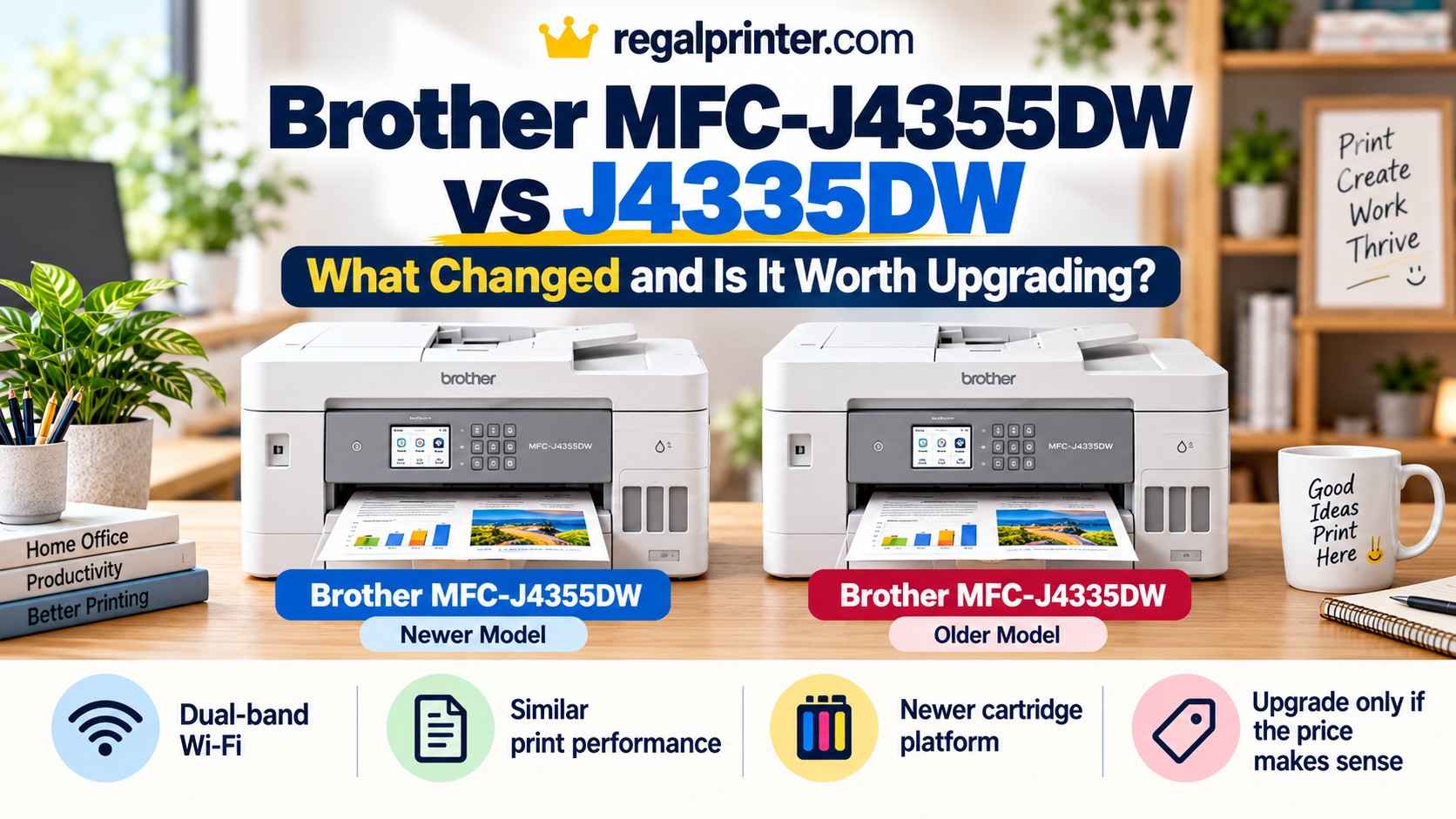
The Brother MFC-J4355DW replaces the MFC-J4335DW, but this is not a dramatic generational leap.
Brother kept the same basic formula: a compact INKvestment all-in-one with fast document printing, a 20-sheet automatic document feeder, automatic two-sided printing, fax, a 150-sheet paper tray, and unusually high cartridge yields for a conventional inkjet.
The biggest changes are less exciting but still important. The newer MFC-J4355DW adds dual-band 2.4 GHz and 5 GHz Wi-Fi, moves to Brother’s newer LC506 cartridge family, and updates some of the internal platform and cloud features. Print speed and everyday functionality remain very similar. Brother rates the J4355DW at up to 20 ppm black and 19 ppm color, while independent testing finds its overall performance extremely close to the older J4335DW.
That means the right choice depends less on which printer is technically newer and more on price, cartridge availability, and whether the newer wireless support matters to you.
Brother MFC-J4355DW vs J4335DW: The Short Answer
The Brother MFC-J4355DW is the better new purchase when prices are close.
It is Brother’s current replacement for the discontinued J4335DW, supports both 2.4 GHz and 5 GHz Wi-Fi, uses the newer LC506 ink system, and benefits from current support and availability.
However, the MFC-J4335DW can still be the better value if you find it significantly cheaper.
It already prints quickly, has the same basic 150-sheet paper capacity and 20-sheet ADF, supports automatic duplex printing, and uses LC406 high-yield cartridges with exceptionally strong rated yields. In fact, independent testing found the older model slightly cheaper per print and marginally better in scan quality and color accuracy, although the differences are small.
If you already own a J4335DW, there is very little reason to upgrade solely to get the J4355DW.
Quick Verdict
Buy the Brother MFC-J4355DW if: you are buying new today, want current-generation hardware, use a modern dual-band Wi-Fi network, or prefer buying into Brother’s newer LC506 cartridge ecosystem.
Buy the Brother MFC-J4335DW if: you find new or reputable remaining stock at a meaningful discount and do not care about 5 GHz Wi-Fi.
Upgrade from a working J4335DW? Probably not. The newer model modernizes the platform, but it does not give you a major improvement in print speed, paper handling, scanning hardware, or overall print quality.
Brother MFC-J4355DW vs J4335DW Comparison
Feature | ||
|---|---|---|
Printer | 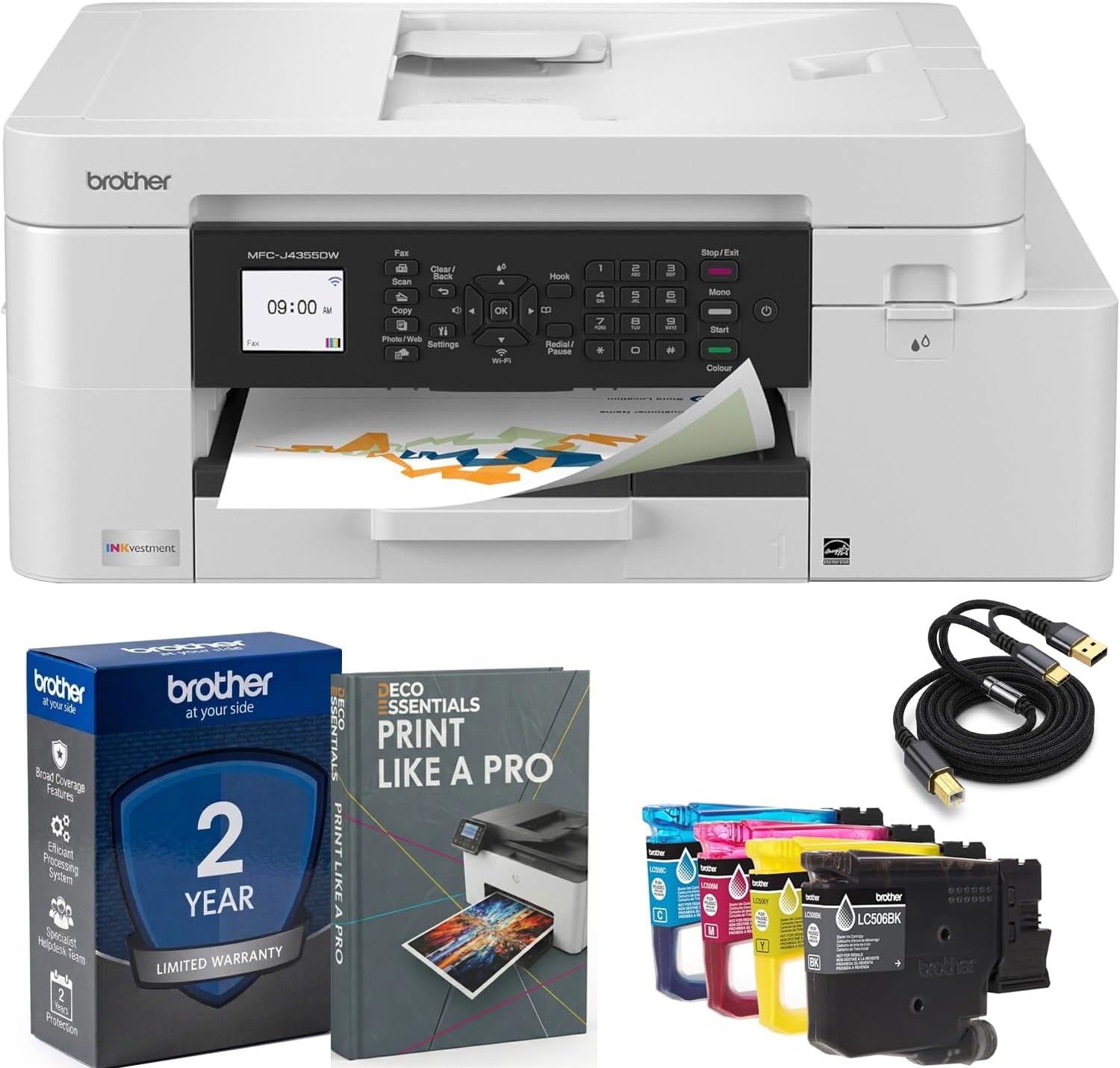 | 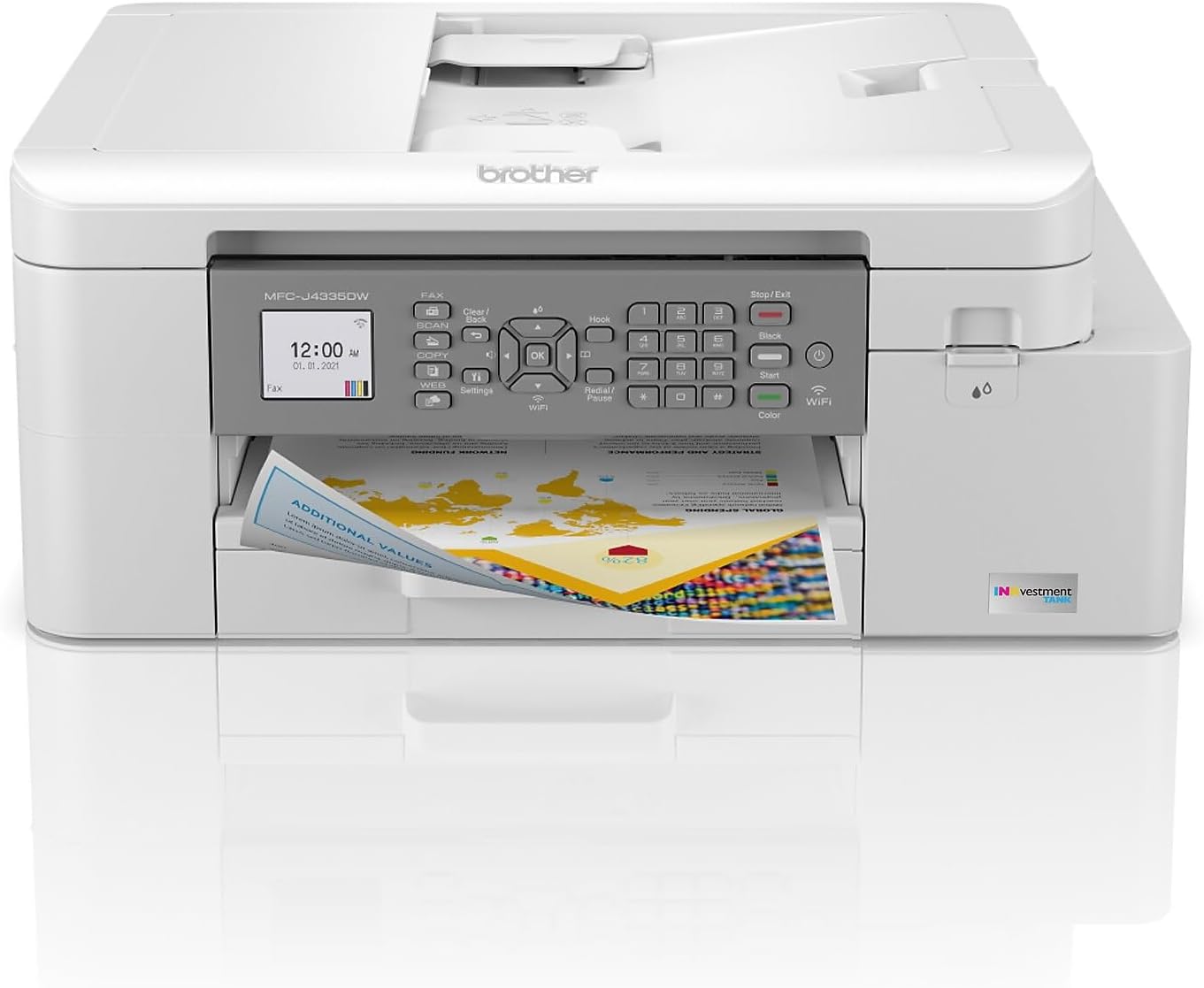 |
Print speed | Up to 20 ppm black / 19 ppm color | Similar overall document speed |
Ink family | LC506 / LC506XL / LC506XXL | LC406 / LC406XL |
Wireless | 2.4 GHz + 5 GHz Wi-Fi, Wi-Fi Direct | 2.4 GHz Wi-Fi, Wi-Fi Direct |
Paper capacity | 150 sheets + single-sheet manual feed | 150 sheets + single-sheet manual feed |
ADF | 20 sheets, single-sided scanning | 20 sheets, single-sided scanning |
Automatic duplex | Printing only | Printing only |
Display | 1.8-inch color LCD | 1.8-inch color LCD |
Status | Current Model | Older Model |
Price |  | |
Brother’s current J4355DW specification sheet confirms a 150-sheet tray, 20-sheet ADF, 1.8-inch color display, automatic duplex printing, USB, Wi-Fi Direct, and dual-band 2.4/5 GHz wireless. Brother lists the older J4335DW as discontinued, while its own specifications show the same 150-sheet tray and 20-sheet ADF architecture.
What’s Actually Different?
This is one of those comparisons where the model numbers make the change look bigger than it really is.
Brother did not redesign the printer around a larger touchscreen, bigger paper tray, faster scanner, or new duplex ADF.
Instead, the J4355DW feels like a platform refresh.
The main differences are:
- newer LC506 ink cartridges
- dual-band Wi-Fi
- updated cloud and software support
- slightly different cartridge yields
- small implementation and performance differences
- current-generation availability
The core hardware experience remains familiar.
That matters because someone comparing these two printers may assume:
New model = noticeably faster and better.
That is not what independent testing shows.
RTINGS calls the overall performance extremely similar, with the J4335DW actually retaining small advantages in cost per print, scan cleanliness, and color accuracy.
Printing Performance: Nearly a Tie
Brother rates the J4355DW at:
- up to 20 ppm black
- up to 19 ppm color
It also lists a first-page time of approximately 5.8 seconds for black and 5.9 seconds for color.
That is fast for a compact home-office inkjet.
But speed is not the reason to replace a J4335DW.
Independent testing finds the two printers perform very similarly overall, and RTINGS does not identify printing speed as a meaningful generational leap.
For normal jobs like:
- tax forms
- homework
- reports
- invoices
- recipes
- PDFs
- business documents
both are quick enough that most users will not feel they have moved into a different class of printer.
If you already own the J4335DW
Do not upgrade for speed.
There simply is not enough difference.
If you’re buying new
The J4355DW makes more sense because it is the current model, but not because its print engine transforms the experience.
Print Quality: Very Similar
Both printers are aimed more at documents than premium photography.
That is important.
The Brother INKvestment line does a good job with:
- sharp text
- charts
- business graphics
- everyday color documents
but it is not designed to compete with six- or eight-color photo printers.
RTINGS found document output strong on both models and describes the newer J4355DW as producing sharp text and detailed documents. Interestingly, the older J4335DW produced slightly better color accuracy in its testing, although neither model was particularly impressive for accurate photographic color.
So again, newer does not automatically mean better in every metric.
If you print mostly office and school documents, either one works well.
If photography is your priority, I would look elsewhere entirely rather than choosing between these two.
Feature | ||
|---|---|---|
Printer | | |
Print speed | Up to 20 ppm black / 19 ppm color | Similar overall document speed |
Ink family | LC506 / LC506XL / LC506XXL | LC406 / LC406XL |
Wireless | 2.4 GHz + 5 GHz Wi-Fi, Wi-Fi Direct | 2.4 GHz Wi-Fi, Wi-Fi Direct |
Paper capacity | 150 sheets + single-sheet manual feed | 150 sheets + single-sheet manual feed |
ADF | 20 sheets, single-sided scanning | 20 sheets, single-sided scanning |
Automatic duplex | Printing only | Printing only |
Display | 1.8-inch color LCD | 1.8-inch color LCD |
Status | Current Model | Older Model |
Price | | |
The Biggest Practical Change: LC506 vs LC406 Ink
This is one of the most important differences to understand.
The J4335DW uses Brother’s older LC406 cartridge family.
The J4355DW moves to the newer LC506 family.
The cartridges are not interchangeable.
That means anyone upgrading from the older printer should not assume that a stockpile of LC406 ink can move over to the J4355DW.
It cannot.
J4335DW LC406 Cartridge Yields
Brother rates the replacement LC406 cartridges at approximately:
- 3,000 pages black
- 1,500 pages cyan
- 1,500 pages magenta
- 1,500 pages yellow
The LC406XL cartridges increase that to:
- 6,000 pages black
- 5,000 pages per color
Those are extremely high numbers for cartridge-based inkjet supplies.
That was one of the J4335DW’s biggest strengths.
J4355DW LC506 Cartridge Yields
Brother gives the J4355DW more cartridge-size options.
Standard LC506 cartridges are rated at:
- 1,000 pages black
- 900 pages per color
LC506XL high-yield versions increase that to:
- 2,500 pages black
- 1,500 pages per color
LC506XXL super-high-yield cartridges reach:
- 5,000 pages black
- 2,500 pages per color
That is still very good for a cartridge printer.
But there is an interesting consequence.
The Older J4335DW Actually Has Higher Maximum Rated Cartridge Yields
At the highest-yield level:
J4335DW LC406XL
- 6,000 black
- 5,000 color
J4355DW LC506XXL
- 5,000 black
- 2,500 color
That means the newer cartridge family does not simply improve yield across the board.
This is exactly why it is worth comparing the real specifications instead of assuming every successor improves every number.
Brother appears to have moved toward a broader cartridge ecosystem with standard, XL, and XXL options rather than simply maximizing per-cartridge yield.
Which Printer Is Cheaper to Run?
You cannot determine this from yield alone.
Cost per page depends on:
- cartridge price
- cartridge size
- how much color you print
- current retailer pricing
- subscription discounts
- actual page coverage
RTINGS found the older J4335DW to have a marginally lower tested cost per print.
That is another small win for the older printer.
However, I would not make the purchasing decision solely on that difference.
Both models are economical compared with many conventional cartridge inkjets.
The bigger question is whether LC406 supplies remain conveniently priced and available over the years you plan to own the printer.
Since Brother has discontinued the J4335DW and moved its current lineup toward LC506, the J4355DW is the safer long-term ecosystem if prices are otherwise close.
Connectivity: The J4355DW Has the Clearest Upgrade
This is probably the most meaningful day-to-day improvement.
The J4355DW supports:
- 2.4 GHz Wi-Fi
- 5 GHz Wi-Fi
- Wi-Fi Direct
- USB 2.0
- AirPrint
- Mopria
- Brother Mobile Connect
Brother’s specification sheet explicitly lists dual-band 802.11 connectivity.
The older J4335DW is built around 2.4 GHz wireless connectivity, along with Wi-Fi Direct and USB.
Does 5 GHz Wi-Fi Matter for a Printer?
Not as much as it does for a laptop or streaming device.
Printers do not require enormous bandwidth.
A 2.4 GHz connection is more than fast enough to send ordinary documents.
But 5 GHz support can still make setup easier on modern networks.
Many households now use:
- dual-band routers
- mesh networks
- combined Wi-Fi names
- newer access points optimized around 5 GHz
Older printers that insist on 2.4 GHz sometimes create setup annoyances.
You may have encountered the classic problem where:
- your phone is on 5 GHz
- the printer expects 2.4 GHz
- the app struggles during initial setup
- you temporarily separate network bands
The J4355DW’s direct support for both bands removes some of that friction.
Is 5 GHz alone worth upgrading?
No.
If your J4335DW is already connected and reliable, there is no practical reason to replace it.
But if you are buying a new printer today, dual-band support is a nice modernization.
Neither Model Has Ethernet
This is worth pointing out because the model names sound office-oriented.
The base J4335DW and J4355DW rely on:
- Wi-Fi
- Wi-Fi Direct
- USB
rather than wired Ethernet.
Brother reserved broader connectivity and higher paper capacity for higher-tier variants in these families. RTINGS notes, for example, that the older J4535DW added Ethernet, while the newer J4555DW is the corresponding higher-tier current model with additional paper capacity and a larger touchscreen.
If Ethernet matters to your office, neither base model is the ideal choice.
Scanning: Mostly the Same Hardware
Both printers include:
- flatbed scanner
- 20-sheet automatic document feeder
- support for legal-length originals through the ADF
- single-sided ADF scanning
The J4355DW’s ADF is rated for up to 20 pages and does not support duplex scanning.
The older J4335DW also uses a 20-sheet ADF and does not provide automatic duplex scanning.
That is important if you regularly digitize two-sided contracts or reports.
You will need to manually handle the reverse side.
Does the newer scanner perform better?
Not necessarily.
RTINGS found the older J4335DW produced slightly cleaner scans in its tests.
The difference is not large enough to make the J4355DW a poor scanner.
It simply means scanning is not an upgrade reason.
Paper Handling: Virtually Unchanged
Both printers use the same basic paper-handling layout:
- 150-sheet main tray
- single-sheet manual feed
- 100-sheet output capacity
- automatic two-sided printing
- 20-sheet ADF
Brother’s current J4355DW specification sheet confirms those numbers, while the older J4335DW documentation shows the same 150-sheet tray and single-sheet manual feed architecture.
Both can handle common media including:
- plain paper
- inkjet paper
- glossy paper
- recycled paper
- envelopes
- index cards
The newer J4355DW allows media up to 79 lb through the single-sheet manual feed according to Brother’s published specifications.
That manual slot is useful when you occasionally need thicker or specialty media without unloading the main tray.
Automatic Duplex Printing: Same Basic Capability
Both printers can automatically print on both sides of supported paper.
The J4355DW’s automatic duplex function is limited to printing rather than scanning or copying both sides automatically.
The same basic limitation applies to the older J4335DW.
So if you see “duplex” in a product listing, understand what it means:
Duplex printing: yes
Duplex scanning: no
That distinction matters for office buyers.
Display: Still 1.8 Inches
Brother did not use this refresh to give the J4355DW a large touchscreen.
Both base models use a 1.8-inch color display.
It works.
It is not luxurious.
You can access basic settings and cloud functions from the printer, but anyone wanting a larger touchscreen should look at the higher-tier J4555DW.
For most daily use, Brother expects you to interact through:
- PC software
- Brother Mobile Connect
- the small front control panel
Cloud Features Are More Prominent on the J4355DW
Brother gives the current model direct support for cloud workflows such as:
- Google Drive
- OneDrive
- Dropbox
- Box
- SharePoint Online
- Scan to Word
- Scan to Excel
- Scan to PowerPoint
- searchable PDF
- cloud fax forwarding
These are part of Brother’s updated cloud-app environment on the J4355DW.
The older J4335DW already had cloud and mobile functionality, so this is again more of a platform refresh than an entirely new category of feature.
If you primarily print from a laptop or phone, you may barely notice the difference.
Fax: Still Included
Both machines remain true four-in-one devices:
- copy
- scan
- fax
That makes them useful for home offices, healthcare-related paperwork, legal work, and other environments where fax has not completely disappeared.
Brother lists PC fax send and receive support on the current J4355DW, although Mac support has some restrictions.
Fax is therefore not an upgrade reason either.
Size and Weight: Nearly Identical
Brother lists the J4355DW at:
- 17.1 inches wide
- 13.5 inches deep
- 7.1 inches high
- 19.6 pounds
The J4335DW weighs about 19.4 pounds.
These are compact all-in-ones by office-printer standards.
You are not gaining meaningful desk space by moving to the newer model.
J4355DW vs J4335DW for Home Use
For a household, either printer is a good fit if you print documents regularly.
Both are particularly useful for:
- schoolwork
- forms
- recipes
- color worksheets
- return labels
- occasional photos
- scanning household paperwork
The high-yield ink systems are a major advantage over cheap printers that rely on tiny cartridges.
I would choose the J4355DW if:
- prices are close
- your router uses a modern dual-band setup
- you want the current model
- long-term supply availability matters
I would choose the J4335DW if:
- it is substantially discounted
- LC406 cartridges remain easy to find
- you do not need 5 GHz Wi-Fi
For home users, there is very little other practical difference.
J4355DW vs J4335DW for a Home Office
The same basic logic applies.
Both have:
- ADF
- automatic duplex printing
- fax
- high-yield ink
- reasonably fast document printing
Neither has:
- duplex scanning
- Ethernet
- a large paper tray
- a large touchscreen
That places them firmly in the light home-office category.
Brother recommends the J4355DW for approximately 200 to 2,000 pages per month, with a maximum monthly duty cycle of up to 30,000 pages.
If your workload routinely pushes far beyond that range, I would consider a larger office printer rather than deciding between these two.
Which Has the Better Ink System?
This is more complicated than newer versus older.
J4335DW advantage
Its LC406XL cartridges have very high maximum rated yields:
- 6,000 black
- 5,000 color
That is excellent.
J4355DW advantage
You get three yield tiers:
- standard
- XL
- XXL
That gives you more flexibility depending on how much you print.
Brother also appears to be using the LC506 family across several newer INKvestment and Workhorse models, which makes it the more current consumable ecosystem.
My conclusion
The old cartridge system is arguably better on maximum yield.
The new system is better positioned for future product support.
That is a much more accurate description than saying LC506 is simply an upgrade.
Is the J4355DW Worth $20 More?
Yes.
At a small premium like $20, I would buy the newer printer.
You gain:
- current model status
- dual-band Wi-Fi
- current cartridge family
- newer software/cloud platform
That is enough to justify a small difference.
Is the J4355DW Worth $50 More?
Probably, if you’re buying a printer you expect to keep for several years.
The 5 GHz support and newer ecosystem have some value.
However, someone focused almost entirely on printing economics may reasonably prefer the discounted J4335DW.
Is the J4355DW Worth $100 More?
That is much harder to justify.
The underlying printers are too similar.
At a $100 difference, I would strongly consider the older J4335DW if:
- it is genuinely new
- it has a proper warranty
- LC406 supplies are readily available
- you do not need 5 GHz connectivity
The J4355DW is newer.
It is not a radically better printer.
Should You Upgrade From the J4335DW to the J4355DW?
For most owners, no.
This is the simplest part of the comparison.
A functioning J4335DW already gives you:
- fast document printing
- high page yields
- 150-sheet tray
- automatic duplex printing
- ADF
- scanning
- copying
- fax
- wireless printing
Upgrading gives you a newer wireless platform and a different ink family.
That is not enough to justify replacing a working printer.
Upgrade only if:
- your J4335DW is failing
- you constantly struggle with your current Wi-Fi setup
- LC406 availability becomes problematic
- repair costs no longer make sense
Otherwise, keep printing.
Who Should Buy the Brother MFC-J4355DW?
The J4355DW makes the most sense for someone buying a compact home-office inkjet today.
Choose it if you want:
- current-generation Brother support
- 2.4 and 5 GHz Wi-Fi
- high-yield cartridge options
- fast document printing
- ADF
- fax
- automatic duplex printing
- a compact footprint
It is a practical document printer rather than a photo specialist.
Who Should Buy the Brother MFC-J4335DW?
The J4335DW now makes the most sense as a discount opportunity.
It remains attractive because it:
- performs very similarly
- has excellent LC406XL yields
- already includes the important office features
- has slightly lower tested cost per print
- may be available below the price of the replacement
The only reason I would avoid it at a good price is if you strongly prefer buying into Brother’s current cartridge and wireless platform.
Frequently Asked Questions
Did the Brother MFC-J4355DW replace the J4335DW?
Yes.
Brother lists the MFC-J4335DW as discontinued, and RTINGS identifies the MFC-J4355DW as its successor.
Is the J4355DW much better than the J4335DW?
No.
Independent testing finds them extremely similar overall. The biggest practical changes are the newer ink system and dual-band wireless support.
Does the Brother J4355DW support 5 GHz Wi-Fi?
Yes.
Brother lists both 2.4 GHz and 5 GHz Wi-Fi support on the J4355DW.
Does the J4335DW support 5 GHz Wi-Fi?
The older J4335DW uses the earlier wireless platform centered on 2.4 GHz connectivity rather than the dual-band system Brother now advertises on the J4355DW.
Do the J4355DW and J4335DW use the same ink?
No.
The J4355DW uses LC506-series cartridges.
The J4335DW uses LC406-series cartridges.
Which printer has higher-yield ink?
At the maximum cartridge level, the older J4335DW has higher rated yields.
Its LC406XL cartridges reach up to 6,000 black and 5,000 color pages, while the newer LC506XXL cartridges reach up to 5,000 black and 2,500 color pages.
Does the J4355DW have an automatic document feeder?
Yes.
It has a 20-sheet automatic document feeder.
Does the J4355DW scan both sides automatically?
No.
Brother lists automatic duplex capability for printing only. The ADF scans one side at a time.
Does the J4335DW have duplex scanning?
No.
It also uses a single-sided ADF rather than a duplex scanner.
Do both printers print double-sided automatically?
Yes.
Both support automatic duplex printing on compatible paper.
Which one has better print quality?
They are very close.
RTINGS found both produce strong document output. The older model actually performed slightly better in color accuracy, while the newer model retains similarly strong text and document quality.
Which one is cheaper to run?
RTINGS measured a marginally lower cost per print on the older J4335DW. Actual cost will depend on current LC406 and LC506 cartridge prices.
Does either printer have Ethernet?
Not on these base models.
If wired Ethernet is important, look at Brother’s higher-tier variants rather than the J4335DW or J4355DW.
Is the J4335DW still worth buying?
Yes, if the discount is substantial and the printer is new or from a reputable seller.
It remains very competitive with its successor.
Final Verdict: A Useful Refresh, Not a Major Upgrade
The Brother MFC-J4355DW is the model I would buy if the two printers are close in price.
It is the current model, supports both 2.4 GHz and 5 GHz Wi-Fi, uses Brother’s newer LC506 cartridge system, and fits more naturally into the company’s current printer lineup.
But the older MFC-J4335DW is remarkably difficult to dismiss.
It already has nearly all the core hardware:
- 150-sheet paper tray
- 20-sheet ADF
- automatic duplex printing
- fax
- wireless printing
- high page yields
- fast document output
It even retains a few advantages on paper and in independent testing, including higher maximum cartridge yields, marginally lower cost per print, and slightly better scan and color results.
So the buying rule is simple:
Prices close? Buy the MFC-J4355DW.
J4335DW heavily discounted? Buy the older printer and keep the savings.
Already own the J4335DW? Keep it.
This is a successor worth choosing when buying new, not an upgrade worth rushing out to make.