I'm a participant in the Amazon Services LLC Associates Program, an affiliate advertising program designed to provide a means for me to earn fees by linking to Amazon.com and affiliated sites.
If you’re deciding between Epson EcoTank Photo ET-8550 vs Canon PIXMA PRO-200S, you’re really choosing your printing identity:
- ET-8550 = “I print a lot (photos + everyday stuff) and I refuse to keep paying cartridge prices.”
- PRO-200S = “My priority is top-tier photo output (color accuracy + gamut) and I’ll pay cartridge costs for it.”
My verdict (fast + honest):
- Buy the Epson ET-8550 if you print photos regularly and you want very low running costs, plus scanning/copying and auto duplex for normal life.
- Buy the Canon PRO-200S if you’re chasing best-in-class dye photo printing, wide color work, and you don’t need an all-in-one.
Most competitor comparisons miss the real-world truth: the ET-8550 often wins for households and creators because you actually use it more (cheap ink + all-in-one convenience). The PRO-200S wins when photo printing is the job, not the hobby.
Epson ET-8550 vs Canon PRO-200S Comparison Table
Feature | ||
|---|---|---|
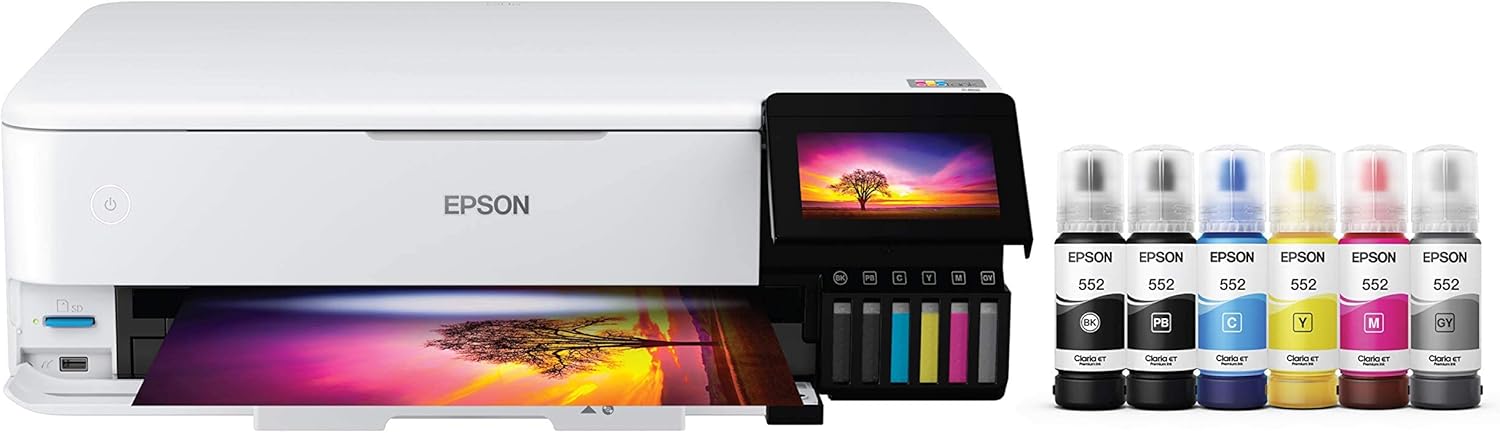 | 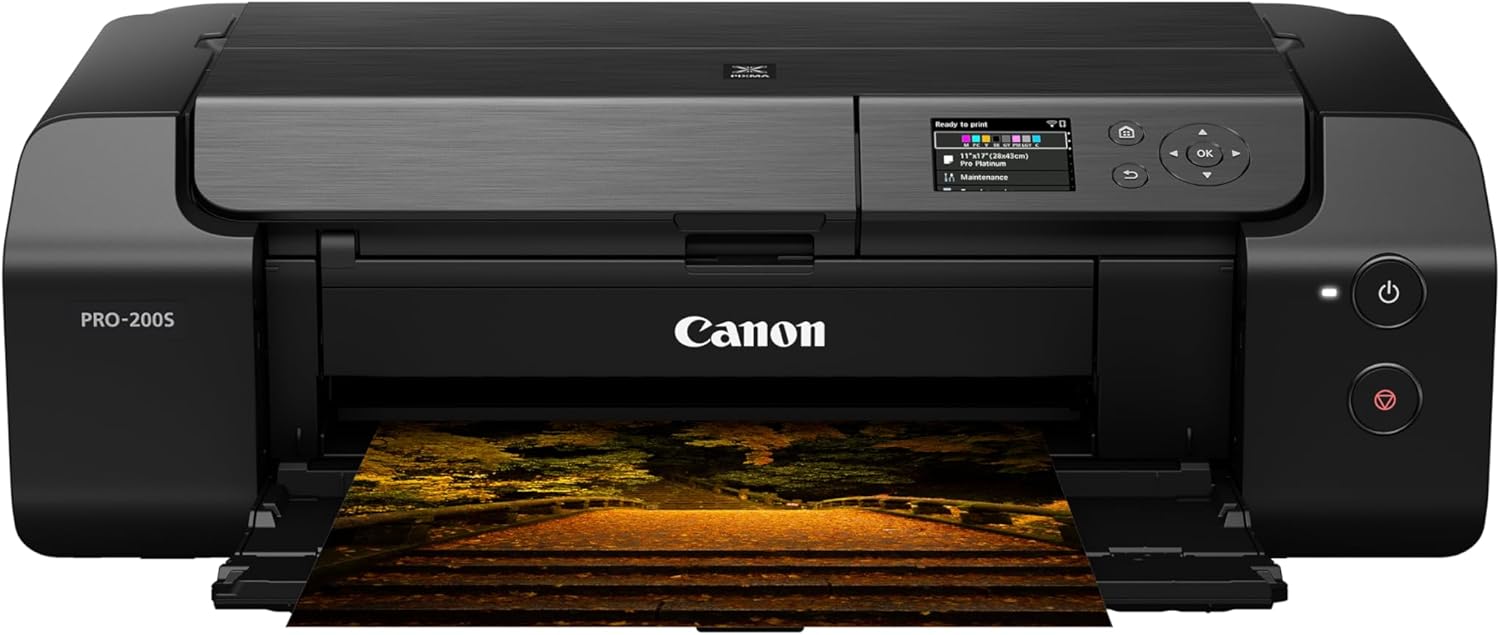 | |
Best for | High-volume photo printing + everyday printing (one “do-it-all” machine) | Photo-first creators who want pro-level color results |
Ink system | Claria ET Premium 6-color (refillable tanks / bottles) | 8-color dye-based system (CLI-65) |
Running cost | “Print a ton without panic” (Epson markets ~4¢ 4×6) | “Better color tools, cartridge cost reality” |
Max borderless size | Up to 13″ × 19″ | Up to 13″ × 19″ |
Panorama / extra-long | Not the main story | Custom up to 13″ × 39″ |
All-in-one (scan/copy) | Yes (print/copy/scan) | No (printer only) |
Duplex printing | Auto 2-sided | Single-sided (simplex) |
Who usually feels happier 90 days later | People printing weekly (photos + documents) | People printing for portfolio / client / color-critical work |
Price |  | |
The “real” difference nobody spells out
Both can print borderless 13×19, so size is not the headline here.
The deciding factor is this:
Are you optimizing for cost-per-print + convenience… or peak photo output?
RTINGS sums it up cleanly: the Canon PRO line is often the better pick for professional photo environments (color accuracy / gamut), while the ET-8550 is more versatile (scanner + faster document printing).
That’s the whole matchup in one sentence.
1) Photo quality & color: what you’ll actually SEE
Canon PRO-200S (photo-first)
Canon positions the PRO-200S as a photographers / graphic artists printer with an 8-color dye system and features that support “serious” photo output (including extra monochrome inks and color-gamut talk in their own feature breakdown).
What that means for you:
- Better odds of loving your print “as-is” when you’re picky about color.
- Stronger fit for photo-only workflows where you’re printing to impress.
Epson ET-8550 (photo + everything)
Epson’s pitch is “lab-quality wide-format photos and more” with a 6-color system designed to be affordable for in-house printing.
What that means for you:
- Gorgeous photos for home and creator use.
- The advantage is ownership: you’ll print more because it doesn’t feel expensive.
RegalPrinter reality check: if you’re printing for clients or selling prints where color precision is non-negotiable, Canon’s PRO approach is hard to ignore. If you’re printing for your walls, gifts, scrapbooks, Etsy packaging, and creative projects—Epson’s EcoTank economics are the cheat code.
2) Ink costs & ownership: the “surprise winner” category
This is where the ET-8550 can feel like a different universe.
Epson markets extremely low photo costs (their often-cited example is about 4 cents per 4×6 compared to typical cartridges).
They also highlight big savings vs cartridges and long print time from a bottle set.
Canon doesn’t pretend the PRO-200S is the “cheap ink” choice. It’s a PRO photo printer with an 8-color dye system—translation: your prints may look incredible, but you’ll feel the ink budget.
Decision shortcut:
- If you’re the type who prints 10 photos… then avoids printing again because “ink is expensive,” choose ET-8550.
- If printing is part of the craft and cost is secondary, choose PRO-200S.
Feature | ||
|---|---|---|
| | |
Best for | High-volume photo printing + everyday printing (one “do-it-all” machine) | Photo-first creators who want pro-level color results |
Ink system | Claria ET Premium 6-color (refillable tanks / bottles) | 8-color dye-based system (CLI-65) |
Running cost | “Print a ton without panic” (Epson markets ~4¢ 4×6) | “Better color tools, cartridge cost reality” |
Max borderless size | Up to 13″ × 19″ | Up to 13″ × 19″ |
Panorama / extra-long | Not the main story | Custom up to 13″ × 39″ |
All-in-one (scan/copy) | Yes (print/copy/scan) | No (printer only) |
Duplex printing | Auto 2-sided | Single-sided (simplex) |
Who usually feels happier 90 days later | People printing weekly (photos + documents) | People printing for portfolio / client / color-critical work |
Price | | |
3) Versatility: the difference you feel every week
ET-8550 is an all-in-one (and it behaves like one)
Epson explicitly positions the ET-8550 as Print / Copy / Scan, plus auto 2-sided printing.
That matters more than people expect:
- School forms, labels, shipping docs, recipes, returns, QR codes, quick copies—this stuff happens constantly.
- You don’t have to maintain (or buy) a second device.
PRO-200S is a dedicated photo printer
Canon’s own listing focuses on photo features, media paths, and print performance—because it’s designed to be a photo printer first.
It’s also listed as single-sided printing (simplex).
If you don’t need scanning/copying, that’s totally fine. If you do, you’ll end up building a two-device setup.
4) Media handling & “creative flexibility”
Both handle borderless 13×19.
Canon adds a very specific flex: Panorama / custom up to 13×39, plus a manual feed option for thicker fine-art media.
Epson leans into “creative projects” versatility (including specialty media support mentioned in their highlights).
Practical take:
- If you’re doing long panoramic prints, Canon’s PRO-200S workflow is built for that.
- If you’re doing a mix of photos + crafts + daily printing, Epson’s ET-8550 is built to live in your home/studio without drama.
Major Differences (the “pick it in 30 seconds” section)
Choose Epson EcoTank Photo ET-8550 if…
- You want low-cost photo printing without cartridge anxiety.
- You need scan/copy in the same machine.
- You print both photos and documents and want auto duplex.
Choose Canon PIXMA PRO-200S if…
- You care most about photo output tools (8-color dye system, pro photo focus).
- You want panorama / custom up to 13×39.
- You don’t need scanning/copying—and you’re okay with simplex printing.
Pros & Cons (real ones, not filler)
Epson EcoTank Photo ET-8550 — Pros
- Refillable tank system designed for big savings and frequent printing
- All-in-one: print/copy/scan
- Auto 2-sided printing
- Borderless up to 13×19
Epson EcoTank Photo ET-8550 — Cons
- If you’re purely photo-pro and color-critical, you may prefer a dedicated pro photo printer (this is where Canon tends to win)
- Larger all-in-one footprint than a “photo-only” unit (typical tradeoff)
Canon PIXMA PRO-200S — Pros
- Photo-first design with an 8-color dye system aimed at photographers and graphic artists
- Borderless up to 13×19, plus custom sizes up to 13×39
- Canon emphasizes media flexibility and pro printing workflow features
Canon PIXMA PRO-200S — Cons
- No scan/copy (printer only)
- Single-sided printing (simplex)
- Cartridge costs are the tax you pay for the PRO photo approach (budget accordingly)
FAQ: Canon PIXMA PRO-200S vs Epson EcoTank Photo ET-8550
Is the Epson ET-8550 better than the Canon PRO-200S for photos?
If “better” means maximum color accuracy / gamut for photo-only work, comparisons like RTINGS often favor Canon’s PRO approach. If “better” means you’ll print more photos because it’s cheap and convenient, the ET-8550 usually wins.
Which is cheaper to run: ET-8550 or PRO-200S?
The ET-8550 is designed around low-cost refills, and Epson markets extremely low per-photo costs (their example is ~4¢ per 4×6).
Can both print 13×19 borderless?
Yes—both list borderless up to 13×19.
Does the Canon PRO-200S scan or copy?
No. It’s positioned as a photo printer (not an all-in-one).
Does either one support panorama printing?
Canon explicitly lists panorama/custom printing up to 13×39.
Which one should I buy for a home business (Etsy, crafts, packaging, photos)?
If you’re doing shipping labels, inserts, product photos, and occasional scanning/copying, the ET-8550 is the smoother “one machine” solution.
If your business is selling photo prints where output is the product, the PRO-200S becomes more compelling.
Final Verdict: Canon PIXMA 200S vs Epson 8550
Choose Epson ET-8550 if you want the printer you’ll actually use constantly: refillable photo ink economics + all-in-one convenience + duplex.
Choose Canon PRO-200S if photo printing is the mission and you want a photo-first, 8-color dye workflow, including panoramic/custom options.
Other Interesting Articles
- 3D Printing Ideas: 40 Genius Projects You’ll Actually Want to Try
- 50 Cool Things to 3D Print: From Useful to Fun!
- Best Resin 3D Printer: My Top 3 Picks, Tested Specs, and Who Each One Is For
- Flashforge Adventurer 5M vs Elegoo Centauri Carbon: Which 3D Printer Comes Out on Top?
- Flashforge Adventurer 5M vs Bambu A1: Which 3D Printer Should You Pick?
- Flashforge Adventurer 5M vs 5M Pro: Which 3D Printer Really Delivers?
About RegalPrinter
RegalPrinter offers the best reviews for inkjet printers, laser printers, 3D printers, and other similar office machines that you use in your everyday life. We provide expert information that will ensure you are making the right decision whenever buying any of these machines. Our Epson EcoTank Photo ET-8550 vs Canon PIXMA PRO-200S review will ensure you know which is right for you.