I'm a participant in the Amazon Services LLC Associates Program, an affiliate advertising program designed to provide a means for me to earn fees by linking to Amazon.com and affiliated sites.
Homeschooling can turn a printer into one of the busiest appliances in the house.
One week you may print 150 pages of math worksheets and reading activities. The next week it might be color maps, science diagrams, book reports, flashcards, portfolio pages, or state paperwork. You may also need to scan completed assignments, copy workbook pages, and suddenly print an entire unit the night before you plan to teach it.
That means the best homeschool printer is not simply the cheapest printer you can buy.
You need to think about:
- cost per page
- automatic two-sided printing
- paper capacity
- scanning
- automatic document feeders
- color
- summer inactivity
- how much printing your family actually does
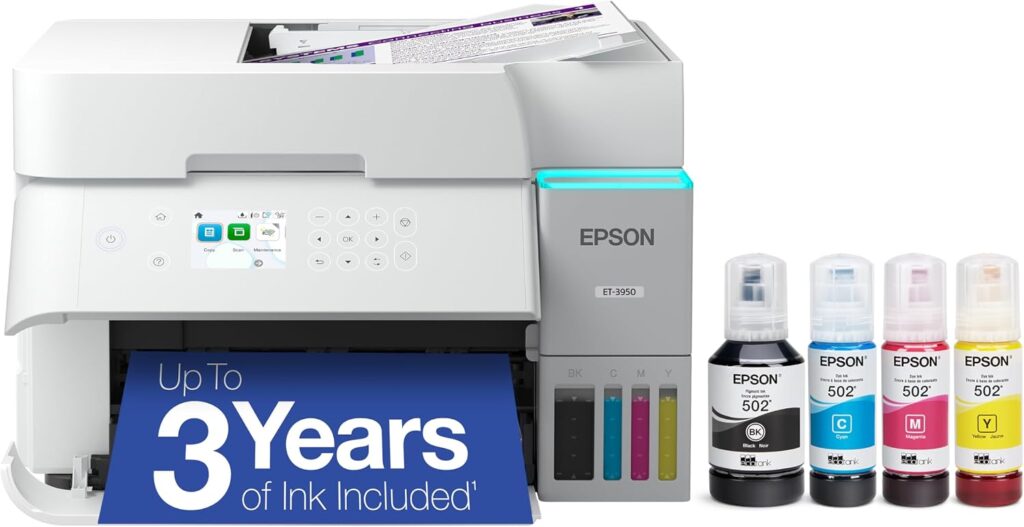
For most homeschool families, the Epson EcoTank ET-3950 is the best overall choice because it combines refillable ink tanks with a 250-sheet paper tray, automatic duplex printing and scanning, and an automatic document feeder.
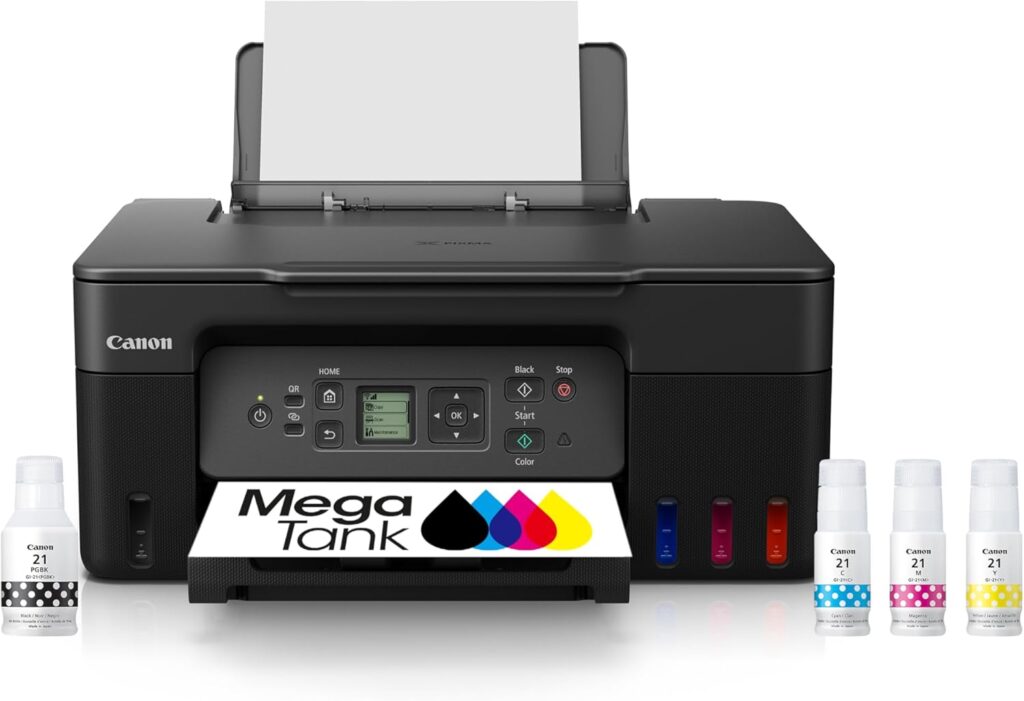
If you want to spend less upfront, the Canon PIXMA G3270 MegaTank gives you inexpensive refillable color printing and a scanner, but you give up automatic duplex printing and an ADF.
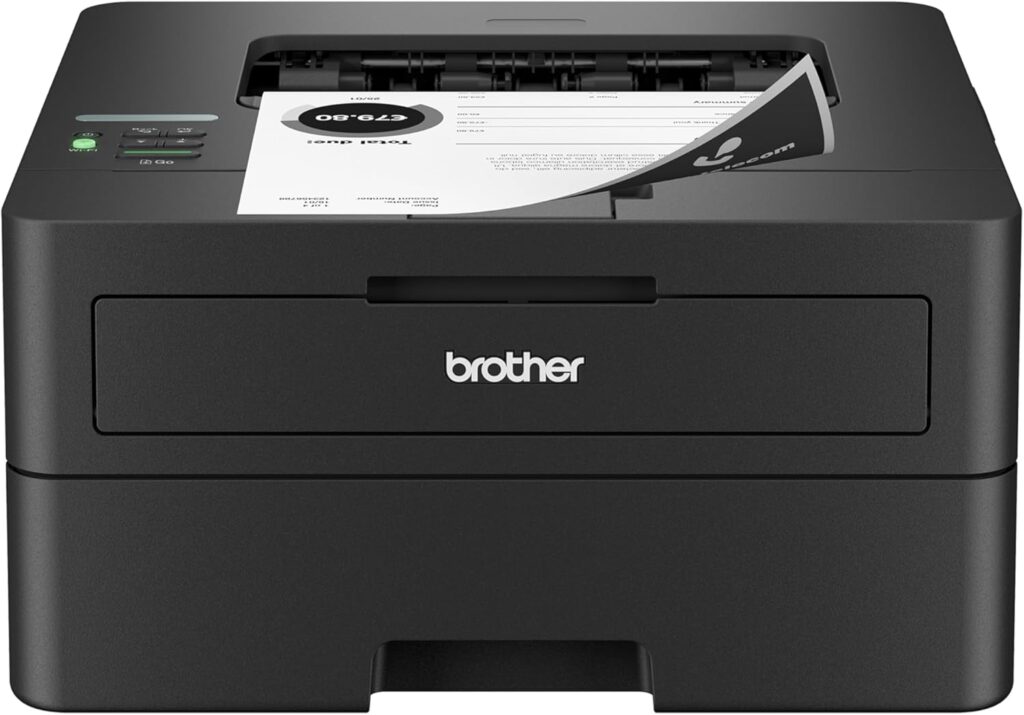
If your homeschool is built mostly around black-and-white worksheets, reading packets, tests, and forms, the Brother HL-L2460DW may actually be the smartest option of all. It is fast, uses toner instead of ink, and can sit unused during breaks without the same printhead-drying concerns as an inkjet.
The Short Answer
Buy the Epson EcoTank ET-3950 if: your family prints frequently, uses both color and black-and-white worksheets, scans portfolios or multipage assignments, and wants low long-term ink costs.
Buy the Canon PIXMA G3270 if: keeping the purchase price down matters more than having an ADF or automatic duplex printing. It is particularly attractive for younger students who need colorful worksheets, projects, and occasional photos.
Buy the Brother HL-L2460DW if: most of your curriculum is black and white and you care more about speed, reliability, and low-maintenance printing than color or scanning.
Best Printers for Homeschooling Compared
Feature | |||
|---|---|---|---|
Printer | 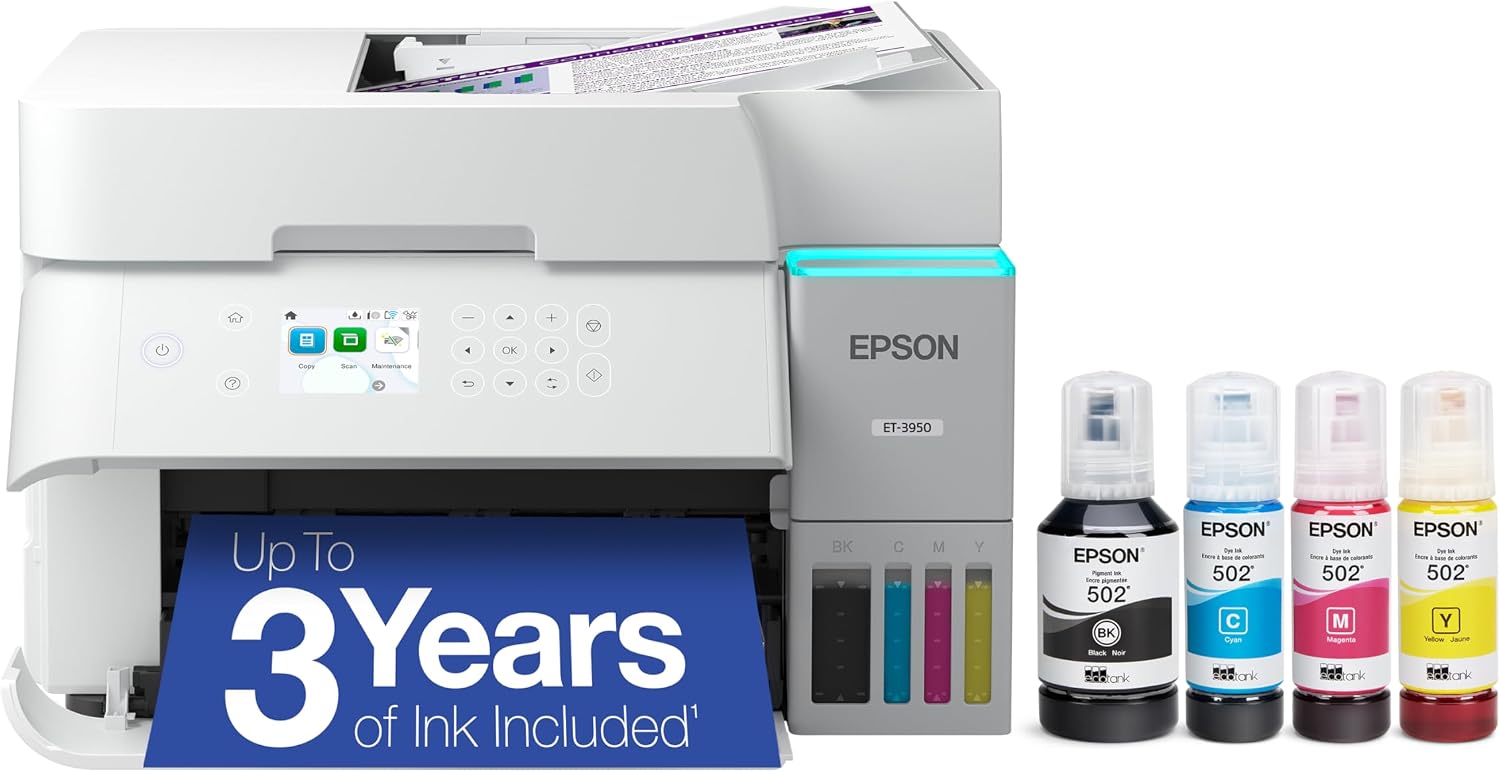 | 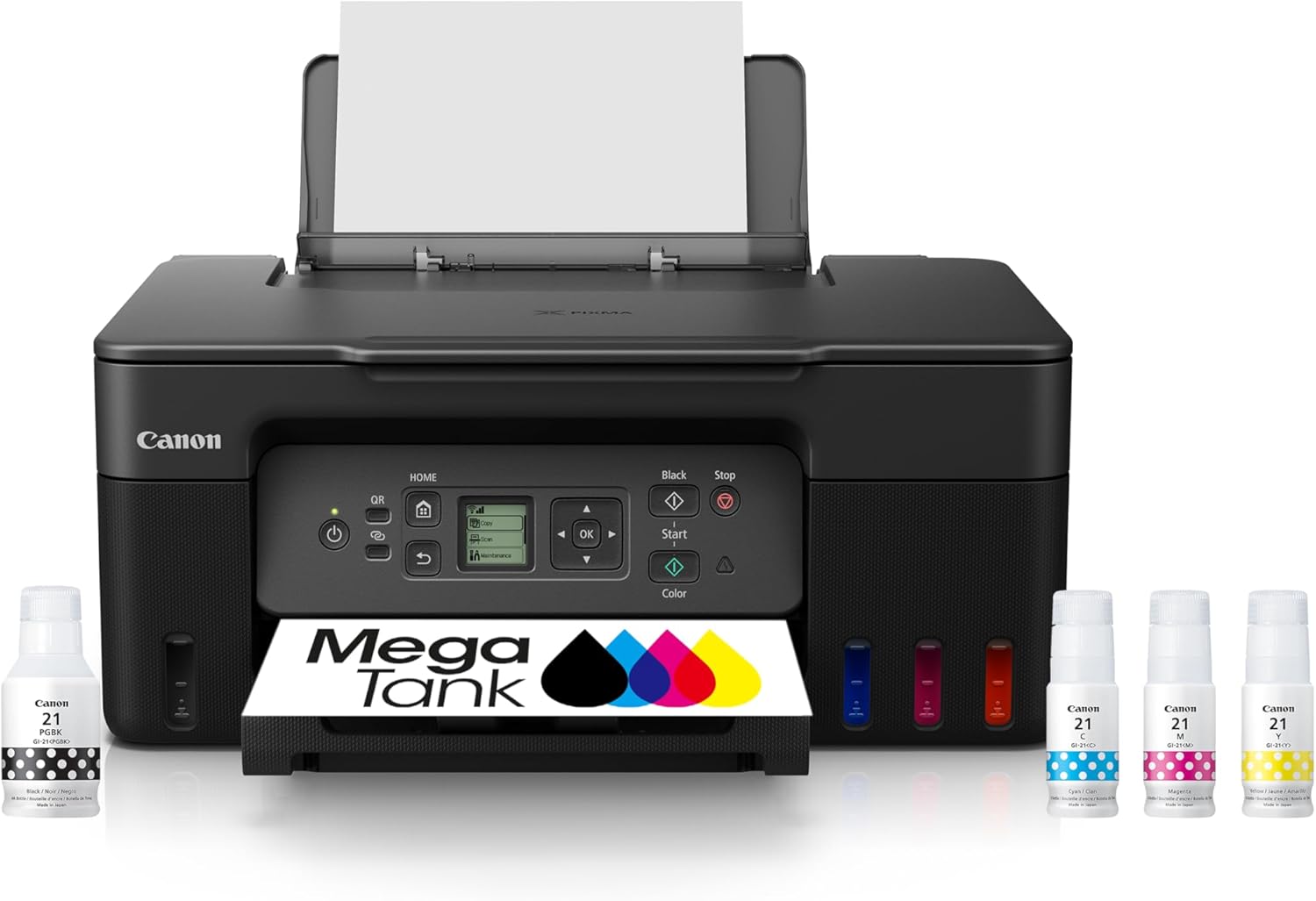 | 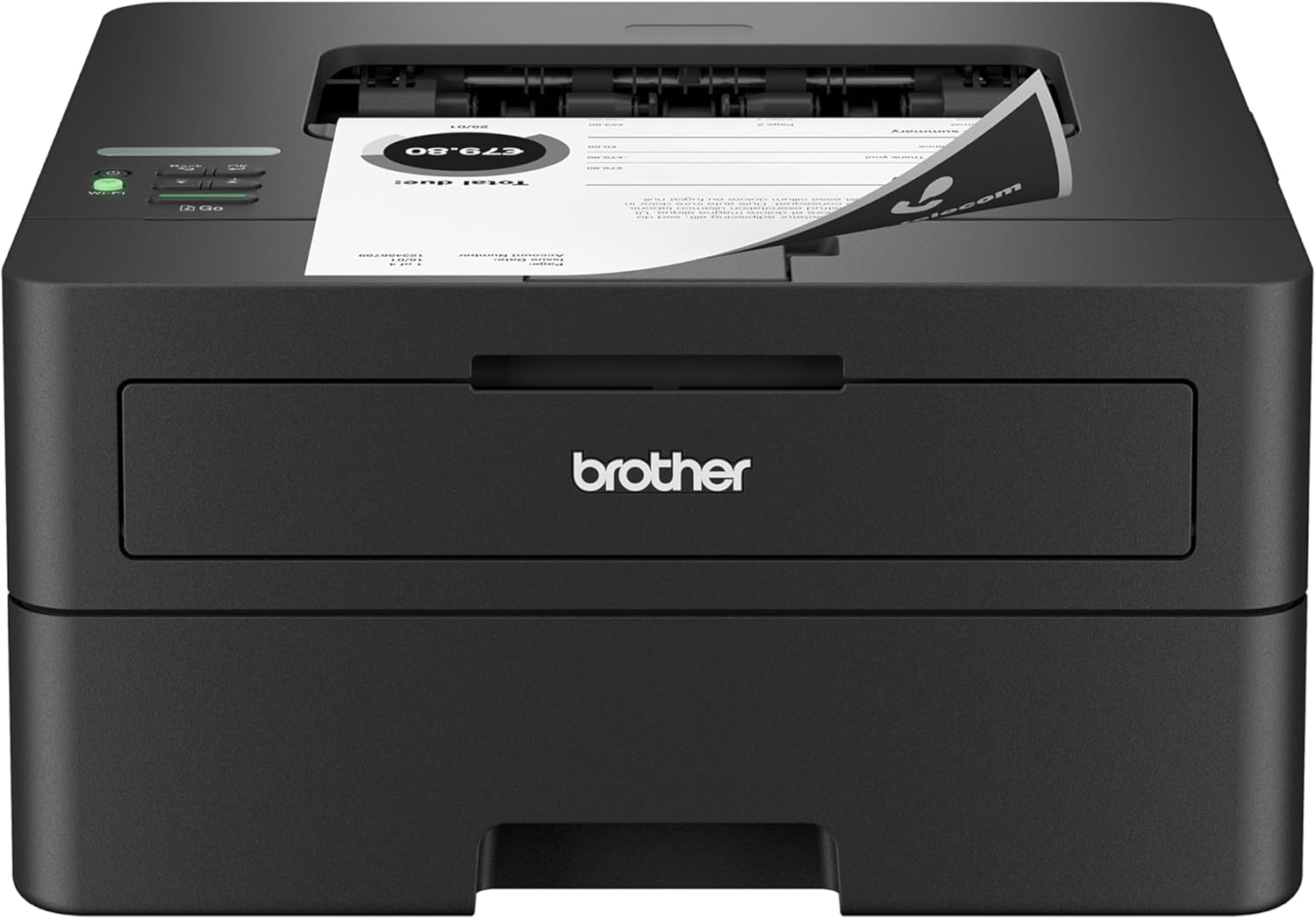 |
Best for | Most homeschool families | Budget color printing | Mostly B&W worksheets |
Printer type | Refillable ink-tank all-in-one | Refillable ink-tank all-in-one | Monochrome laser |
Rated print speed | 18 ppm black / 9 ppm color | Approx. 11 ipm black / 6 ipm color | Up to 36 ppm |
Automatic duplex | Print, copy and scan | No | Printing |
Scanner / ADF | Flatbed + ADF | Flatbed only | None |
Paper capacity | 250 sheets | 100 sheets | 250 sheets |
Color | Yes | Yes | No |
Main advantage | Best all-around homeschool workflow | Low-cost color for less upfront | Fast, simple worksheet printing |
Price |  | | |
Epson’s current specifications give the ET-3950 a 250-sheet tray, automatic document feeder, and automatic two-sided printing, copying, and scanning. Canon’s G3270 uses a simpler 100-sheet rear-feed design with flatbed scanning and simplex printing. Brother’s HL-L2460DW is a print-only monochrome laser with automatic duplex printing, a 250-sheet tray, and speeds up to 36 ppm.
Why Homeschooling Changes What You Should Look for in a Printer
A printer used by a typical household may print:
- a shipping label
- a tax form
- a recipe
- an occasional school assignment
A homeschool printer can easily become part of the curriculum itself.
HP’s own homeschool printing guide identifies worksheets, tests, quizzes, portfolio records, administrative paperwork, scanning completed work, and copying educational materials as common homeschool printer tasks. It also specifically highlights automatic document feeders and duplex printing as useful features for homeschooling.
That changes which specifications actually matter.
Maximum print resolution is much less important than whether you can print 50 worksheets without constantly adding paper.
A fancy touchscreen matters less than whether a set of replacement cartridges costs almost as much as the printer.
For homeschooling, I would prioritize five things.
1. Low printing cost
Homeschooling can involve hundreds or thousands of pages per school year.
That makes conventional low-yield cartridges difficult to recommend for most families.
2. Automatic duplex printing
Being able to print worksheets on both sides cuts paper consumption substantially.
It also makes larger reading packets less bulky.
3. Scanning
Portfolio states, umbrella schools, tutors, co-ops, and record keeping can all create situations where you need digital copies of completed work.
4. Paper capacity
A 250-sheet tray sounds boring until you regularly print 75-page curriculum packets.
5. What happens during summer
Some homeschool families print year-round.
Others barely touch the printer for several months.
That matters because inkjet and laser printers respond differently to long periods of inactivity.
1. Epson EcoTank ET-3950: Best Overall Printer for Homeschooling
Best for:
Families printing hundreds of worksheets, color educational material, curriculum packets, and scanned portfolio work.
Skip it if:
Your homeschool prints very little or almost everything is black and white.
The Epson EcoTank ET-3950 is my best overall homeschool printer because it solves nearly every high-volume homeschool problem in one machine.
It prints in color.
It scans.
It copies.
It has an automatic document feeder.
It automatically prints on both sides.
It can automatically handle two-sided scanning.
And instead of relying on small cartridges, it uses refillable ink bottles.
Epson rates the ET-3950 at 18 ISO pages per minute in black and 9 pages per minute in color, which is substantially faster than many entry-level tank printers.
That speed matters when you suddenly realize you need:
- 40 math pages
- a week’s worth of grammar exercises
- three copies of a science worksheet
- a reading packet
- answer keys
before everyone starts school.
The 250-Sheet Tray Is More Useful Than It Sounds
The ET-3950 holds up to 250 sheets of ordinary paper.
That is roughly half a standard ream.
Compare that with the 100-sheet tray on the budget Canon in this article.
For someone printing occasionally, either capacity is fine.
For a homeschool family printing curriculum several days per week, having 250 sheets loaded reduces one more repetitive task.
That becomes especially useful when your children are old enough to send their own print jobs.
Automatic Duplex Printing Saves Paper
The ET-3950 supports automatic two-sided printing.
This is one of the features I would specifically look for in a homeschool printer.
Imagine a 100-page worksheet packet.
Printed single-sided:
100 sheets
Printed double-sided:
50 sheets
You will not want every lesson printed duplex, particularly activities that need to be cut apart or worksheets where students require extra writing space.
But across an entire school year, duplex printing can meaningfully reduce paper usage.
Automatic Duplex Scanning Is Even More Unusual
The scanner is one reason I prefer the ET-3950 over cheaper EcoTank models.
Epson includes an automatic document feeder and automatic two-sided scanning.
RTINGS specifically highlights duplex scanning as an uncommon and useful feature among refillable-tank printers.
That is particularly useful for homeschooling if you keep digital portfolios.
Instead of placing every worksheet individually on a scanner glass, you can load a stack into the ADF.
Potential uses include:
- scanning completed assignments
- digitizing portfolios
- copying multipage worksheets
- submitting work electronically
- keeping records of tests
- scanning state paperwork
- archiving writing samples
If you regularly scan schoolwork, I would pay more for this capability.
Ink Cost Is the Main Long-Term Advantage
The ET-3950 uses Epson’s refillable EcoTank system rather than cartridges.
Epson rates replacement ink bottles at up to:
- 8,500 pages black
- 6,500 pages color
Actual yield depends on coverage, maintenance, settings, and what you print, but the point is not the exact number.
The point is that a homeschool family can print large quantities without treating every colorful worksheet like an expensive luxury.
That can change how you use the printer.
You may be more willing to print:
- maps
- timelines
- diagrams
- visual schedules
- flashcards
- charts
- science illustrations
instead of trying to conserve cartridges.
The ET-3950 Is Especially Good for Multiple Children
The economics become even more attractive when several children are homeschooling.
A lesson that requires 20 worksheets becomes 40 for two children.
Three students can turn it into 60.
The printer itself costs more than a cheap cartridge model, but high-volume households are exactly where tank printers make the strongest case.
PC Guide similarly places EcoTank among its top homeschool options largely because refillable ink makes frequent educational printing economical.
What Are the Drawbacks?
The biggest is the initial cost.
This is not the printer I would recommend to a family that prints 100 pages during the entire school year.
It also takes up more space than a tiny home inkjet.
And because it is still an inkjet printer, it benefits from regular use.
If your homeschool closes down completely for a long summer and nobody prints anything for months, an inkjet deserves more attention than a laser printer.
Bottom line on the ET-3950
For a busy homeschool, this is the strongest complete package.
Pros
- Very low ink cost
- Color printing
- 250-sheet paper tray
- Automatic duplex printing
- Automatic document feeder
- Automatic two-sided scanning
- Scanner and copier
- Good speed for a tank printer
- Ethernet and wireless connectivity
Cons
- Higher purchase price
- Larger than basic home printers
- Still an inkjet and therefore benefits from regular use
2. Canon PIXMA G3270 MegaTank: Best Budget Homeschool Printer
Best for:
Families wanting inexpensive color printing and scanning without spending as much upfront.
Skip it if:
You frequently scan large stacks or print long duplex curriculum packets.
The Canon PIXMA G3270 is the budget pick because it preserves the part of a homeschool printer I would be most reluctant to sacrifice: cheap color printing.
You still get:
- refillable tanks
- color printing
- flatbed scanner
- copying
- wireless printing
- borderless printing
- support for varied creative media
What you give up is convenience.
There is no automatic document feeder.
There is no automatic duplex printing.
And the paper tray holds 100 sheets rather than 250.
For some families, those compromises are completely reasonable.
Why the G3270 Makes Sense for Younger Children
Elementary homeschool curricula often involve more color than high school.
You may print:
- alphabet activities
- colorful math manipulatives
- maps
- animal diagrams
- science illustrations
- flashcards
- coloring pages
- visual schedules
- crafts
The G3270 uses a hybrid ink system with pigment black for text and dye-based color inks for graphics and photos. Canon also supports borderless printing up to letter size.
That makes it much more versatile creatively than the Brother monochrome laser later in this guide.
You Still Get Low-Cost Tank Ink
Like EcoTank, Canon MegaTank uses refillable reservoirs rather than conventional disposable cartridges.
That is exactly what I would want for a family printing large quantities of color school material.
The G3270 also has user-replaceable printheads and a user-replaceable maintenance cartridge, which is an appealing long-term maintenance feature.
It does not make the printer immune to inkjet problems, but it means those components are designed to be replaced by the owner rather than automatically turning into a service call.
The Biggest Compromise Is Duplex Printing
The G3270 is a simplex printer.
If you want to print both sides of a worksheet, you need to:
- Print one side.
- Reload the sheets.
- Print the reverse.
Canon does support double-sided matte paper, but the printer itself does not automatically turn the sheet over.
This is fine if you mostly print:
- single worksheets
- crafts
- coloring pages
- one-page assignments
It becomes tedious if you regularly print 50-page reading packets.
That is one of the strongest reasons to spend more on the Epson.
There Is No Automatic Document Feeder
The G3270 uses a flatbed scanner.
That means every page gets placed on the scanner glass manually.
For occasional scanning, that is perfectly acceptable.
If you scan an entire portfolio every quarter, it can become frustrating quickly.
Again, this is where the price difference goes.
The ET-3950 costs more because it removes a lot of repetitive manual work.
100 Sheets May Be Enough for Smaller Homeschools
The rear tray holds up to 100 sheets of plain paper.
That is not bad.
A family homeschooling one younger child may rarely need more at once.
But if you have three children and routinely print entire curriculum units, you will notice the difference between 100 and 250 sheets.
Creative Printing Is a Strength
The Canon supports:
- photo paper
- matte paper
- cardstock
- greeting cards
- labels
- envelopes
- magnetic photo paper
- iron-on transfers
according to Canon’s compatibility list.
That gives it a nice secondary role as a craft printer.
For project-heavy elementary curricula, that versatility can be more useful than raw print speed.
Bottom line on the G3270
This is the homeschool printer I would choose when the ET-3950 stretches the budget too far.
Just understand exactly what you are giving up.
Pros
- Refillable low-cost ink
- Color printing
- Scanner and copier
- Borderless printing
- Good creative-media support
- User-replaceable printheads
- User-replaceable maintenance cartridge
- Lower upfront cost than the ET-3950
Cons
- No automatic duplex printing
- No ADF
- Flatbed scanning only
- 100-sheet paper capacity
- Slower than the Epson and Brother
3. Brother HL-L2460DW: Best for Mostly Black-and-White Worksheets
Best for:
Families printing large numbers of worksheets, reading packets, tests, and text-heavy curriculum.
Skip it if:
Color or scanning is important.
The Brother HL-L2460DW is the least versatile printer on this list and potentially the smartest purchase for the right homeschool family.
It only does one thing:
prints black-and-white documents.
There is no scanner.
There is no copier.
There is no color.
But it prints those black-and-white documents fast, and because it uses toner rather than liquid ink, it is much less bothered by periods of inactivity.
Brother rates it at up to 36 pages per minute.
That is twice the rated black speed of the ET-3950.
If Monday morning involves printing an entire week’s worth of math, grammar, reading, and history worksheets, that difference is noticeable.
Why a Monochrome Laser Can Be Excellent for Homeschooling
Look at your actual curriculum.
How much truly requires color?
Some families discover that most pages are:
- math problems
- reading comprehension
- spelling
- grammar
- essays
- book lists
- answer keys
- tests
- handwriting practice
- administrative forms
If 90% of what you print is black and white, maintaining a color inkjet solely for the occasional map may not make sense.
You could print most school material on the Brother and use another service or an existing household printer when color is genuinely necessary.
Automatic Duplex Is Excellent for Reading Packets
The HL-L2460DW includes automatic two-sided printing.
For long reading selections and curriculum PDFs, this may be its best homeschool feature.
A 120-page document can become a 60-sheet packet without manually turning anything over.
That saves:
- paper
- storage space
- binder thickness
and makes large packets easier for students to handle.
The 250-Sheet Tray Is Ideal for Worksheet Printing
Like the Epson, the Brother holds up to 250 sheets in its standard tray.
You can load half a ream of paper and largely forget about it.
There is also a single-sheet manual feed for:
- labels
- envelopes
- thicker paper
- specialty media
Toner Handles Breaks Better Than Ink
This is an important homeschool-specific advantage.
If your family follows a traditional school calendar and the printer sits during a long summer break, laser technology is more forgiving.
Inkjet printers use liquid ink passing through small printhead nozzles. Long inactivity can contribute to drying or clogging.
Laser printers use toner powder.
RTINGS specifically points out that laser printers are generally better suited to occasional document printing because inkjet printheads can clog after long periods without use.
For a family that stops printing entirely between May and August, I would give that real weight.
The Major Problem: No Scanner
The HL-L2460DW is print-only.
If your state, umbrella program, co-op, or online curriculum requires scanned assignments, you need another solution.
That could be:
- a phone scanning app
- an existing flatbed scanner
- a separate document scanner
- another multifunction printer
For many families, a phone camera is enough for occasional portfolio digitization.
For others, losing the ADF and flatbed scanner will immediately eliminate the Brother.
No Color Means No Color
This sounds obvious, but think through your curriculum before buying.
A black-and-white printer can reproduce a colored map in grayscale.
That does not mean the map will still be easy to understand.
Subjects that may benefit from color include:
- geography
- biology
- art
- chemistry diagrams
- early learning
- timelines
- charts
If color is a routine teaching tool in your homeschool, choose an ink tank.
Bottom line on the Brother
For a text-heavy homeschool, the HL-L2460DW may offer the least frustrating ownership experience of all three printers.
Pros
- Up to 36 ppm
- Automatic duplex printing
- 250-sheet paper tray
- Toner handles inactivity well
- Dual-band Wi-Fi
- Ethernet
- Sharp B&W documents
- High-yield toner available
Cons
- No color
- No scanner
- No copier
- Not suitable for photo projects
Feature | |||
|---|---|---|---|
Printer | | | |
Best for | Most homeschool families | Budget color printing | Mostly B&W worksheets |
Printer type | Refillable ink-tank all-in-one | Refillable ink-tank all-in-one | Monochrome laser |
Rated print speed | 18 ppm black / 9 ppm color | Approx. 11 ipm black / 6 ipm color | Up to 36 ppm |
Automatic duplex | Print, copy and scan | No | Printing |
Scanner / ADF | Flatbed + ADF | Flatbed only | None |
Paper capacity | 250 sheets | 100 sheets | 250 sheets |
Color | Yes | Yes | No |
Main advantage | Best all-around homeschool workflow | Low-cost color for less upfront | Fast, simple worksheet printing |
Price | | | |
EcoTank vs MegaTank vs Laser for Homeschooling
The right printer depends heavily on the age of your children and the curriculum you use.
Homeschool Need | Best Technology |
|---|---|
Heavy mixed color + B&W printing | Ink tank |
Multiple children | Ink tank |
Lots of portfolio scanning | All-in-one with ADF |
Mostly B&W worksheets | Monochrome laser |
Frequent creative projects | Ink tank |
Long summer inactivity | Laser |
Lowest possible color cost | Ink tank |
Fast worksheet batches | Laser |
Neither technology is universally better.
Ink tanks are excellent when you actually use the color and print often enough to take advantage of extremely low ink costs.
Laser printers make more sense when documents dominate and the machine may sit untouched for long stretches.
How Much Printing Does a Homeschool Family Actually Do?
This varies enormously.
One homeschool may be almost entirely digital.
Another may rely on printable curriculum for every subject.
The important thing is to estimate your own page volume before buying.
Light use
Around a few dozen pages per week.
The Canon G3270 may be plenty.
Moderate use
Several hundred pages each month across multiple subjects.
The ET-3950 becomes easier to justify.
Heavy black-and-white use
Hundreds of worksheets and reading pages per month.
The Brother HL-L2460DW deserves serious consideration.
The printer with the lowest purchase price is not necessarily the cheapest over four or five school years.
Why I Would Avoid Cheap Cartridge Printers for Heavy Homeschooling
A cheaper printer looks attractive.
Then school starts.
A few hundred pages later, you are buying cartridges.
Then another set.
Then another.
That is why refillable-tank printers are so appealing for education.
A cheap conventional inkjet can still make sense if you print very little, but I would hesitate to build a high-volume homeschool workflow around small replacement cartridges.
The more children you teach, the stronger that argument becomes.
Do You Really Need Color for Homeschooling?
Not everyone does.
Ask yourself what you printed during the last month.
If it was mostly:
- math
- spelling
- reading
- essays
- answer keys
- handwriting
a monochrome laser may be enough.
If you frequently print:
- maps
- science diagrams
- preschool material
- flashcards
- art projects
- colorful schedules
color becomes much more useful.
One practical strategy is to make the black-and-white laser your workhorse and print rare color material elsewhere.
That can be surprisingly economical.
Why Duplex Printing Matters More Than Print Resolution
Printer marketing loves DPI numbers.
For homeschool documents, they are not particularly useful once a printer already produces sharp text.
Automatic duplexing will affect your daily life more.
Consider a curriculum containing 2,000 printable pages per school year.
If even half can be printed double-sided, that is a meaningful reduction in paper use.
Duplexing also makes:
- reading packets thinner
- binders lighter
- storage easier
- large units less unwieldy
This is why the lack of automatic duplexing is the G3270’s biggest weakness here.
Do Homeschoolers Need an Automatic Document Feeder?
Not everyone.
But if you scan regularly, an ADF quickly becomes one of those features you wonder how you lived without.
Imagine digitizing a 20-page portfolio.
With a flatbed:
Open lid.
Place page.
Scan.
Remove page.
Place next page.
Repeat 19 times.
With an ADF:
Load the stack.
Scan.
That difference is why the ET-3950 earns its higher price for document-heavy families.
What About Summer Break?
This should affect your choice more than most homeschool printer guides acknowledge.
Year-round homeschool
An ink tank is an easy choice because the printer stays active.
Short summer break
An inkjet is still reasonable, particularly if the household prints other things during the break.
Printer sits unused for months
A laser starts looking much more attractive.
Ink-tank printers still use liquid ink and printheads. Large tanks do not make them immune to drying or clogs.
RTINGS includes maintenance behavior as one of its core home-printer buying considerations for exactly this reason.
Can You Prevent an Inkjet From Clogging During Summer?
You can reduce the risk.
A few good habits include:
- leave the printer powered as the manufacturer recommends
- print a small color test periodically
- do not unplug it unnecessarily
- use built-in nozzle checks when needed
- avoid excessive cleaning cycles
You do not need to print an entire workbook every week.
A small page exercising the ink channels is enough to keep the printer active.
If you know nobody will touch the printer for months, though, a laser remains simpler.
What About Photos and Art Projects?
The two tank printers are much better choices.
The Canon G3270 is particularly useful for creative homeschooling because Canon supports borderless photo printing and various specialty media including cardstock and greeting cards.
That can be helpful for:
- lapbooks
- scrapbook projects
- history timelines
- flashcards
- posters
- science displays
- photo assignments
The Brother laser is a document printer.
Do not choose it expecting photo-quality output.
Which Is Best for Multiple Homeschool Children?
I would choose the ET-3950.
Multiple students multiply everything:
- worksheets
- copies
- reading assignments
- tests
- scans
- color projects
The 250-sheet tray, refillable tanks, ADF, duplex printing, and duplex scanning become increasingly useful as the household workload grows.
This is exactly the situation where paying more for convenience can save considerable time over several years.
Which Is Best for Preschool and Elementary Homeschool?
I would lean toward one of the color tank printers.
Younger grades tend to use more:
- colorful worksheets
- pictures
- flashcards
- maps
- cutouts
- crafts
- visual learning aids
The Canon G3270 is particularly compelling when budget matters.
The ET-3950 is worth the extra money if you print heavily.
Which Is Best for Middle and High School?
The decision becomes closer.
Older students often shift toward:
- essays
- readings
- research material
- math worksheets
- tests
- PDFs
That makes the Brother HL-L2460DW increasingly attractive.
If your older students still use color-heavy science and geography material, the ET-3950 remains the more versatile choice.
Frequently Asked Questions
What is the best printer for homeschooling?
For most high-volume homeschool families, the Epson EcoTank ET-3950 offers the strongest balance of refillable low-cost ink, color printing, a 250-sheet paper tray, automatic duplex printing, ADF, and automatic two-sided scanning.
What is the cheapest printer to run for homeschooling?
Refillable ink-tank printers generally make the most sense for families printing large amounts of both color and black-and-white material.
If nearly everything is monochrome, a high-yield laser can also be extremely economical and simple to maintain.
Is an EcoTank worth it for homeschooling?
If you print hundreds of pages per month, it often makes much more sense than a conventional cartridge printer.
The ET-3950’s replacement bottles are rated for thousands of pages, which suits high-volume educational printing.
Is a laser printer good for homeschooling?
Yes, especially for families that primarily print black-and-white worksheets, reading packets, tests, and administrative documents.
Laser also has an advantage if the printer sits unused during long school breaks.
What printer is best for homeschool worksheets?
For mostly black-and-white worksheets, the Brother HL-L2460DW is particularly strong because it prints up to 36 ppm, holds 250 sheets, and automatically prints double-sided.
Do I need an ADF for homeschooling?
You do not need one, but it is very useful if you routinely scan or copy multipage assignments.
The ET-3950 includes an ADF and automatic two-sided scanning.
The G3270 has only a flatbed scanner.
The HL-L2460DW has no scanner.
Which homeschool printer has the cheapest color printing?
Both EcoTank and MegaTank systems are designed around very high ink yields.
Actual cost per page depends on current ink prices and what you print, but either is far better suited to heavy color use than a typical low-yield cartridge printer.
Should a homeschool printer have automatic duplex printing?
I strongly prefer it for households printing large quantities of curriculum.
It can substantially reduce paper usage.
Both the ET-3950 and HL-L2460DW automatically print on both sides.
The G3270 does not.
Which printer is best if we stop homeschooling over summer?
A laser printer such as the Brother HL-L2460DW is the easiest choice if the machine may sit untouched for months because toner does not dry in an inkjet printhead.
Can the Canon G3270 print school photos and projects?
Yes.
It supports borderless color printing and multiple creative media types, making it a good option for elementary projects and photo-based assignments.
Which Homeschool Printer Should You Buy?
You can make the choice fairly quickly by looking at what your homeschool actually prints.
You print a lot of everything
Buy the Epson EcoTank ET-3950.
It is the most complete homeschool machine here.
You get:
- low-cost ink
- color
- duplex printing
- duplex scanning
- ADF
- 250-sheet capacity
That combination is difficult to beat for a family printing throughout the school week.
You want low-cost color on a smaller budget
Buy the Canon PIXMA G3270.
You sacrifice automation rather than print versatility.
If you can live without automatic duplexing and an ADF, it gives you refillable color printing, scanning, and creative media support without spending as much upfront.
You print mountains of worksheets
Buy the Brother HL-L2460DW.
It is fast, simple, holds 250 sheets, automatically prints double-sided, and can survive extended school breaks without dried ink becoming part of your lesson plan.
Final Verdict
The Epson EcoTank ET-3950 is the best overall printer for homeschooling because it addresses the tasks that consume the most time and money in a busy homeschool.
It prints cheaply.
It holds plenty of paper.
It automatically prints both sides.
It scans stacks of documents.
It can even automatically handle two-sided scans.
For a household printing hundreds of pages each month, those are much more useful advantages than an impressive-looking resolution number.
The Canon PIXMA G3270 is the better budget choice. You still get the most important economic benefit, refillable high-yield ink, but you will manually handle more of the workflow because there is no ADF or automatic duplexer.
The Brother HL-L2460DW is the specialist pick for worksheet-heavy homeschool families. If color and scanning are not priorities, its 36 ppm speed, 250-sheet tray, duplex printing, and toner-based design may actually make it the most practical printer in the group.
The right question is not:
Which printer has the most features?
It is:
What does your homeschool print every week?
If the answer is hundreds of mixed color pages plus scanned assignments, get the Epson.
If it is colorful projects on a tighter budget, get the Canon.
If it is page after page of black-and-white curriculum, get the Brother.