I'm a participant in the Amazon Services LLC Associates Program, an affiliate advertising program designed to provide a means for me to earn fees by linking to Amazon.com and affiliated sites.
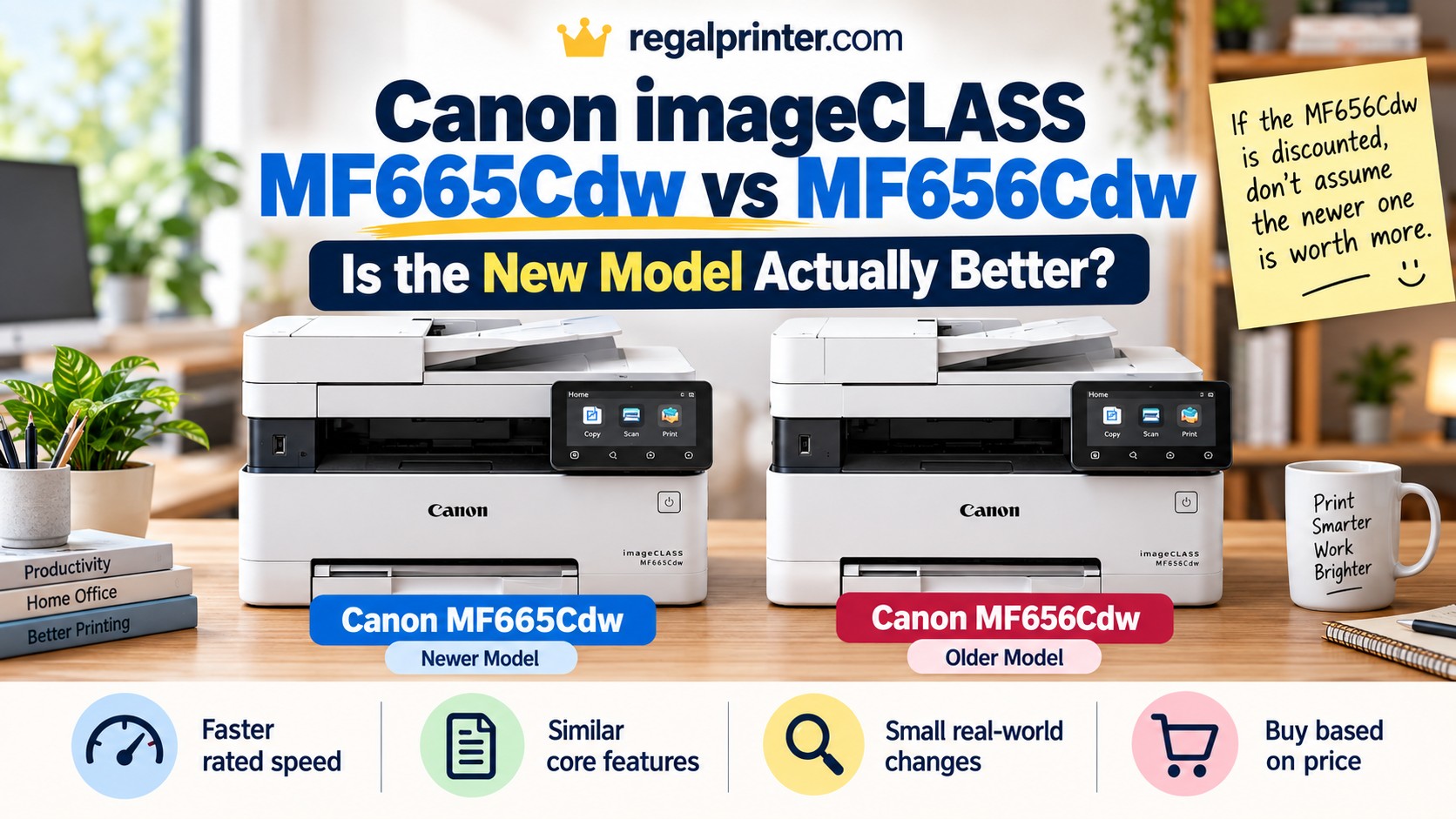
If the MF656Cdw is discounted, don’t automatically assume the MF665Cdw is worth paying more for. Canon improved the newer printer, but this is an evolution rather than a completely different machine.
The newer Canon Color imageCLASS MF665Cdw is faster, slightly smaller, uses newer toner, and produces somewhat crisper output in independent testing. But the older MF656Cdw already gives you most of the same office features, including color laser printing, fax, a 50-sheet automatic document feeder, one-pass duplex scanning, automatic two-sided printing, Ethernet, Wi-Fi, and a large 5-inch touchscreen.
That makes this less of a “new versus obsolete” comparison and more of a pricing decision.
If the MF656Cdw is meaningfully cheaper, it can still be the smarter buy.
Canon MF665Cdw vs MF656Cdw: The Short Answer
The MF665Cdw is the better printer overall, but the improvement is modest.
Canon increased the rated printing speed from 22 pages per minute to 26 pages per minute, introduced a new 075 toner system with somewhat higher high-capacity yields, reduced the machine’s footprint slightly, and added PCL printer-language support. Independent testing also found slightly crisper print quality from the newer model.
What Canon did not change is almost as important.
Both models include:
- color laser printing
- copying
- scanning
- fax
- 50-sheet automatic document feeder
- single-pass duplex scanning
- automatic duplex printing
- 250-sheet main paper cassette
- 5-inch color touchscreen
- Wi-Fi
- Ethernet
- USB
- Wi-Fi Direct
For many home-office and small-business users, those similarities matter more than the newer model number.
Quick Verdict
Buy the Canon MF665Cdw if: you want the newer platform, print frequently enough to notice the extra speed, want slightly sharper output, or expect to keep the printer for years and prefer buying into Canon’s current toner family.
Buy the Canon MF656Cdw if: it is substantially discounted and you want nearly the same office functionality for less money.
Upgrade from an MF656Cdw you already own? Probably not. The MF665Cdw is better, but not different enough to replace a functioning MF656Cdw unless speed or another specific improvement solves a real problem for you.
Canon MF665Cdw vs MF656Cdw Comparison
Feature | ||
|---|---|---|
Printer | 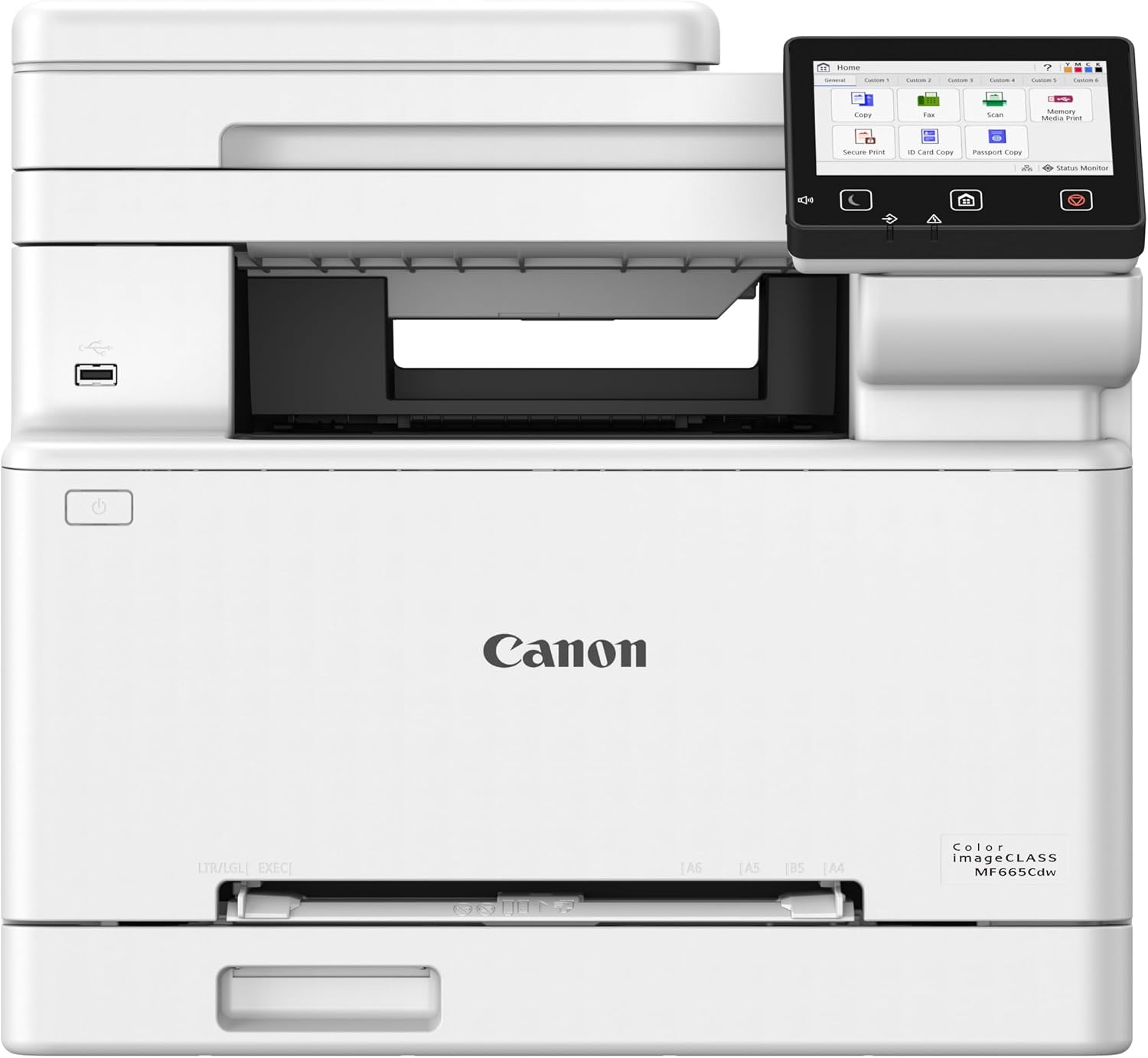 | 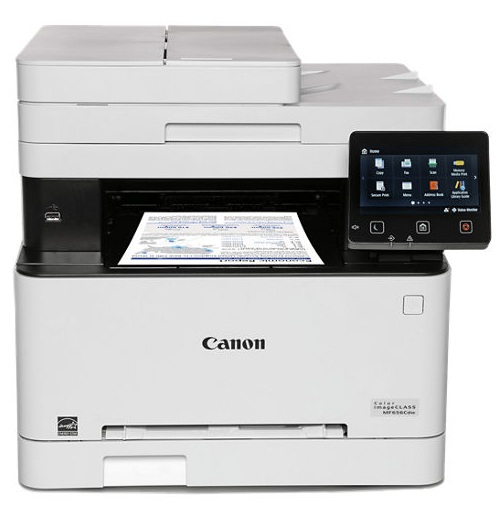 |
Rated print speed | Up to 26 ppm | Up to 22 ppm |
Toner | Canon 075 / 075 H | Canon 067 / 067 H |
High-capacity toner yield | Up to 3,500 black / 2,500 color | Up to 3,130 black / 2,350 color |
Scanner / ADF | 50-sheet ADF with one-pass duplex scanning | 50-sheet ADF with one-pass duplex scanning |
Paper capacity | 250-sheet cassette + 1-sheet manual feed | 250-sheet cassette + 1-sheet manual feed |
Display | 5-inch color touchscreen | 5-inch color touchscreen |
Functions | Print, scan, copy, fax | Print, scan, copy, fax |
Printer language | UFR II, PCL | UFR II |
Price |  | |
Canon’s own specifications show that the basic office platform barely changed. The biggest hardware differences are print speed, toner family, dimensions, and some internal/platform updates rather than a redesigned feature set.
What’s Actually Different?
The MF665Cdw is clearly intended to replace the MF656Cdw.
Canon has discontinued the older MF656Cdw, while the MF665Cdw now occupies the same general position in its color laser lineup.
But this is not the kind of generational change where the new model suddenly adds an ADF, duplex scanning, fax, or a much larger paper tray.
The MF656Cdw already had all of those things.
Instead, Canon improved the parts of the printer that affect daily office use while preserving the overall design.
The meaningful changes are:
- faster printing
- slightly better print quality
- newer toner with somewhat higher yields
- slightly smaller dimensions
- PCL support on the newer model
- lower listed standby and sleep power consumption
Those are real improvements.
They just are not revolutionary ones.
Printing Speed: The MF665Cdw Is Noticeably Faster
This is the most obvious upgrade.
Canon rates the MF665Cdw at up to 26 pages per minute for both black and color printing.
The MF656Cdw is rated at up to 22 pages per minute.
That is roughly an 18% increase in rated maximum speed.
For someone printing a five-page document occasionally, that difference will not transform the experience.
For an office routinely printing 50-, 100-, or 200-page batches, though, four extra pages per minute starts becoming more useful.
RTINGS also found the MF665Cdw faster in its direct comparison and describes speed as one of the newer model’s main improvements.
Who will actually notice the difference?
You are more likely to appreciate the MF665Cdw’s extra speed if you:
- print large reports
- share the printer among several people
- print invoices throughout the day
- regularly print client documents
- run a small office with frequent print jobs
If your printer spends most of the day idle and handles a handful of documents at a time, the MF656Cdw’s 22 ppm is already fairly quick.
First-page speed is not really different
Interestingly, Canon lists approximately the same 10.3-second first-print-out time for both models.
That means the newer printer’s speed advantage becomes more apparent as a print job gets longer.
For a one-page form, they may feel nearly identical.
For a 50-page packet, the MF665Cdw’s faster sustained printing matters more.
Feature | ||
|---|---|---|
Printer | | |
Rated print speed | Up to 26 ppm | Up to 22 ppm |
Toner | Canon 075 / 075 H | Canon 067 / 067 H |
High-capacity toner yield | Up to 3,500 black / 2,500 color | Up to 3,130 black / 2,350 color |
Scanner / ADF | 50-sheet ADF with one-pass duplex scanning | 50-sheet ADF with one-pass duplex scanning |
Paper capacity | 250-sheet cassette + 1-sheet manual feed | 250-sheet cassette + 1-sheet manual feed |
Display | 5-inch color touchscreen | 5-inch color touchscreen |
Functions | Print, scan, copy, fax | Print, scan, copy, fax |
Printer language | UFR II, PCL | UFR II |
Price | | |
Print Quality: Slight Improvement, Not a Different Class
Canon lists the same maximum print/copy resolution of up to 1200 x 1200 dpi for both models.
That alone might make it look like nothing changed.
Independent testing suggests otherwise.
RTINGS found the MF665Cdw produces marginally crisper output than the MF656Cdw, particularly for fine details and document printing. It characterizes the improvement as slight rather than dramatic.
That wording is important.
Do not buy the MF665Cdw expecting the visual leap you might get by moving between completely different printer technologies.
Both are already strong document printers.
The MF665Cdw simply refines the result.
For:
- text
- spreadsheets
- business graphics
- forms
- presentations
- schoolwork
both printers should perform well.
The newer model has the edge, but the older MF656Cdw does not suddenly become a poor printer because its successor is slightly sharper.
Toner: 075 vs 067
This is one of the more important long-term differences.
The MF656Cdw uses Canon’s 067 and 067 H toner cartridges.
The MF665Cdw uses the newer 075 and 075 H family.
These toner families are not interchangeable.
MF656Cdw toner yields
Canon rates standard 067 toner at approximately:
- 1,350 pages black
- 1,250 pages per color
The high-capacity 067 H versions are rated at approximately:
- 3,130 pages black
- 2,350 pages per color
MF665Cdw toner yields
Canon rates standard 075 toner at:
- 1,300 pages black
- 1,300 pages per color
The high-capacity 075 H versions are rated at:
- 3,500 pages black
- 2,500 pages per color
The standard cartridges are essentially a wash.
The high-capacity cartridges favor the newer printer.
The MF665Cdw gains roughly:
- 370 additional rated black pages
- 150 additional rated color pages
per high-capacity cartridge compared with the older system.
That is not a massive improvement, but businesses that print heavily may appreciate it.
Does the MF665Cdw Cost Less to Run?
Not automatically.
Higher page yield does not necessarily mean lower cost per page.
You still need to compare the current price of the 075 H cartridges with the current price of 067 H toner when you buy.
Toner prices fluctuate, discounts change, and older cartridges sometimes become cheaper or more expensive depending on availability.
The newer printer’s higher high-capacity yield gives it a theoretical advantage, but I would not choose between these two models solely on that specification.
The more important ownership question is this:
Are you buying a printer you expect to keep for five or more years?
If so, I would lean toward the MF665Cdw.
It uses Canon’s newer consumable platform, and the printer itself is the current-generation product.
The MF656Cdw is already discontinued by Canon.
That does not mean 067 toner will suddenly disappear.
Popular toner families often remain available for years.
But when the price gap between the printers is small, buying into the newer platform is generally the cleaner long-term decision.
Scanning and ADF: Almost No Reason to Upgrade
This is one area where Canon wisely did not remove useful features from the older model.
Both printers include a 50-sheet automatic document feeder.
Both can perform single-pass automatic two-sided scanning.
Single-pass duplex scanning means the printer can capture both sides of a double-sided sheet as it moves through the feeder.
That is much more convenient than cheaper ADF systems that require the page to be mechanically reversed or require you to scan each side separately.
For offices scanning:
- invoices
- contracts
- insurance paperwork
- applications
- tax documents
- employee forms
- double-sided reports
this is one of the strongest features on both machines.
Scan resolution is also the same
Canon lists scanning resolution at up to 600 x 600 dpi on both models.
If scanning is your main reason for choosing between them, the MF665Cdw does not offer the kind of upgrade that should make an MF656Cdw owner rush to replace the printer.
Fax: No Difference
Both models include fax.
That matters because some of the less-expensive printers within Canon’s MF65x and MF66x families remove fax capability.
The MF656Cdw and MF665Cdw are both fully equipped four-in-one devices:
- scan
- copy
- fax
So if fax is required in a medical, legal, financial, government, or traditional office workflow, either model works.
There is no generational advantage here.
Paper Handling: Essentially the Same
Both machines include a 250-sheet standard paper cassette plus a single-sheet manual feed slot.
Both support paper sizes from approximately 3 x 5 inches through legal-size 8.5 x 14-inch media.
Both automatically print on both sides of compatible paper.
This is another area where the MF665Cdw does not meaningfully expand what the printer can do.
You do not get:
- a 500-sheet tray
- multiple standard paper cassettes
- a large multipurpose tray
- tabloid-size printing
- significantly heavier-duty paper handling
Both are still best thought of as home-office and small-office color laser machines rather than high-volume departmental copiers.
The MF665Cdw Is Slightly Smaller
One subtle improvement is physical size.
Canon lists the MF665Cdw at approximately:
16.8 x 18.2 x 15.7 inches
The MF656Cdw measures approximately:
17.8 x 18.2 x 16.3 inches
They weigh essentially the same at around 48.5 pounds.
The newer model is therefore:
- about one inch narrower
- slightly shorter
- about the same depth
This is not enough to call the MF665Cdw compact.
It is still a substantial color laser all-in-one.
But if the printer is going into a tight home-office cabinet, shelf, or desk area, the smaller footprint is a welcome refinement.
Both Have the Same 5-Inch Touchscreen
There is no flashy new interface upgrade here.
Both printers include a 5-inch color touchscreen.
That is already one of the strengths of the older MF656Cdw.
The large screen makes it relatively easy to:
- start copies
- scan
- access fax
- change paper settings
- adjust printer options
- navigate network functions
Canon also allows the interface to be customized around frequently used workflows.
So if you see marketing photos of the newer MF665Cdw and assume the large touchscreen is one of the upgrades, it is not.
The MF656Cdw already had it.
Connectivity: Mostly the Same
Both printers offer the connection options most small offices need:
- USB
- Gigabit Ethernet
- Wi-Fi
- Wi-Fi Direct
They also support mobile printing, including Apple AirPrint and Canon’s mobile printing tools.
This means either model can work:
- directly connected to one PC
- over a wired office network
- over Wi-Fi
- with phones and tablets
There is no major reason to replace an MF656Cdw because of connectivity alone.
One Quiet Upgrade: PCL Support
There is one technical difference that may matter more to business environments than home users.
Canon lists the MF665Cdw with:
UFR II and PCL
printer-language support.
The older MF656Cdw lists UFR II.
Most ordinary home users will never think about printer languages.
PCL can matter in some business environments, however, especially where applications, print servers, or legacy workflows expect standardized printer-language support.
This is not a reason for the average household to upgrade.
But for an IT-managed office, it is a legitimate generational improvement worth knowing about.
Power Consumption Is Lower on the Newer Model
Canon’s listed power figures also show some efficiency improvements.
The MF665Cdw is rated at approximately:
- 1 watt standby
- 0.3 watt sleep
The MF656Cdw is listed at approximately:
- 10.5 watts standby
- 0.8 watt sleep
Actual electricity use depends on settings and usage, but the newer platform appears better optimized when sitting idle.
For one home-office printer, this is unlikely to save enough money to justify an upgrade on its own.
Across a larger organization with many devices, efficiency improvements become more relevant.
MF665Cdw vs MF656Cdw for a Home Office
For a home office, price matters more than almost any of the incremental improvements.
Both models already give you the important features:
- color laser printing
- duplex printing
- duplex scanning
- ADF
- copying
- fax
- Ethernet
- wireless printing
- 250-sheet paper tray
- large touchscreen
The newer MF665Cdw gives you faster printing and some refinements, but neither printer lacks a critical home-office capability.
Choose the MF665Cdw if:
You print frequently enough that the extra speed will matter.
You plan to keep the printer for a long time.
You prefer buying the current-generation machine.
You want the newer 075 toner platform.
The price difference is relatively small.
Choose the MF656Cdw if:
You find it heavily discounted.
Your printing volume is moderate.
You do not care whether a 50-page job finishes a little sooner.
You want nearly the same feature set for less money.
MF665Cdw vs MF656Cdw for a Small Business
The calculation shifts slightly for a small business.
Time matters more.
If several employees share the printer and it handles numerous jobs throughout the day, moving from 22 ppm to 26 ppm is more valuable than it is for a household.
The somewhat higher high-capacity toner yields also become more useful as volume rises.
RTINGS currently describes the MF665Cdw as a strong small-office printer and notes that its combination of sharp document output, high page yields, ADF, and 26 ppm performance makes it well suited to business use.
For a new small-business purchase, I would generally favor the MF665Cdw unless the MF656Cdw is significantly cheaper.
For a business that already owns an MF656Cdw, I would keep using it until there is a practical reason to replace it.
The improvement is real.
It is not large enough to make the older machine obsolete.
Who Should Buy the Canon MF665Cdw?
The MF665Cdw makes the most sense for someone buying a color laser printer today and wanting the current-generation option.
It is particularly well suited to:
- home offices with regular printing
- small businesses
- professional offices
- workgroups sharing one printer
- users frequently scanning double-sided documents
- people who need fax
- buyers who keep printers for many years
Its biggest advantages over the MF656Cdw are:
- faster 26 ppm printing
- slightly sharper tested print quality
- somewhat higher high-capacity toner yields
- smaller footprint
- newer consumable platform
- PCL support
- lower listed idle power consumption
None of those changes is revolutionary individually.
Together, they make the MF665Cdw the more polished printer.
Who Should Buy the Canon MF656Cdw?
The MF656Cdw still makes sense primarily as a discount buy.
Canon has discontinued it, so remaining inventory may sometimes be priced well below the replacement model.
If the discount is substantial, you are not sacrificing much.
You still get:
- 22 ppm color laser printing
- automatic duplex printing
- one-pass duplex scanning
- 50-sheet ADF
- 250-sheet paper tray
- 5-inch touchscreen
- fax
- Wi-Fi
- Ethernet
- USB
That remains a strong office feature set.
The MF656Cdw becomes especially attractive if you print modest volumes and therefore will rarely notice the speed difference.
One caution
Do not assume “discontinued” automatically means “bargain.”
Sometimes remaining older inventory is strangely expensive.
Compare the actual prices of both printers before buying.
If the MF656Cdw costs nearly as much as the MF665Cdw, get the newer model.
Is the MF665Cdw Worth Paying More?
Yes, in most cases.
At a higher price, I would choose the MF665Cdw.
You get:
- faster printing
- newer toner platform
- somewhat better high-yield capacity
- slightly sharper output
- a smaller chassis
- the current model
That is enough improvement to justify a modest premium.
Is the MF665Cdw Worth Paying More?
This becomes more situational.
For a busy office, probably.
For a home user printing a few dozen pages each week, the MF656Cdw becomes much more attractive at that discount.
The printers are too similar to ignore a meaningful extra cost difference.
Should Existing MF656Cdw Owners Upgrade?
Usually, no.
If your MF656Cdw is working properly, keep it.
You already have nearly all the important features of the newer printer.
Upgrading gives you:
- four additional rated pages per minute
- somewhat better output
- slightly better high-capacity toner yield
- smaller dimensions
- current-generation hardware
What you do not gain is:
- a larger ADF
- a bigger paper tray
- dramatically faster scanning
- an entirely different touchscreen
- new fax capability
- a major resolution increase
- a completely different class of printer
That is not enough to justify replacing a functioning machine for most people.
Wait until you actually need a new printer.
Then choose the MF665Cdw or whatever has replaced it by that point.
Frequently Asked Questions
Is the Canon MF665Cdw the replacement for the MF656Cdw?
Yes. Canon has discontinued the MF656Cdw, and RTINGS identifies the MF665Cdw as its successor.
Is the MF665Cdw faster than the MF656Cdw?
Yes.
Canon rates the MF665Cdw at up to 26 ppm, compared with 22 ppm for the MF656Cdw.
Does the MF665Cdw print better than the MF656Cdw?
Slightly.
Both have the same listed maximum print resolution, but RTINGS found marginally crisper output from the newer MF665Cdw.
Do the MF665Cdw and MF656Cdw use the same toner?
No.
The MF665Cdw uses Canon 075 / 075 H toner.
The MF656Cdw uses Canon 067 / 067 H toner.
Which printer has higher toner yield?
The high-capacity MF665Cdw toner has a modest advantage.
Canon rates 075 H at up to 3,500 black and 2,500 color pages.
Canon rates 067 H at up to 3,130 black and 2,350 color pages.
Do both printers scan both sides automatically?
Yes.
Both models use a 50-sheet automatic document feeder capable of one-pass two-sided scanning.
Do both printers have automatic duplex printing?
Yes.
Both can automatically print on both sides of compatible paper.
Does the MF665Cdw have fax?
Yes.
Both the MF665Cdw and MF656Cdw support print, scan, copy, and fax.
Which one is smaller?
The MF665Cdw.
Canon lists it at approximately 16.8 inches wide compared with about 17.8 inches for the MF656Cdw. It is also slightly shorter, while depth and weight remain similar.
Which is better for a home office?
Either can work very well.
The MF665Cdw is the better long-term purchase when prices are close. The MF656Cdw becomes the better value if remaining inventory is meaningfully discounted.
Which is better for a small business?
The MF665Cdw is the stronger new purchase for a small business because its faster printing and slightly higher toner yields become more useful as printing volume increases.
The older MF656Cdw remains competitive if the purchase-price savings are substantial.
Final Verdict: Better, But Not Dramatically Better
The Canon Color imageCLASS MF665Cdw is the better printer, but Canon did not reinvent the MF656Cdw.
It refined it.
The newer printer is faster, slightly more compact, uses a newer toner system with somewhat higher high-capacity yields, adds PCL support, and produced marginally crisper output in independent testing.
Those improvements make the MF665Cdw the model I would buy when the price difference is modest.
But the MF656Cdw remains surprisingly competitive because Canon had already given it most of the features that matter:
- duplex printing
- duplex scanning
- 50-sheet ADF
- fax
- 250-sheet tray
- 5-inch touchscreen
- Ethernet
- Wi-Fi
- color laser printing
If you find the older printer at a substantial discount, buying it is not settling for an outdated design.
It is buying most of the same printer for less money.
The simplest rule is:
Small price difference: buy the MF665Cdw.
Large discount on the MF656Cdw: take the savings.
Already own the MF656Cdw: keep it.